
lcifpchofigigpgmhpghagcifokadjaa


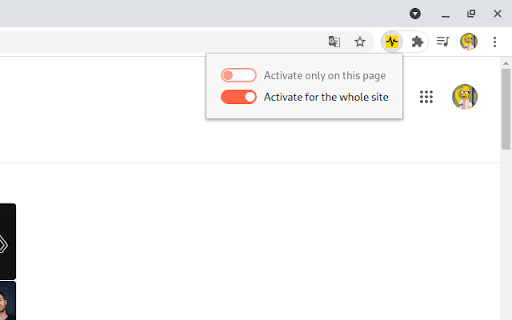
Core Web Vitals Largest Contentful Paint and Cumulative Layout Shift Monitor This helps to identify problematic elements causing CLS performance issues on the page by visually highlighting them with a red border. Also in the lower left corner you can watch the change of this indicator while staying on the page.

Core Web Vitals Visualizer
Measure, visualize, and debug Core Web Vitals in real time. CrUX history, LCP/CLS/INP breakdowns and performance experiments Core Web Vitals Visualizer Open the popup on any page. See your LCP, CLS, INP, FCP, and TTFB scores instantly, color-coded, live. No separate tool. No copy-pasting URLs into PageSpeed Insights. What it shows Real-time scores powered by the web-vitals library, the same library Chrome uses internally. Green means good. Orange means work to do. Red means it's hurting you. LCP - Green overlay marks the LCP element on the page. Full timing breakdown: TTFB, Resource Load Delay, Resource Load Duration, Element Render Delay. For images: preload status, fetchpriority, 1st vs 3rd party origin, natural vs rendered dimensions, estimated preload savings. CLS - Pink overlays mark every layout shift source. Click any shift to see an animated before/after replay. Attribution shows the largest shift target and score. INP - Broken down into Input Delay, Processing Duration, and Presentation Delay. Shows interaction type, target element, and page load state at time of interaction. FCP and TTFB - -FCP splits into Time to First Byte vs First Byte to FCP. TTFB splits into Cache, DNS, Connection, Request, and Waiting. CrUX history 25 weeks of Chrome User Experience Report data for any site or URL. Toggle between P75 scores and good/needs-improvement/poor distributions. Switch between mobile and desktop. Trend lines show whether each metric is moving in the right direction. Render-blocking resources Every render-blocking stylesheet and script listed with individual file timings and total blocking duration. Performance experiments Test fixes without touching your code. Disable JS, defer all JS, or block third-party JS. Lazy load images, de-prioritize background images, disable web fonts or third-party CSS. Run any experiment with cache cleared to measure real cold-load impact. Network throttling Simulate slow 3G with CPU throttling. Clear cache and reload to measure cold performance. Built for developers Minimal permissions. No data collection. Everything runs locally. All vitals logged to the console for debugging. One-click links to CrUX Dashboard, PageSpeed Insights, and the W3C HTML Validator for the current page. changes: 1.19 New Signal scan and minor fixes 1.18 Fixed INP attribution logic 1.17 Redesign of Experiments and new Audit tab, Minor logic an UI fixes 1.16 Added content audit, refactored experiments and minor layout improvements 1.15 Minor fixes 1.14 Added Treo.sh link, removed depricated looker studio report, added crux lcp subparts, rtt. navigation types and lcp types 1.13 Added CrUX Vis link, better fallback for missing CrUX data and small bigfixes. 1.12 Better messaging + improved elementtiming, better logging to console 1.11 Removed the FID, the Web Vitals are now based upon the upcoming v4 of the web vitals library, new breakdown details, improved CSS visualization, small bugfixes, code cleanup. 1.10 Promote INP to a Core Web Vitals and demote FID to a metric of interest! 1.9 CrUX history API, small fixes, more CLS info 1.8 Better metric updates, better logging, minor improvements 1.7 Log Events, Long Tasks and Long Animation Frames to the console that happen during and might interfere with the INP. 1.6 Better INP Breakdown, minor code improvements. 1.5 code improvements, layout improvements, added page experiments (defer javascript, disable javascript, disable third party scripts, lazy load images, defer background images & disable webfonts). 1.4 left side menu, more information about render blocking resources and direct links to PSI, CrUX dashboard and W3C. 1.2 added lots of LCP information like preloading, fetchpriority, rendering breakdown, first or third party etc.

Core SERP Vitals
Show the Core Web Vitals data from the Chrome User Experience Report in the Google Search Results. Show real world Core Web Vital data from the Chrome User Experience Report in the Google Search Results. Displays LCP, FID, CLS (and the experimental INP and TTFB) metrics underneath the page links in the Google SERP where data is available in the CrUX report. * Note: Requires a free API key for the Chrome UX Report API. * https://developers.google.com/web/tools/chrome-user-experience-report/api/guides/getting-started Updates: Version 1.3.0 - Now displays the experimental INP and TTFB metrics.

Schema Builder for Structured Data
Easily build validated json-ld structured data markup for any webpage. Based on schema.org specification Generating structured data markup for your webpages doesn't have to be hard! No more having to learn each Schema type, which elements are required vs. recommended or worrying about errors and issues. Schema.dev's Schema Builder makes it as simple as point and click to generate the perfect JSON-LD structured data for dozens of Google supported Schema types! and all for FREE! ============================================= Be sure to view the initial training video for fastest time to value. https://videos.seoclarity.net/video/kazj73n005plxgv61 ============================================= Simply enable the plugin, choose the schema markup you'd like to add and then populate the form using the point and click capabilities or manual input. Already have schema markup on your webpages? The built-in Schema testing tool helps validate your schema markup and shows errors and warnings. Key Features - Updated March 2nd, 2025 ================================== + NEW! Support for Vehicle Listing Markup + Support for 20+ Schema types - including ALL Google supported markups + Automatic detection of existing structured data + Point-and-click ease to populate schema fields + Intuitive UI that guides you through required, recommended and optional elements for each schema + Structured Data Testing capabilities built in for any schema markup generated + Intuitive UI to guide through required, recommended and optional elements NOTE: The plugin is in actively development - Join the forums at https://support.schema.dev for feedback, bugs and tips.

View Rendered Source
View source is dead. See how the browser renders a page, not just what the server sends. A lightweight Chrome Extension that shows you how the browser has constructed (rendered) a page's original HTML into a functioning DOM, including modifications made by JavaScript. An essential tool for web developers using JavaScript frameworks like Angular, ReactJS and Vue.js, and for SEOs to understand how search engines see your pages, especially considering Google's dynamic serving workaround. Differences between raw and rendered versions are highlighted line-by-line showing how JavaScript has modified a page at render time. * Raw: The source code sent from the server to the browser before the DOM is rendered. The same as you'll see with traditional 'View Source' in the browser (after minor formatting tweaks) * Rendered: The rendered page after the source has been interpreted into a DOM, including any modifications made by Javascript * Difference: The difference between the rendered source and the raw source. Differences occur when JavaScript has modified the DOM. Adaptive website? If you serve different source code to mobile devices, emulate this easily with a mobile user-agent checkbox. Dynamic serving for Google? (More info: https://developers.google.com/search/docs/guides/dynamic-rendering) Using Google's dynamic rendering workaround designed for Javascript-heavy sites? Just request the raw source as Googlebot and ensure perfect technical SEO. Works with GatsbyJS and Prerender. DM the developer: https://twitter.com/ItsHogg
