
lblfgppmhibloglgndekfdhmbfbdlndl
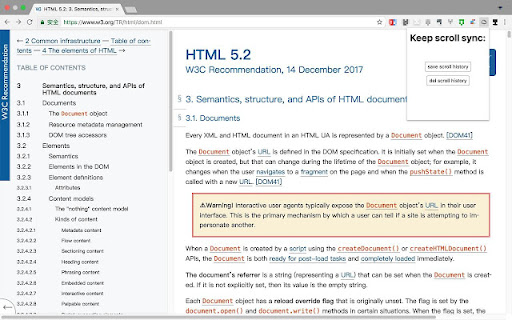

It's an extension for keep scroll position cross platform. It's an extension for keeping page scroll position synced across platforms. 这是一个用于在不同设备之间同步页面滚动位置的浏览器扩展程序。

Scroll Bar Pin
Records the location of scroll bar of browser, and whenever you need easily relocate to there. Use the extension can record the scroll bar position, and whenever you need easily relocate to there.

Scroll Pages Together
A Chrome extension for multiple web page sync scroll Enhance your browsing experience with our Synchronized Scrolling Chrome Extension! This powerful tool allows you to effortlessly compare original texts and their translations, or review differences between live and development versions of web pages. Multi-Page Comparison: Easily synchronize scrolling across multiple pages, whether they share the same URL or are entirely different. Seamless Navigation: Scroll through your selected pages simultaneously, making it simple to spot differences and similarities. User-Friendly Interface: Intuitive design allows for quick setup and smooth operation, perfect for translators, developers, and anyone needing to compare content side by side. Take control of your web browsing and never miss a detail with our Synchronized Scrolling extension!

ScrollDock – Smart Scroll Saver
Automatically remembers your scroll position on websites. Return later and pick up reading right where you left off. Never lose your scroll position again. ScrollDock is a smart Chrome extension that automatically saves your scroll position on any webpage and restores it when you return — even after closing the tab, refreshing, or coming back days later. Perfect for readers, researchers, and multitaskers. 💡 Whether you're reading long articles, researching, or browsing threads, ScrollDock ensures you always resume right where you left off. 🔹 Key Features: ✅ Automatically remembers your scroll position on websites. ✅ Instantly restores your scroll spot when you revisit. ✅ Works seamlessly across most websites and platforms. ✅ Lightweight, fast, and 100% privacy-friendly — no data collection. ✅ Boosts productivity and reading continuity. 📌 Perfect for: Blog readers, students, researchers, content creators, and anyone who hates losing their place while browsing. Install ScrollDock now and enjoy smooth, uninterrupted browsing — every scroll, every time.

Scrroll In
An extension to save scroll position of a webpage ✨ What's new - - You can now save upto 20 scroll positions for any page and manage (get, update and delete) them individually. - Added an opt-in to show toasts when performing actions with a scrroll for better UX (Experimental). You must have been in a situation wherein you are reading a long article but you don't have enough time to finish it so you close the tab, and the next time you open the article again, you have no idea where you left it. Well not anymore, with this extension you can save the scroll position of the page and then revisit the page at any time to continue where you left. I know that there are other extensions similar to this, but most of them either don't work reliably or lack the features mentioned below - 🤹 Color changing icon The icon changes color whenever the extension detects that you have already saved a scroll position for a page. ✨ Sleek UI Ability to add, remove, update or delete the scroll position directly from the popup menu. 💾 Unlimited Storage Under the hood this extension uses chrome's local storage API, so you'll never run out of storage for your articles. 🤳 View all your saved scrrolls An options page to view all your saved pages, with the percentage of the page completed. 📜 Completely free and open source Scrroll In was and will always be free to use and open source. Feel free to open an issue for feature request or bug report on the issues page on Github
