
lbdnddabdjhmnlclmaaigiaemebgcgpe
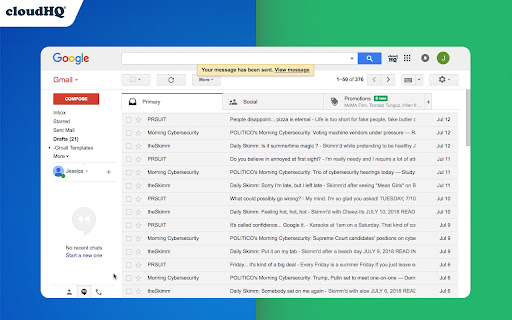
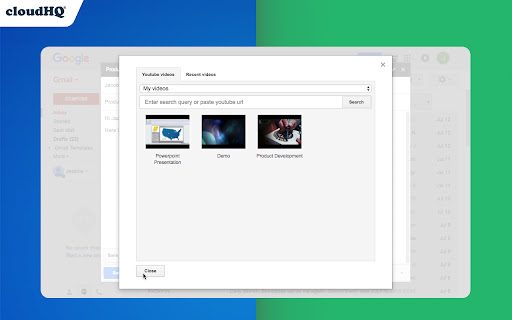

Embed Your YouTube™ Videos in Gmail This extension lets you choose from any YouTube video, and easily embeds it directly into the body of your Gmail email. Just click on the "YouTube™ icon" in your compose email window in Gmail, select the video that you want to embed in your email, and your video will automatically embed. This is great for anyone who wants to introduce themselves like: It's also great for: ✅ Artists who want their mailing list to see their work on YouTube ✅ Customer Support who have videos explaining something for frequent customer questions ✅ Educators, speakers, or teachers who want to share access to their presentation videos ✅ Product demos ✅ Newsletters where you want to include an interesting video ✅ Strategy game vloggers ✅ Beauty vloggers ✅ Travel vloggers ✅ Workout vloggers Whether you saw a YouTube™ video that you think your email audience would enjoy, or if you've created a YouTube video that you want your email audience to see, this is a simple way to embed your video in your email with just 3 simple clicks. cloudHQ. Helping your productivity, 1 click at a time. Website: https://www.gmail-youtube.io Pricing: https://www.gmail-youtube.io/pricing Support page: https://support.cloudhq.net/category/browser-extensions/embed-youtube-videos-in-gmail/ Blog: https://blog.cloudhq.net Gmail, Youtube, Google Shared Drive, Google Drive, and Google Workspace are trademarks of Google LLC. Use of these trademarks is subject to Google Permissions.

Copilot for Gmail™ by cloudHQ
Mini CRM for your Gmail Copilot for Gmail™ is a mini CRM that lets you see a snapshot view of your email contact's profile information, and any past emails conversations you've had. This is crucial to have so that you can respond intelligently, and help you dramatically cut down your search time when you're looking for a past email conversation you had with your email contact. Right within Gmail, you can: ✔️View profile information of the person you're emailing, or who emailed you ✔️Create private notes about this contact (For example: This client has needed support for over 4 hours last week) ✔️Set up a reminder alarm for this contact (For example: Follow up with client on a specific date/time) ✔️A list of all the email conversation history you have with that email contact ✔️A list of all documents and attachments related to that email contact This is great for anyone who wants to appear more professional, and have everything neatly organized in their email. Key features: ⭐️ person and company profile info ⭐️ easy access to all email messages ⭐️ easy access to all attachments ⭐️ notes (private or shared with the team) ⭐️ reminders cloudHQ. Helping your productivity, 1 click at a time. cloudHQ website: https://www.cloudhq.net/ App website: https://www.gmail-copilot.com/ Pricing: https://www.gmail-copilot.com/pricing Support page: https://support.cloudhq.net/category/browser/gmail-copilot Blog: https://blog.cloudhq.net Demo: https://www.cloudhq.net/demo Google Workspace, Google Sheets, Google Drive, Google Alerts and Gmail are trademarks of Google LLC. Use of this trademark is subject to Google Permissions.

Meeting Scheduler for Gmail™ by cloudHQ
Easy meeting scheduling and meeting invitations directly from your mailbox Scheduling appointments and meetings is super easy with Meeting Scheduler for Gmail™ FREE: Easy, beautiful meeting calendar scheduler lets you send out a link so that other people can choose a meeting time with you based on your availability. It works directly from Gmail™, and is 100% integrated with your Google Calendar™. Book meetings with only one email. Say goodbye to email "tag game" for scheduling appointments - do everything with one email and one click. 1) Install the extension. 2) While composing an email to your clients, colleagues, friends, students, etc... just click on the "Calendar icon" on the bottom of your email. 3) You will be able to insert a link to your calendar availability before you send your email. 4) When the email receiver opens your email, they can pick an available time slot, and your meeting event will be added to both of your calendars. 5) It will be editable if you ever need to change the meeting time. Here are some of the differences between this calendar meeting scheduler and others: 1. There are no duplicate calendars that are saved to an external calendar, this works directly with your Google calendar. You can therefore easily revise a meeting day and time, and the other person is aware of the change. 2. You can label how you see your meetings in your calendar, instead of a default meeting block labelled "Meeting". 3. The person who is booking an appointment with you doesn't need to enter in his/her name or email because we already know who it is based on their email address. 4. The sender and receiver are properly labeled in their respective fields. No more guessing who is joining you if you are looking at your Google Calendar™. 5. Settings are already based on your time zone, with meetings between 9a-5p M-F. You can change these settings at any time. Key features: ✅ SMS Notifications ✅ Track meeting invite clicks ✅ Book me (vanity) links ✅ Unique invite links per email message ✅ Customizable meeting page App website: https://www.meeting-scheduler-for-gmail.com/ cloudHQ website: https://www.cloudhq.net Pricing: https://www.meeting-scheduler-for-gmail.com/pricing Support page: https://support.cloudhq.net/category/browser-extensions/meeting-scheduler-for-gmail/ Blog: https://blog.cloudhq.net Gmail, Google Calendar, and Google Workspace are trademarks of Google LLC. Use of these trademarks is subject to Google Permissions.

Free Screencast Recording for Gmail
The BEST free video screen capture option out there. It captures your voice, and anything you want to show that's on your screen. It uploads directly as a link in your Gmail to your screencast video. Use it for education, customer service, or anything that you want to share. Key features: - Upload directly to YouTube - Upload to Google Drive, Dropbox, or Box - Customize your screencast page with your own logo and promotions - Full integration with Gmail - Add screencast to your Gmail signature - Measure views and stats cloudhQ. Helping your productivity, 1 click at a time. Website: https://www.record-my-screen.com/ Pricing: 100% FREE Support page: https://support.cloudhq.net/category/browser-extensions/gmail_screencast/ Blog: https://blog.cloudhq.net Gmail, Google Shared Drive, Google Drive, and Google Workspace are trademarks of Google LLC. Use of these trademarks is subject to Google Permissions.

Email Tracker by cloudHQ
Know when your emails are opened in real-time Now you can find out when your emails are read! This email tracker software is extremely easy to use, and gives you all of the following features where you'll have: ✔️ An email tracking dashboard ✔️ Mobile text, desktop, and email notifications when your email is read ✔️ Reminders if your email goes unopened after 48 hours ✔️ Link tracking ✔️ Email tracking removal options for personal emails you don't want tracked You'll also get a Gmail label to show you: - Tracked emails that you sent, and were opened - Tracked emails that you sent, and were opened, with links that were clicked on (how many times, and which links were clicked on) - A list of all opened but unanswered emails where people need to respond back to you - A list all opened, but unanswered emails where you need to respond back - A list all unopened emails where people need to respond back to you - A list all unopened emails that are awaiting your reply ✔️ As an upgrade: You can export all of your tracked emails to Google Sheets for an up-to-date report on open rates, link clicks and more. This is ideal for salespeople, customer service reps, head hunters, and more! cloudHQ. Helping your productivity, 1 click at a time. NOTE: For easy access to your settings and other cloudHQ apps, look for the cloudHQ icon in the top right corner of your Gmail inbox. Click on it to get started! cloudHQ website: https://www.cloudhq.net/ cloudHQ app list: https://www.cloudhq.net/apps App website: https://www.mail-tracker.com/ Pricing: https://www.mail-tracker.com/pricing Support page: https://support.cloudhq.net/category/browser-extensions/email-tracker/ Blog: https://blog.cloudhq.net
