
lafajgbndkiglljfhabiamkffdcfjkfg
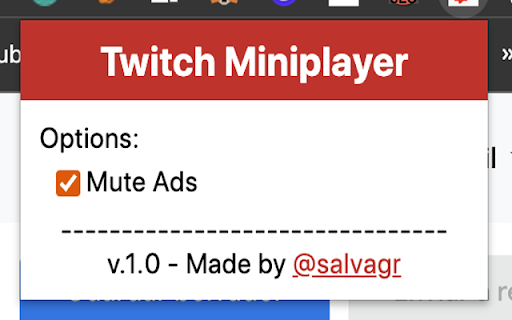
Mute the ads and set volume on twitch miniplayer Are you tired of missing the best of your streamer because of ads? With this extension we help you stay immersed in the stream even when these annoying ads appear.

Better Twitch Adblock
Blocks Video and Content Ads on Twitch.tv The extension works by finding a Twitch stream source without ads and replacing the ad with the ad-less version. The ad-less version will be 480p, while the ad runs. Twitch Ads will be blocked for pre-rolls and mid-rolls and also on VOD's. We also block third party trackers. Any donations are very much welcome, as we do pay server costs to make this work. You can donate via Paypal at https://www.paypal.com/paypalme/ttvadblock You can find our code on Github and keep up to date with any changes. https://github.com/DonnyJones/AdblockerForTwitch The code is licensed under the GPL-3.0 license. Credits are on the Github page.

YouTube Popout Player
This extension provides a simple way to open any YouTube video (including videos embedded in other sites/pages) in a "popout" window which you can freely position and resize. When viewing any YouTube video, whether directly YouTube, or embedded on any other website, you can either: - Right-click on the video and click the "Popout Player" option (at the bottom of the menu that is displayed) - Click the popout player icon (a square with a smaller square coming out of the top right corner), which can be found in the lower right corner of the video (by the settings and fullscreen icons) - Use the keyboard shortcuts (default CTRL + Up Arrow ) - Right-click on any link/thumbnail to a YouTube video or playlist, and use the "Open Video in Popout Player" or "Open Playlist in Popout Player" menu options. This works on any website as long as the link goes to YouTube.

Purple Ads Blocker
An adblocker for the Twitch.tv using server side signature and local m3u8 manipulation Purple AdBlock is a video ad-blocker for Twitch.tv. The extension uses an external proxy in an ad-free country, only video requests are sent through this proxy to retrieve an ad-free, full quality stream. The extension does not collect or store your personal information and is opensource. If you would like to contribute your own proxy or help us with the extension upkeep, please visit my Github https://github.com/arthurbolsoni it might not work in some countries ATTENTION: Does not work with Alternate Player for Twitch. ATTENTION: The author of this extension accepts no responsibility for the use of the extension. The use of the extension is the total responsibility of the user.

Video Popout
Pop-out and load any video element to a floating window. Video Popout is an extension that lets you easily detach the active video in a tab and load it in a small and floating popup outside of the current window. The floating window remains active even if you change the active tab. Please note that if you close the tab that contains the video, the floating popup window will be closed as well. This addon uses the new JavaScript API called "picture-in-picture". It currently works in all modern browsers. It is important to note that, the floating window will stay on top of other windows. Note: please play the video first and then click on the toolbar button to make it pop out. A paused or stopped video element, will not respond to the pop-out request. To change this behavior, please visit the extension options page and adjust the settings. If you have a feature request or found a bug to report, please fill out the bug report form on the addon's homepage (https://mybrowseraddon.com/video-popout.html).
