
bfeoploanlacfeohdakiecicjnjcooji
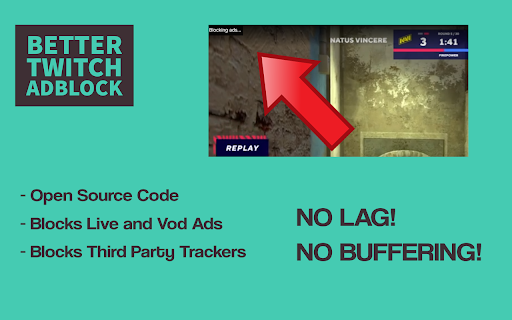
Blocks Video and Content Ads on Twitch.tv The extension works by finding a Twitch stream source without ads and replacing the ad with the ad-less version. The ad-less version will be 480p, while the ad runs. Twitch Ads will be blocked for pre-rolls and mid-rolls and also on VOD's. We also block third party trackers. Any donations are very much welcome, as we do pay server costs to make this work. You can donate via Paypal at https://www.paypal.com/paypalme/ttvadblock You can find our code on Github and keep up to date with any changes. https://github.com/DonnyJones/AdblockerForTwitch The code is licensed under the GPL-3.0 license. Credits are on the Github page.

Ad Blocker: Stands AdBlocker
Stands AdBlocker – it's a free ad blocker for YouTube, Twitch, Pop-Ups, Video Ads, and websites. Block ads everywhere with Stands! Stands is the best free adblocker for Chrome that eliminates ads on YouTube, Twitch, pop-ups, video ads, and banners. Download the top-rated adblock Chrome extension and enjoy faster, interruption-free browsing today! 🚀 Why Choose Stands adblocker for Chrome? ✅ Block ads – pop-ups, video ads, banners, and auto-playing videos disappear from every site you visit. ✅ Watch YouTube and Twitch without interruption – no pre-roll, mid-roll, or live stream ads ever again. Skip ads automatically with our built-in ad skipper. ✅ Faster page loading – blocking ads reduces data usage and makes sites load up to 50% faster. ✅ Protection from malicious ads – Stands blocks dangerous ads carrying viruses, malware, and phishing attempts that could harm your device. ✅ Auto-hide cookie banners – say goodbye to annoying pop-ups asking you to accept cookies on every site. ✅ Customize your blocking preferences – you decide which sites can show ads to support your favorites, and which can't. 🎯 What does Stands AdBlocker block? 🎥 YouTube ads – removes all video ads instantly 🎮 Twitch ads – watch streams without interruptions 🍪 Cookie banners – automatic blocking of cookie notification pop-ups 📱 Social media ads – block ads on Facebook, Instagram, Twitter, and LinkedIn 🌍 Pop-ups – a true website blocker for pop-ups across every site 📥 How to remove ads? Install in 3 steps: 1. Download Stands from the Chrome Web Store 2. Install with one click 3. Done! Your Google Chrome ad blocker activates automatically – block ads for free from the very first second Also available for Microsoft Edge, and Opera. ⭐ Why is Stands the best adblocker for Chrome? Stands starts blocking the moment it's installed, letting you browse free from annoying interruptions. As a trusted adblock Chrome extension, it stands out for stability, effectiveness, and fast performance: 🔹 Lightweight – won't slow down your browser 🔹 Regular updates – always up-to-date protection against new ad formats 🔹 All-in-one protection – one extension instead of multiple add-ons 🔹 No hidden costs – completely free, forever Stands delivers superior performance compared to alternatives like Adblock Plus, AdGuard, and uBlock Origin. ❓ Frequently Asked Questions What is the best adblocker for Chrome? Stands AdBlocker is the superior choice when considering top add blockers like Adblock Plus, AdGuard, AdBlocker Ultimate, uBlock Origin, and the Pie Adblock extension. Stands effectively blocks ads and speeds up page loading times. How to enable ad blocking? To enable Stands, simply install it from your browser’s extension store. Once installed, access the settings through your browser’s menu to customize your preferences. Can I choose which ads to block? Absolutely! You can customize your settings and add exceptions for specific sites you want to support. 🔐 Your Privacy What personal information do we collect on our users, and how do we collect it? We will collect information about the websites visited by our users, search engine results pages, click stream data, and information about the content that you viewed in order to ensure the ad-blocking, and anti-malware protection are all working properly. We also provide Browsing Data to third parties for their own use, such as for market analytics purposes. All Browsing Data is filtered to remove any personal data before it is processed and provided to third parties. For detailed policies on privacy and user terms, please refer to the Privacy Policy and End User License Agreement available on the website. PRIVACY POLICY: https://www.standsapp.org/privacy-policy/ END USER LICENSE AGREEMENT: https://www.standsapp.org/end-user-license-agreement/ These documents ensure transparency and trust by choosing Stands, demonstrating our commitment to efficiency and protecting your online privacy. 📧 Support For additional support or feedback, users are encouraged to visit the Support Center or contact via email at support@standsapp.org. Get started with Stands and join millions of users worldwide!

Pie Adblock - A Powerful Free Ad Blocker
Pie Adblock blocks ads & pop-ups, plus YouTube & Twitch video ads. You can customize your ad experience with Pie! Pie is a completely free ad blocker that blocks pre-roll ads on YouTube, mid-roll ads on Twitch, pop-ups, banners, and more. Reclaim your online experience and watch ads disappear in real-time! 🔒 Privacy + Security — Your data is only used to power Pie features—never sold or monetized. We prioritize trust and transparency. Read our full privacy commitment at www.pie.org/privacy 🛑 Advanced Features — Enjoy all advanced adblocker features at no cost to you: robust ad-blocking methods, enhanced popup suppression, plus more. 🎉 Visual Mode — See the power of our ad blocking technology in action as ads are zapped away. 🥧 Growing The Pie Together — Pie isn’t just an ad blocker; it’s an experiment to see what happens when people have more control of their internet experience. Add Pie with just a couple clicks and start blocking ads immediately. Terms apply and may be viewed at www.pie.org/terms ➤ Changelogs: [March 2025] We’ve introduced a new feature that detects when multiple ad blockers or related extensions are installed, as using several at once can negatively impact effective ad blocking. Users now have the option to easily disable conflicting extensions directly within Pie Adblock. This helps ensure optimal ad blocking efficiency, reduces ad block detection, and creates a smoother browsing experience. Read more in pie.org/privacy [February 2025] Released new ways to support your favorite creators on YouTube and Twitch. Our new video overlay shows you when Pie's YouTube & Twitch ad blocker is actively working to block ads and gives you more control over your ad experience. [January 2025] Added support for new Fair Ads sites [October 2024] Twitch stats: ads blocked, time saved, and more! [September 2024] Improvements to Manifest V3 (MV3) ad-blocking and filters [August 2024] First fully featured version. Block distractions like ads, video ads like pre-rolls and mid-rolls, floating videos, pop-ups, cookie banners, and more. Need a replacement for uBlock Origin? Pie is an efficient, fully MV3 compatible ad blocker that will block ads on YouTube, Twitch, and more! Ready to get started? Click “Add to Chrome” at the top of this page and start blocking ads in just a couple of clicks!

Adblock for YouTube & Chrome - All Block
All Block is a browser extension that blocks ads from showing up on websites you visit. If you're looking for a uBlock Origin alternative that will keep working after Chrome transition to Manifest v3, look no more! All Block is fully compatible with Chrome's latest update. It'll guard you from pesky ads on the internet like an iron dome. On the websites, on YouTube, everywhere! 🛑 Powerful Adblocking - Remove advertisements from websites, giving you a cleaner and more enjoyable browsing experience. 🎬 YouTube Ad Blocker - Skip pre-roll, mid-roll, and banner ads on YouTube for uninterrupted video watching. 🔒 Enhance Privacy - Stop trackers from collecting data about your online activities, keeping your browsing habits more private. 🛡️ Improve Security - Protect against malicious ads and websites that could harm your device or steal personal information. 👌 Easy to Use - Designed for simplicity, it works right out of the box with no setup required. ⚡ Faster Loading Speeds - Pages load quicker without the extra data from ads, so you can browse more efficiently. 🪶 Lightweight - Designed to be resource-efficient so it doesn’t slow down your browser. 📊 Blocking Statistics - See how many ads and trackers have been blocked today, this week, and this year — right in the extension popup. 📄 Whitelist - Support your favorite sites by allowing ads on them through a simple whitelist feature. This extension is compatible with Manifest V3 (MV3) and strictly adheres to all Web Store Policies and Terms of Service.

AdBlocker for Twitch
Twitch Ad Blocker for Chrome — block or reduce Twitch ads and enjoy smoother streams. Also helps reduce popups, banners, redirects AdBlocker for Twitch is a lightweight Twitch ad blocker for Chrome made for one simple goal: help you watch streams with fewer ad interruptions. If you’re searching for a reliable adblocker for Twitch, this extension is built to target the ad patterns Twitch viewers run into most often — including Stream Display Ads (SDA), which are 15-second video ads that can appear before or during a live stream. (Ad delivery on Twitch changes over time, so ad blocking is always best-effort — but the focus here is Twitch.) What this Twitch AdBlocker helps with - Block or reduce Twitch ads (best effort) - Reduce common video ad interruptions on streaming pages - Cut down typical popups, banner-style ads, and overlay elements - Limit annoying redirect chains, popunders, and new-tab redirects While Twitch is the main focus, the extension may also help reduce banner-style ads on: - Facebook - X (Twitter) Effectiveness can vary by site and layout. Lightweight, simple, and fast No complicated settings — install, open Twitch, refresh the page if needed, and keep watching.
