
kpflbjbcnmdmcahhdjhgbjfaclgefdbd
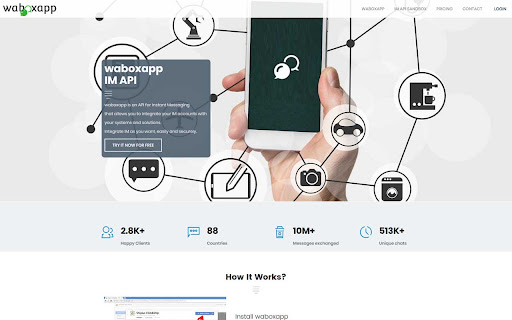
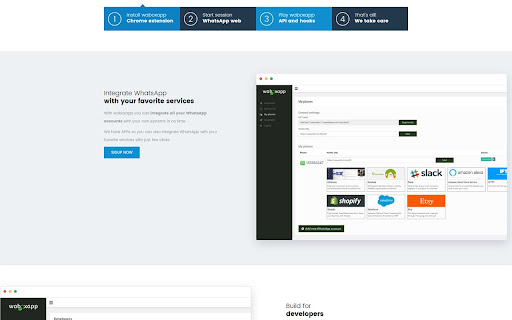
waboxapp.com - Connect with your IM accounts waboxapp is an API for Instant Messaging that allows you to integrate your own accounts with your systems and solutions.

WooNotif CRM
WooNotif CRM is an extension to turn your WhatsApp Web into powerful CRM tool. Manage and organize all chats easier than before. Turn your WhatsApp Web into a powerful CRM tool. Manage and organize all chats easier than before with WooNotif CRM ⚡ [NEW!] Now support sending messages & button to personal & group chat with API - Enjoy "WaBoxApp like" feature inside WooNotif CRM 💻 Organize all incoming messages, create funneling tabs to identify customers' chats, or filter chats into custom tabs on WhatsApp Web according to your needs. With the custom tabs feature, you can say goodbye to endless scrolling just to find a single chat 👋 WooNotif CRM extension helps organizations and small-medium businesses to boost productivity and achieve effective lead management on WhatsApp Web by providing amazing features such as Chat Management, Custom Tabs, Chat Reminders, Scheduled Events, Chat Campaign, Personal Notes, Quick Reply Integration, Contact Exporter, Follow-ups, Send Messages without Saving Number, Chat Link Generator, and many more. Try WooNotif CRM Extension. 💬 Never miss any leads. Reduce clutter. 🚀 Unlocks The Power of WhatsApp Web. 🥇 Boost productivity of your business. Unlike others, we helps you to get things done by: ✅ Set follow-ups on your important chat so you will never forget to talk to your clients ✅ Send scheduled automatic messages to specific contact ✅ Start conversation to any new contact without saving number first ✅ Reply message quickly with a single click from predefined chat library ✅ Add personal notes to a single chat and never miss any details again ✅ Organize chat into tabs so you can easily find chat and create funneling ✅ Create campaign so you can inform any important messages to your contact ✅ Schedule an event with your contact and add reminder to Google Calendar ✅ Export & backup important contacts to CSV file ✅ Connect & send order notification from your e-commerce site via WhatsApp Web ———————————————————————————————————————— 💡 FEATURES ———————————————————————————————————————— 1. Chat Tabs - Access pre-built tabs or create custom tabs for better workflow. 3. Personal Notes - add important information on the built-in notepad in every single chat. 4. Schedule an Event - make appointment to your contact and connect to your Google Calendar. 5. Create Campaign - inform your contacts about important messages in easy way. 6. Scheduled Messages - send messages automatically at the scheduled time. 8. Quick Reply - reply chat quickly with text & images from predefined chat library. 9. Chat Link Generator - generate a direct WhatsApp link to specific number with predefined message. 11. API Support - send messages & buttons from woocommerce, zapier, pabbly connect, and any website platform with API. 12. Many other features that will help you to manage WhatsApp Web like a PRO. ———————————————————————————————————————— 🔒 PRIVACY POLICY ———————————————————————————————————————— All messages are end-to-end encrypted. We do not collect your chat data. in any shape or form. Your chat data will never leave your computer. ———————————————————————————————————————— ⚖️ LEGAL ———————————————————————————————————————— WhatsApp is a trademark of WhatsApp Inc., registered in the U.S. and other countries. WooNotif CRM is an independent project and has no relationship to WhatsApp or WhatsApp Inc. ———————————————————————————————————————— ✉️ CONTACT US ———————————————————————————————————————— Do you have any queries, feature requests or feedback? Please feel free to email info@woonotif.com

Statfluence
Instantly export and save contacts, unknown numbers, and other data from WhatsApp chats and groups Contact Saver for WhatsApp Statfluence set out to resolve recurring issues faced by WhatsApp users, “How to export and save WhatsApp contacts easily?” With Statfluence’s Chrome extension, individuals have a solution. Instantly export and save contacts, and unknown numbers, from WhatsApp chats and groups. Saving WhatsApp contacts got simpler! Pair Contact Saver with the Statfluence mobile app to sync and save contacts — no exporting required. EXTENSION FEATURES Contact Saver enables you to save all previously unsaved contacts in one click, saving you hours of manual work and enabling previously unsaved contacts to view your status. Contact Saver quickly exports (even unsaved!) numbers to a spreadsheet, so you can see and analyze all your contacts in one place. It’ll also match names to phone numbers if individuals have included it in their profiles. 📲Numerous options for bulk exporting of WhatsApp contacts: - Export contacts from all WhatsApp chats and groups - Export saved WhatsApp contacts only - Export unsaved WhatsApp contacts only - Export contacts from a specific WhatsApp group 🗨 Chat with any WhatsApp registered number Statfluence allows you to immediately chat with someone without having to add their number to your contacts. 📞 Get 24/7 customer support whenever you need it Our team is available 24/7 by WhatsApp to answer any questions you have or troubleshoot any issues. Our average response time is less than 3 minutes. PRIVACY NOTICE We never track, store, or sell your personal data. Disclaimer WhatsApp is a trademark of WhatsApp Inc. This Chrome Extension is an independent product developed by Statfluence LLC and has no relationship to WhatsApp Inc.

Speak! - Speech-To-Text Smart Dictation
Dictate with ease anywhere on the web using auto-editing by resaying, automatic punctuation and other conveniences. Enjoy intuitive, next-generation dictation and voice recognition virtually everywhere online, featuring advanced capabilities such as: AUTO-EDITING BY RESAYING Easily correct misheard words or phrases, or rephrase simply by resaying. No need for cumbersome use of mouse, keyboard or voice commands. Speak! will automatically locate and amend the relevant text, adjusting punctuation as necessary. You can easily correct by resaying for instance, the mishearing "catch the police find" of "attached please find," or rephrase "Love is all we need" as "All you need is love." This makes dictation more intuitive and natural. REAL-TIME AUTO-CORRECTION Speak! fixes in real time many common slips of the tongue and speaking errors, further speeding up dictation. AUTO-PUNCTUATION As you create and edit your message or text by dictation, punctuation is automatically applied and adjusted. AUTO-ADJUSTMENT Speak! automatically adjusting the surrounding text when you make insertions and replacements via dictation. AUTOMATIC LANGUAGE SWITCHING Multi-lingual users rejoice! Speak recognizes 70+ languages including German, Hindi, Portuguese, etc. and can auto-switch between your preferred languages based on the current context, for example, based on who you are chatting with in messaging apps like WhatsApp. You can also easily switch languages from the page context menu or by just saying "to Spanish", "to French", etc. CONVENIENT SHORTCUTS You can activate the extension, if you prefer, by just double-clicking in a text field. There are also handy keyboard shortcuts for toggling dictation and switching languages. VOICE COMMANDS FOR EDITING AND FORMATING: Undo/Redo — undoes/redoes the last inserted transcript or auto-edit. Formatting: — Use commands like "in quotes," "in parentheses," "capitalized," and "all caps" to format selected text or as you speak. For instance, when you say "in quotes Indiana Jones", the resulting text will appear as “Indiana Jones”. EMOTICONS WITH VOICE: Express yourself with over 50 emoticons, like "happy face" for 😊 or "grinning face" for 😁, etc. SUPPORT Would love to hear your feedback! If you encounter an issue, a particular site does not work or you have a suggestion, use the feedback option from the extension menu or email us at support@kredor.com. For detailed guidance and tips, visit our website: https://kredor.com/products/speak. PLEASE NOTE: Speak does not work with Google Docs and Word Online yet. These sites and a few others don't use regular text fields for input or have blocked microphone access, which prevents Speak from working with them.

Quick Call by Callyzer
Make calls directly from your Chrome browser The Quick Call Extension makes it easy to connect your browser to your device for direct calling. It helps you find phone numbers on webpages and call them instantly through your device Key Features - The extension detects phone numbers on webpages and shows a call icon next to them. - Clicking the call icon will make a call through your device without dialing manually. - If a number is not detected, select it, right-click, and choose "Call with Quick Call" to make the call. How to Set Up 1. Install the Extension: Add the Quick Call Extension to your Chrome browser. 2. Link Your Device: Install Callyzer biz or Callyzer - Analysis Call Data app from Playstore. Open the Callyzer app on your device. 3. Go to the "Linked Quick Call Extension" option in the “More” section. Scan the QR code shown on the extension to connect your device and browser. How to Use Make Calls Instantly: Once your device is linked, click the call icon next to any detected phone number on a webpage to make a call directly from your device. Use Manual Call Option: If the call icon is not visible, select the number, right-click, and choose "Call with Quick Call" to initiate the call from your device.
