
kpcjgeiopefeiandfidnfldhekebdepa
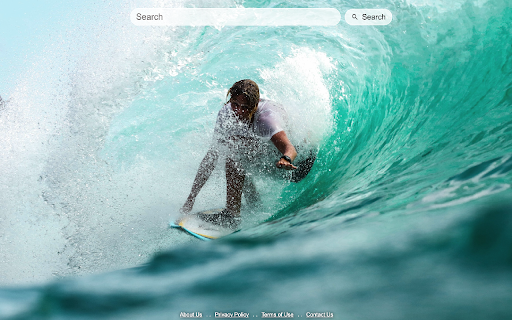
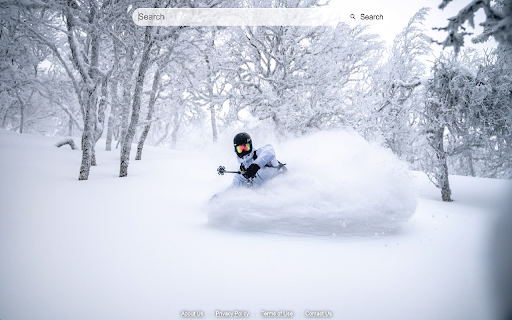
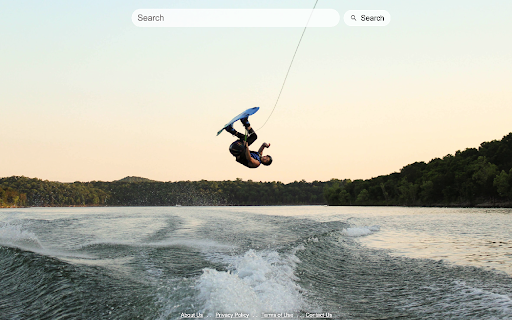

By clicking "Add to Chrome", I accept and agree to installing the Extreme Sports Wallpapers Chrome extension and setting Chrome™️ New Tab to that provided by the service with search results by Microsoft Bing, and the Terms of Use and Privacy Policy.

Cute Dogs Wallpaper
Replace your basic new tab with cute dogs and puppies backgrounds. Designed especially for animal lovers. Start your browsing by viewing cute dogs & puppies images that will put a smile on your face. By clicking "Add to Chrome", I accept and agree to installing the Cute Dogs Wallpaper Chrome extension and setting Chrome™️ New Tab to that provided by the service with search results by Microsoft Bing, and the Terms of Use and Privacy Policy.

Qwik Me Up
Your daily pick me up while searching the web Qwik Me Up gives you the lift you need when searching online, by displaying inspirational quotes when opening up a new tab in your browser. By clicking ‘Add to Chrome’ and installing this desktop extension, you are accepting and agreeing to install the Qwik Me Up Chrome extension, and understand that your browser new tab will be replaced to that provided by the service with Microsoft Bing search results, and the Privacy and Terms of Use of the extension.

Play Moto X3M Dirt Racing
Experience the ultimate dirt bike racing game in your browser! Perform crazy stunts, conquer heavy obstacles, and beat the clock. Are you ready to test your skills on the ultimate dirt bike course? Designed for adrenaline junkies and racing fans alike, Play Moto X3M Dirt Racing delivers an explosive stunt experience straight from your browser. What starts as a simple drive quickly turns into an intense challenge as you navigate through deadly traps, rotating gears, and massive jumps. The beauty of this YesThisGame extension lies in its accessibility. There are no heavy downloads or annoying external ads to worry about. You can launch the game instantly, clear a few impossible levels during your coffee break, and seamlessly get back to whatever you were doing. Master your bike controls, hit the throttle, and see if you can survive the extreme tracks!

Twitch DVR Player
Add DVR replay functionality to Twitch live streams, supporting pause, rewind, and playback of live content. Twitch DVR Player is a powerful Twitch live stream DVR extension that adds pause, rewind, and replay controls to any Twitch broadcast. If you've ever missed a moment during a live stream and wished you could go back, this extension is the answer. It replaces the default Twitch player with a custom DVR player that lets you pause live content, drag the timeline to rewind, and jump back to the live moment — all with a single click. Live Stream Rewind — Drag the progress bar to go back in time and rewatch any part of the live broadcast Pause & Resume — Pause any live stream and resume whenever you want Back to Live — One-click button to instantly return to the current live moment VOD Rewind — Rewind beyond the buffer using the channel's past broadcast when available Keyboard Shortcuts — Full keyboard control: Space (pause), arrow keys (seek/volume), M (mute), F (fullscreen), Alt+T (theater mode) Quality Selector — Choose your preferred video resolution from the player controls Two Player Modes — Switch between DVR playback mode and Twitch's native player anytime Clip Integration — Create Twitch clips directly from the DVR player Install this Twitch DVR Chrome extension, click the extension icon, select "DVR Playback Mode", and start rewinding any live stream instantly. Disclaimer: Twitch DVR Player is an independent third-party extension and is not affiliated with, endorsed by, or connected to Twitch Interactive, Inc. or Amazon.com, Inc. 📚 For usage guide and FAQs, visit: https://twitch-dvr-player-help.pages.dev/
