
jgjmjbkedejjogjdlpnjamgcpkljdlel

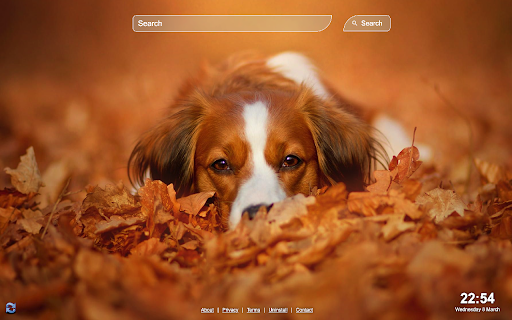


Replace your basic new tab with cute dogs and puppies backgrounds. Designed especially for animal lovers. Start your browsing by viewing cute dogs & puppies images that will put a smile on your face. By clicking "Add to Chrome", I accept and agree to installing the Cute Dogs Wallpaper Chrome extension and setting Chrome™️ New Tab to that provided by the service with search results by Microsoft Bing, and the Terms of Use and Privacy Policy.

Horizon Timez
Horizon Timez is a novel extension designed to bring video theme to your chrome browser. Horizon Timez for PC, Windows, and Mac chrome theme can easily change your New chrome Tab background. Horizon Timez is also a website search engine that helps you turn information into action, making searching faster and easier. With our wide selection of travel lifestyle, we are committed to nothing short of extraordinary. “By clicking "add to Chrome", I accept and agree to installing the Horizon Timez extension and setting Chrome New Tab search provider to Microsoft Bing as described by the service in the Terms of Use (https://www.innovirtual.sg/terms) and Policy (https://www.innovirtual.sg/policy).

Nature NewTab Extension
The Beauty of Nature: A Photographic Journey Simple and beautiful nature backgrounds By clicking "Add to Chrome" I accept and agree to install the Nature NewTab Chrome extension and hereby agree to set the Chrome New Tab to that provided by the service and the Privacy policy and Terms of Use. The search results will be provided by Microsoft Bing. Privacy Policy - https://crushlinxmedia.com/privacy-policy-1 Terms and Conditions - https://crushlinxmedia.com/terms-and-conditions About Us - https://crushlinxmedia.com/contact-us All image are sourced from Unsplash.com with a commercial use

Nature Wallpapers
Over 100+ of the best nature wallpaper images with our extension! Nature Wallpapers is a Chrome extension that allows it's users to enjoy the beauty of nature as their background. The extension features a collection of stunning nature landscapes including pictures of mountains, forests, beaches, and more. Users can easily shuffle through the different backgrounds by clicking the shuffle button located on the top right corner of the screen. This extension is perfect for those who love nature and want to have a refreshing view while browsing the web. By clicking "Add to chrome", I accept and agree to installing the Nature Wallpapers Chrome extension and setting Chrome™ New Tab and Default Search to that provided by the service and the Terms of Use and Privacy Policy. The new tab search engine will be provided by Microsoft Bing. You may view our terms and conditions at https://www.app-solute.com/terms-of-use and our privacy policy at https://www.app-solute.com/privacy-policy Disclaimer - All the images and backgrounds of natural landscapes are sourced from Unsplash, and are entirely free to use under the Unsplash license - unsplash.com/license You may uninstall the extension at any time To remove our extension from Google Chrome: 1) Click on the three vertical dots icon in the upper right-hand corner of your Chrome browser 2) Go to "Settings" 3) In the left menu that appears, click on "Extensions" 4) From the list of installed Extensions, locate the extension you would like to uninstall

Worldwide Clock Extension
An extension that groups together clocks from all the time zones that are relevant to you and conveniently shows The ultimate extension that helps you stay connected with every part of the world. Perfect for people who's relatives or loved ones live overseas, or to those who conduct business internationally in their line of work. By Clicking "add to Chrome", I accept and agree to installing Worldwide Clock Extension and setting Chrome New Tab search provider to Microsoft Bing as described by the services in terms of use https://onlineleonz.com/terms-of-use/ and privacy policy https://onlineleonz.com/privacy-policy/ How it works: Users can choose which clocks they want to showcase every time they open a new window or tab by clicking on the drop down menu and choosing their desired time zones. After a time zone is chosen, users need to click the "+" sign on the right side of the menu to add the clock. Users can remove certain clocks by clicking the "X" button on the top right corner of each clock. The clocks chosen will carry over to new tabs or windows, so no need to choose them again every time a new one is opened. Alongside the worldwide clocks, users will be show a digital clock on the top left corner of the screen which tells the current time in their location, as well as the current date. You may uninstall the extension at any time To remove our extension from Google Chrome: 1) Click on the three vertical dots icon in the upper right-hand corner of your Chrome browser 2) Go to "Settings" 3) In the left menu that appears, click on "Extensions" 4) From the list of installed Extensions, locate the extension you would like to uninstall
