
kojbjmmnpliejebeggpaeonmkenfldeb


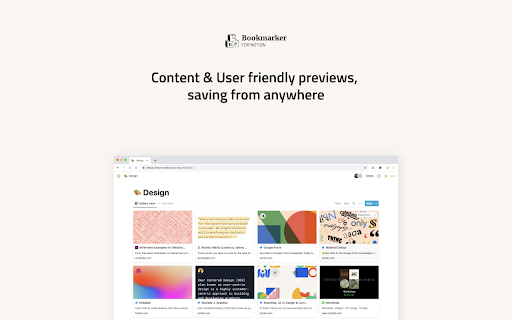
Eye-candy 21st century bookmarks, straight into your notion workspace Forget your old-fashioned web-bookmarks and get auto generated content previews that magnify your content, creating amazing Notion collections.

Notion Sidebar Expander
Expands Notion Sidebar items to reveal the current page Automatically expands Notion sidebar to reveal the current page

Notion Tweaks
For Notion. Development of this extension is in stop. Development of this extension has been discontinued and is deprecated. Chrome Extension to tweak Notion. Features ・Open or Create Today's Page of a specific database ・Create Page of a specific database quickly ・Enter the timestamp(HH:mm) quickly ・Close Slash command menu and Emoji menu ・Narrow the page margins when page width is less than 850px ・Narrow the margin at the bottom of Code Block ・Always show the language of Code Block

Tailored Notion
Redesign Notion the way you want Notion is your all-in-one workspace, where you can write, plan, collaborate and get organized. If it's not already your favorite app, you should try it now: notion.so Tailored Notion is a browser extension to improve the look of Notion when you use it directly from Chrome. - Headings have the same font as the body - You can export your settings and save them in a Notion note for another browser, to share with your friends or for later - Better compatibility with dark mode - Fixed menu's icons - You can now change the text color - Fixed bugs with sidebar icons replacement - Erase changes and reset to Notion's default parameters UPDATE v0.3.7 - You can now pick different colours for the side & top bar or the background. Use at your own risk ;) - bug fixes UPDATE v0.3.4 - themes have been dropped and replaced by a font picker and a font-color picker - More options have been added to get a focus mode. It removes unnecessary tools when you need deep-focus - you can now pick a font from your device. So you have ample choice and it's faster than Google Fonts Features: - Pick a sidebar & top bar color - Pick a font from your device - Remove page's icon and cover - Hide side & top bar - Pages get a thinner padding when width is 100% - Hide Emojis in the sidebar - get a slick look - Replace Emojis in sidebar by Notion's logo with the first letter of the page - Remove emojis from the browser tab - Remove the help button Once the extension is installed, make sure to pin it for easy access. By clicking on the logo, you will access all available options. You must hit "Save" and refresh the page to see the changes.

notion-enhancer
An enhancer/customiser for the all-in-one productivity workspace Notion Adds a pinned table of contents, navigation aids, customisable fonts, colours and interface elements, code block line numbers, right to left text, and more to the Notion web client. Please note that this release is currently missing some features available in previous releases. These features will be restored as soon as possible, but as part of an internal overhaul and the Chrome extension's upgrade to manifest v3, the notion-enhancer is being rebuilt from the ground up. For a full feature list and usage guide, check out the notion-enhancer website @ https://notion-enhancer.github.io/
