
kneehnmmfiinncdaeekgaaljnppeeobc

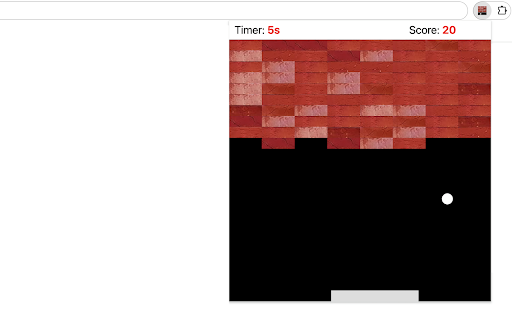
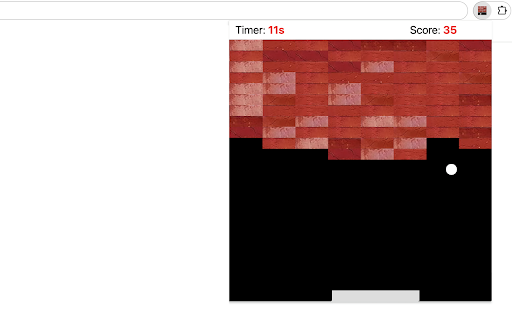
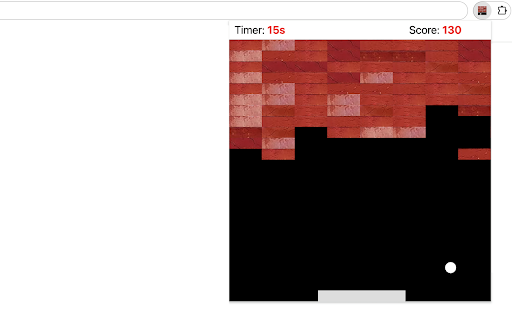
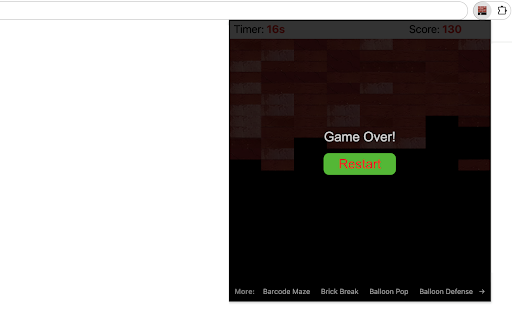
Bounce the ball to smash the falling wall. Welcome to Wall Smash Game, an exciting challenge that places you in control of a paddle, with the goal of bouncing a ball to destroy bricks and attain the highest score possible. 1) Click the extension icon in your Chrome browser to open Wall Smash Game. You'll be presented with a 480x480 game arena that has a paddle at the bottom, a ball starting in the middle, and a descending wall made up of bricks at the top. 2) Effortlessly glide your mouse horizontally across the game area to control the paddle's movements. The ball easily bounces off the paddle and the surrounding walls. 3) Every 4 seconds, the current bricks move down by their own height, and a new row of bricks is added at the top of the wall. 4) If the ball misses the paddle and hits the bottom wall, you lose. If any brick reaches the bottom wall, you also lose. 5) After each round, a "Restart" button appears, allowing you to easily begin again. Tips for Success: - Stay really focused, follow where the ball goes, and guess where it will bounce. - Put the paddle in the right spot to hit the hard-to-reach bricks just right. Give it a try and see how quickly you can smash the wall! Ready for a challenge? Additionally, we’ve highlighted some of our featured game extensions after game over to offer extra fun options. CHANGELOG ========== Version 0.1.3 - 0.2.1 - Remove animation for simple game over page - Remove the feature of saving earned points - Add the list of featured games - Dynamic update of featured game list - Prettify code and styles - Update google analytics Version 0.1.2 - Display cheerleader animation after game over - Add the feature of saving earned points Version 0.1.1 - Add google analytics - Show the list of new games Version 0.1.0 - Initial release of the game

Balloon Pop Game
Pop as many balloons as you can to get the highest score! This simple game will test your reflexes and aim as you try to pop as many balloons as you can. Your goal is to accumulate the highest score possible by clicking on the balloons as they float upwards. The more balloons you pop, the faster they will rise! Let's get started with this fun and exciting game. How to play: - To play the game, simply click on a balloon as it rises through the game area. - When you click on a balloon, it will disappear, and its score value will be added to your total score. - Keep clicking on balloons to accumulate points and watch your total score grow. Game Rules: - Balloons' starting positions are random horizontally along the bottom of the game area. - As your total score increases, the speed at which the balloons rise will also increase, making the game more challenging. Enjoy the game and have fun! Additionally, we've presented some of our featured game extensions to provide extra enjoyment options after game over. CHANGELOG ========== Version 0.1.1 - 0.1.8 - Add google analytics - Show featured games after game over - Dynamic update of featured game list - Prettify code and styles

Table Tennis Workout
Catch as many falling balls as you can within the time limit! This game is designed to help you sharpen your table tennis skills. Balls will approach from various angles, and your goal is to move the paddle at the bottom of the screen to return them. Use the Left and Right Arrow keys or A/D on your keyboard to control the paddle. Every successful hit awards points. After each ball, whether you hit it or miss, a new one will appear. To get started, simply click the game icon in the Chrome extension toolbar after installation. The game will open in a popup window and run for 30 seconds, during which your score will be displayed at the end. Your highest score will be saved and shown in the top-right corner. You can also pause or start a new game during any session. Use this extension to practice and improve your table tennis skills while having fun! Looking for a challenge? Click 'Play Next Level' below the restart button to try medium and hard difficulty modes. Plus, we've showcased our featured game extensions after the game ends to give you even more fun!

Star Match Game
The Star Match Game requires you to match at least 3 adjacent stars of the same colors. The rule is very simple. Try to find 3 or more adjacent stars with the same color. These stars will be automatically highlighted when you mouse over them. Just click on any of the stars to crush them. The more adjacent stars crushed, the higher score you will get. When reaching the target score of current level, the game will automatically go to next level in a few seconds. Reminder: No time limit has been set for each level, so you have enough time to find more adjacent stars and get the higher score, no hurry! Go ahead and test your skills to see how far you can progress! For a variety of gaming experiences, feel free to explore our featured game extensions listed at the bottom of the game window at any time. CHANGELOG ========== Version 0.1.4 - 0.1.6 - Add google analytics - Show the list of new games - Prettify code and styles Version 0.1.0 - 0.1.3 - Initial release of the game - Update interface & features

Puppy Snake Game
Play fun snake-like game with puppy head! This chrome extension allows you to play classic snake game with a custom snake head in a popup. In current version a cute puppy icon is adopted and the newer version will allow users to customize it for more fun! Try to move the snake to touch a ball which randomly appears in game area. For each touch, the body will grow while game score will increase. As the growth of body, the snake will move faster. How to play? 1) Click the extension icon in the top right corner of the browser to open the game window. 2) Press Arrow keys (Arrow left/right/up/bottom) to start the game or change move direction. 3) Press the Space key to pause or continue the game. 4) Click anywhere on your screen except game window to exit the game. 5) Press the Restart button (or Space key) to start a new game when the game is over. Have fun with this custom Snake game! After it ends, you’re free to explore our novel snake web game along with some featured game extensions to continue the excitement. CHANGELOG ========== Version 0.1.6 - 0.2.4 - Display featured products after game over - Update featured product name - Present novel snake game - Dynamic update of featured game list - Prettify code and styles Version 0.1.4 - 0.1.5 - Add google analytics - Show the list of new games
