
kmbgcodjfgjingdhbeaedkjpafdaicka



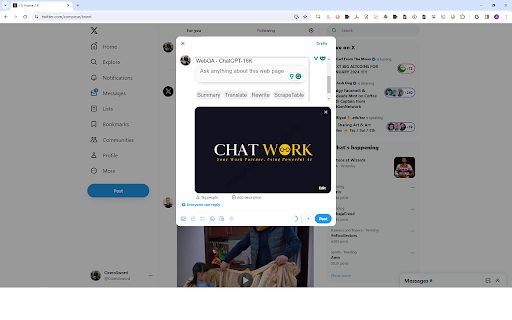

✅ Web Page QA, Scrape Table, using GPT-4. ✅ Including support 17+ tasks, in chat mainpage https://boss.up.railway.app https://gpt4-chat.web.app ✅ Built-in 17+ AI Plugins. Features: 1. Small blue dot, you'll find it in anywhere. 2. Chat mainpage https://boss.up.railway.app https://gpt4-chat.web.app It integrates powerful AI, including: 1️⃣ Powerful AI ✅ GPT4 ✅ GPT4-128K ✅ GPT4-Vision ✅ chat gpt-3.5-turbo(ChatGPT) ✅ chatgpt-gpt4-prompts-bart-large-cnn-samsum(for optimize prompt). ✅ chatgpt-prompt-generator-v12(for optimize prompt). ✅ prompt-extend(for optimize prompt). ✅ speech-to-text ✅ OpenAI Whisper Large V2 ✅ OpenAI DALLE-2 ✅ Stable Diffusion V2.1

Sidebar: ChatGPT, Bookmarks, GPT-4o | Meomni
Ultimate Sidebar ChatGPT Assistant, Bookmarks with AI, Calendar and Tasks Meomni: The Ultimate ChatGPT Sidebar and Bookmarks Manager Meomni — a versatile Chrome extension that brings the power of ChatGPT right to your browser’s sidebar. Seamlessly organize your bookmarks, manage tasks, and boost productivity, all from one convenient sidebar interface. Features: 🤖 AI powered Sidebar Assistant: Access GPT-4o and Gemini instantly from the sidebar for quick answers, intelligent suggestions, and seamless task assistance. 🔖 Amazing Bookmarks Manager: Organize, search, and access your bookmarks effortlessly within the sidebar. Keep your favorite sites just a click away with intuitive folders and tags. 🌟 Customizable Dashboard: Transform your new tab into a personalized productivity hub featuring bookmarks, weather updates, and customizable widgets. 📆 Google Calendar Integration: View and manage your Google Calendar directly from the sidebar to stay on top of your schedule without leaving your browser. ✅ Unified Task Manager: Combine Google Tasks and Todoist into one streamlined task management tool accessible from the sidebar. 🎨 Extensive Customization: Personalize themes, layouts, and widgets to match your workflow and aesthetic preferences. 🌐 All-in-One Productivity Tool: Meomni integrates ChatGPT with essential features like bookmarks management and calendar integration in a convenient sidebar, streamlining your workflow. 🎉 User-Friendly Interface: Designed for ease of use, Meomni is perfect for both beginners and power users looking to enhance their browsing experience. 🔒 Privacy Focused: We are committed to safeguarding your data and privacy with robust security measures. Get Started with Meomni Today Transform your browser into a powerful productivity tool with Meomni’s ChatGPT sidebar and advanced bookmarks manager. Download now and experience a new level of efficiency—all accessible from your browser’s sidebar.

GPT Master - Chat Power Toolkit
Side Chat, Prompt Library/Optimizer for ChatGPT, Timestamp, Bookmark, Folder, Bulk Delete, Smart Follow-up, Minimap Ask quick questions without polluting your main thread with Side Chat. Save and reuse your best prompts with Prompt Library and Prompt Optimizer. Navigate long chats with Minimap. Organize everything with folders, bookmarks, timestamps, and bulk actions. The power-user surface ChatGPT never built. 🧵 Side Chat - Ask any questions in a side thread without polluting your main chat - Rate any answer with thumbs up/down for quick feedback 📚 Prompt Library - Save reusable prompts and insert them with one click from a searchable palette - Add {{variables}} to prompts and fill them in before sending — no more editing the same template line by line - Save any ChatGPT response directly to your library with the per-message save button — smart auto-labelling does the work ✨ Prompt Optimizer - Rewrites your prompt with AI before sending so you get better answers with less effort - Shape-aware drafting tailors the rewrite to the type of content you are working with - Casual dial lets you tune how formal or conversational the optimized output sounds 🌙 Legacy Dark Mode - Bring back the classic ChatGPT dark theme — the softer pre-OLED gray look 🗺️ Minimap (Chat Outline) - Visual table of contents for long conversations - stop scrolling through 50+ messages - Jump to any section with one click 📦 Bulk Actions - Multi-select conversations for batch move, archive, star, or delete 🗂️ Folders - Create folders and nested subfolders to organize ChatGPT by project, client, or topic - Assign custom colors for fast visual scanning - Drag and drop conversations between folders - Rename, delete, and restructure anytime 🔖 Bookmarks - Bookmark specific messages within conversations - Jump back to any bookmarked message from the sidebar 🗃️ Sidebar Organization - Conversations grouped by time: Today, Yesterday, Previous 7 Days, Previous 30 Days, and Older - Hover any conversation to see its exact last-updated date and time - Sidebar loads instantly from cached data — no blank state on reload ⭐ Stars - Star important threads for one-click retrieval - stop scrolling to find what matters 📝 Notes & Highlights - Write notes on any conversation and bookmark key passages - Hover over any highlighted passage to see a quick-access note popover - Organize your thoughts alongside your conversations 💬 Smart Follow-Up Suggestions - AI-generated follow-up prompts appear after each response - One click to keep the conversation going - no more staring at a blank prompt 🔍 Search - Search conversations by title and content - Filter by folder or star status 🧭 Conversation Context Menu - Right-click any conversation for quick actions: Copy Link, Move to Folder, Add Note, View Details, and Delete - Conversation Details panel shows title, model, message count, folder, creation date, and starred status Works on chatgpt.com. Free to install. Compatible with ChatGPT Free, Plus, and Team plans. Turn ChatGPT into a real workspace.

TopicKeeper | ChatGPT & DeepSeek folder & organizer & manager & AI chat
The TopicKeeper extension is very safe and free to use. What You Can Do with TopicKeeper ⭐⭐⭐⭐⭐ ⭐ Save Key Chats Effortlessly Keep your most important conversations safe! Organize chats with ChatGPT or DeepSeek into folders for easy access and never lose track. ✍️ Quick Notes Capture ideas in the moment while chatting with AI. Jot down key thoughts, mark important info, and never let inspiration slip away. 🗂️ Smart Knowledge Manager Organize your chats and ideas with ease—everything neatly arranged, always within reach. 📋 Conversation Outline Get an automatic outline right inside the chat page. Jump instantly to any section—no more endless scrolling. ✅ Instant Search Find your saved topics and captured ideas in seconds. One search, everything at your fingertips. I'm the developer of TopicKeeper, and thank you for your interest in this extension. Your every use is a support to me. If you encounter any problems or have any suggestions during use, please feel free to contact me! Your feedback is very important to me~ I will continue to optimize this extension, making it better and better~ Thank you for your use! 🌞

ChatGPT for Amazon with GPT4 Shulex Copilot
Copilot but for ecommerce & sellers. Browser sidebar, Review Analysis, AI assistant can deal with anything you need. · Powerful AI Assistant Sidebar:Free chat with ChatGPT is available on all major e-commerce websites · On-the-Go Accessibility:anytime, anywhere, without the need for a Openai account · ChatGPT/GPT4 toolkits for Amazon & Shopify Sellers! · Google Extension for Amazon & Shopify Sellers! ✈️ Shulex Copilot, your personal AI assistant for commerce business with powered tools to improve operations by providing suggestions, answering queries, and automating reports, supports universal platforms and comprehensive tool for maximum efficiency. It is tailored to support all major global websites. Get your questions answered, find similar products, translate content, and analyze products in just 10 seconds. Focus on what matters most and let our assistant handle the rest. From product development, market research, and marketing campaigns to customer service, Seller Assistant streamlines your entire process. Improve your efficiency, save time, and concentrate on your core business as our AI-powered assistant tackles the challenges of the digital marketplace. ✈️ We provides a quick and straightforward way to get product reviews from Amazon & Shopify. The Analysis and Download button is above the title whenever you open a listing page. With just 1-click, we will automatically generate analysis using the power of GPT4 without any import manually, and you can download data and formats under the listing into an xlsx file. Also, we had its own ability to provide consumer insight reports which can help startups uncover valuable insights into customer behaviour and preferences. 📌 Shopify Review Generator: Download all Shopify reviews with just one click without figuring out its review app. 📌 Review Analysis: Wrap up reviews with an engaging analysis. Gathering insights and feedback from customers who have used a particular product, which can be used to improve the product and make more informed purchasing decisions. By analyzing the language and sentiment used, businesses can better understand what customers like and dislike about their products, identify common issues and pain points, and discover areas for improvement. This information can then guide product development, marketing, and customer service strategies. Additionally, analysis can provide competitive intelligence, informing businesses about their competitors' products and customer feedback. 📌 Listing Optimization: Optimize compelling product descriptions, key features and benefit bullets for listing. It helps improve a product's visibility and ranking on search engines. A well-optimized listing can increase the chances of a product being discovered by potential customers, leading to higher sales and revenue. Effective listing opt. involves the change in product titles, descriptions, bullet points, images, and other key elements of the product page to make it more attractive and compelling to customers and to help it rank higher in relevant search results. One-click for analysis, and you will get the following ● Analyze positive & negative reviews ● Identify opportunities ● Find out the pros & cons ● Deep dive into consumer needs ● Analyze customer questions & answers, readme text to speech tts, affiliate finder, ebay customer service helper, arcwise gpt copilot for sheets, ebay niche finder, sellepromptx, yahoo optimize listing ai writer, aliexpress customer service helper, templify write messages in 1 click, tikgpt, rakuten ai listing editor, insights, universal keyword planner box, tapicker powerful web data scraper, tiktok customer service helper, aliniche finder, kindl3 filter, yahoo customer service helper What can you get from Shulex? 👀 Conducting competitor research tools saves time on counting the critical content of comments manually. Know thyself, ever-victorious. 🔭Analysis markets tool tracks industry trends and inspires product proposals. 🔍Discover high-demand keywords tool helps optimize the listing and save advertising costs. --------------------------------------------------- Common FAQs Q: What marketplaces do we support? A: It works for all marketplaces. Feel free to try today by visiting https://www.voc.ai Subscribe to our YouTube Channel: https://www.youtube.com/@shulexvoc Like us on Facebook: https://www.facebook.com/profile.php?id=100088562927167 If you have any questions or needs, please get in touch with us at support@shulex-tech.com.
