
kliacmaffhaakhphcelpjcmienmikgoa
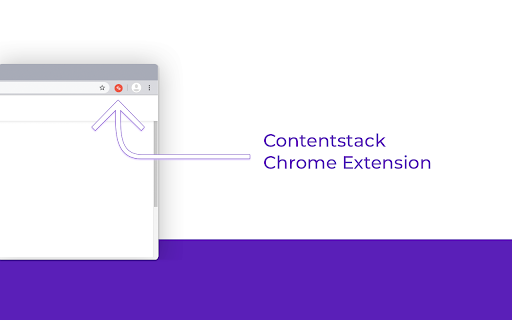
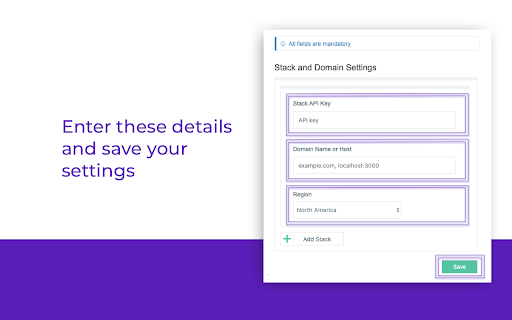

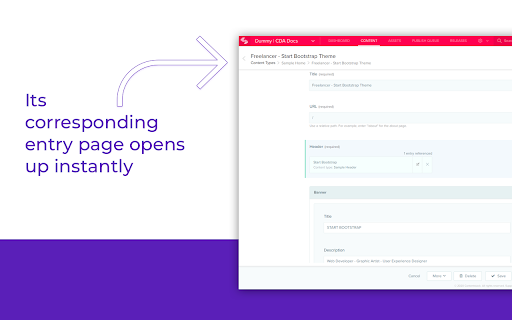
Quickly navigate from a live web page to its corresponding entry in Contentstack If you are on a web page of a site that is powered by Contentstack, and if you have the permission to edit its content, you will see an edit button at the right/left bottom of the page. Clicking this button will take you to the corresponding entry in Contenstack, where you can edit the entry. This eliminates the need to search for specific entries within Contentstack’s web application and provides an intuitive editing experience for users who need to quickly find and update content. How to set up the extension? 1. Add this extension by clicking on the Add to Chrome button. 2. Once installed, a pop-up will prompt you to enter the stack details, datacenter region (North America, Europe, & Other), and button preferences. Provide the necessary details in each field (all fields are mandatory) and then save the configuration. 3. Add the following attributes to the body tag of your website’s page templates: a. data-pageref: Used to identify the entry UID of the current page b. data-contenttype: Used to identify the content type UID of the entry c. data-locale: Used to identify the local of the entry for the current page Here’s an example of how to add these details in your code: In the above example: "bltb8b487559a1b715d" is the UID of the entry "product" is the UID of the content type "en-us" is the locale of the entry of the corresponding web page 4. Go to the tab in your Chrome browser where you want to use this extension, and reload or refresh the page. Note: This is a one-time activity when you add a new domain or an API key. 5. The Edit button will now be visible on your Contentstack-powered web pages. For more details on the extension, visit our GitHub page: https://github.com/contentstack/contentstack-chrome-extension.git

Datalayer Checker
The easiest way to debug and check the dataLayer implementations without having to use the browser console! We are happy is happy to release Datalayer Checker 3 with several new features and a revamped design! NEW VERSION AVAILABLE! 🔹 Redesigned interface and intuitive user experience 🔹 Integrated event search engine 🔹 Flexible variable visualization: table format or JSON object 🔹 Google Tag Manager container injection removed (to respect manifest v3 rules) EXCLUSIVE FEATURES: 🔹 Capture what matters! Save up to 100 dataLayers with our revolutionary "Snapshot" function 🔹 Deep analysis! Verify your dataLayers in batches by methodically inspecting your captures 🔹 Organize efficiently! Structure your workspace with intelligent filters by domain, dataLayer name, or specific search (e.g.: event_name) to automatically classify your snapshots 🔹 Stay up-to-date! Reopen all your snapshot URLs to capture new data and compare them instantly Transform your analytics experience with Datalayer Checker! Because we're passionate about analytics...

Omnibug
Omnibug is a browser extension to decode and display outgoing digital marketing tool requests. Omnibug is a Chrome extension built to ease developing with, debugging, and providing quality assurance to today's analytics, UX/CRO tools, and many other marketing technologies. These tags include the Google Marketing Cloud (including Google Analytics, Google Tag Manager, Doubleclick, and Google Ads), the Adobe Experience Cloud (including Adobe Analytics, Adobe Launch, Adobe Target, Web SDK), Tealium iQ, and many more! Events sent to these MarTech platforms are captured and decoded into a human-readable format, which can be filtered and/or exported. You can view all of our release notes at https://omnibug.io/help/changelog/ and a list of providers we support at https://omnibug.io/help/supported-tags/

Contentstack Data & Insights Dev Tools
Advanced Chrome extension v2 for exploring, debugging, and enhancing the Lytics web SDK and APIs with powerful new features. Full featured extension to assist in debugging, validating, and exploring Lytics client side capabilities. Verify the SDK has been installed correctly. Explore the current visitors profile. Debug personalization experiences and more!

Contentsquare - CS Live
Contentsquare’s CS Live extension will allow you to display Contentsquare’s unique UX metrics directly on your website. For every zone on each page, you can seamlessly see metrics like click recurrence, hesitation time or engagement rate.
