
klgdpcgnmchaejeglemokobhmpliiphk
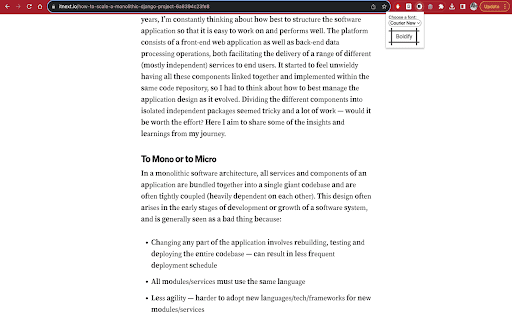
Make the beginning of each word bold. Boldify facilitates easier reading by boldening the first few letters of each word. Tools like this have been reported to help people with neurodiversity. Features: - Boldify any web page. - Toggle on and off without needing to refresh the page. - Choose different fonts. Limitations: - It may cause some links to stop working in which case you will need to refresh the page. - Some websites have protected elements that cannot be Boldified.

✒font-weight:100n
文字の太さを100~900の間で変えるだけ --- Webページ上のテキストにおいて、font-weight: !important;を100~900の間で変えるだけの拡張機能です。 2024/3/8 v1.0.1 Chromeアップデート時にデータが初期化される不具合を修正 2023/9/27 v1.0.0公開

Overlay filter
- It's used like a screenshot tool, but instead of taking a screenshot it displays a box over the selected area. It's an intuitive and easy to use single click extension. - Click it once to remove it, or hold 'ctrl' and click to remove all boxes. - It uses the background color of the element it blocks, so with the right selection, integration is seamless. - You can choose between fixed or absolute position (box moves with scroll or not) as well as colors in the settings pane. - Everything runs locally and it doesn't connect to a server or collect data.

Boldify
[EN] Boldify is a Chrome extension that simplifies text formatting across all websites. Whether you're typing in a standard input field or using a rich-text editor like Quill (as on LinkedIn), Boldify lets you instantly format selected text in: - Bold (B) - Italic (I) - Tilde (~) - © Copyright (©) - Standard text (T) Key Features: - Quick formatting: Select your text and click the corresponding button for instant formatting. - Wide compatibility: Works seamlessly with both elements and rich text editors (contenteditable). - Smart conversion: Easily switch between formats without resetting to normal first. - Clean interface: A sleek popup, smartly positioned above your selection, ensures quick and easy access. With Boldify, enhance your messages and posts effortlessly—without disrupting your writing flow! [FR] Boldify est une extension Chrome qui simplifie la mise en forme de vos textes sur tous les sites web. Que vous écriviez dans un champ classique ou dans un éditeur de type Quill (comme sur LinkedIn), Boldify vous permet de transformer instantanément le texte sélectionné en : - Gras (B) - Italique (I) - Tilde (~) - © Copyright (©) - Texte standard (T)

Bolder Reading
Transform any website into a fast, clean, and easy-to-read format. The Bolder Reading extension enhances your reading experience by bolding the first part of each word, making text easier to read and comprehend. Perfect for students, professionals, and avid readers, this tool boosts focus and reading speed. Install now to transform your online reading effortlessly.
