
igpgciiibldkodahpimabhcdjkjibmej
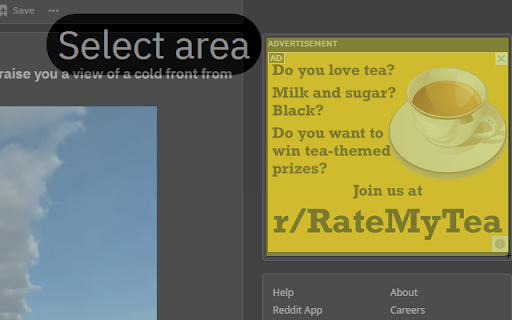


- It's used like a screenshot tool, but instead of taking a screenshot it displays a box over the selected area. It's an intuitive and easy to use single click extension. - Click it once to remove it, or hold 'ctrl' and click to remove all boxes. - It uses the background color of the element it blocks, so with the right selection, integration is seamless. - You can choose between fixed or absolute position (box moves with scroll or not) as well as colors in the settings pane. - Everything runs locally and it doesn't connect to a server or collect data.

Simple Element Remover
Remove elements from the page Simple Element Remover is a Chrome extension that allows users to select and remove elements from a webpage. It's useful for removing unwanted content like tall, sticky navigation bars that cover the content when you zoom in on a page for better reading. Use it to declutter your browsing experience! - Select elements to remove by clicking on them. - Undo the last removed element by pressing Cmd+Z (macOS) or Ctrl+Z (Windows/Linux). - Supports multiple languages: English, Portuguese, and Spanish. 1. Click on the Simple Element Remover icon in the Chrome toolbar. 2. Hover over elements to highlight them. 3. Click on an element to remove it. 4. Press Cmd+Z (macOS) or Ctrl+Z (Windows/Linux) to undo the last removal. 5. Press ESC to deactivate the extension. The following languages are supported: - English - Portuguese (Brazil) - Spanish

Overlay Remover
Automatically detects and removes intrusive overlays, pop-ups, and modal screens Overlay Remover extension helps you to browser freely without having to deal with annoying overlays and pop-up screens.

Hide Web Page Overlay Layer
Automatically hides elements with z-index greater than specified value This extension has a single, clear, and easy-to-understand purpose: to hide overlay layers on web pages with a z-index value greater than a specified threshold. This helps users remove intrusive elements like floating ads and pop-up windows that interfere with their browsing experience. 1. Automatic Hiding: Automatically hides all elements with a z-index value greater than the specified threshold when a web page loads. 2. Manual Hiding: Allows users to manually hide these elements by clicking a button. 3. Manage Hide List: Users can add specific web pages to a hide list, so the extension will automatically apply the hiding rules on future visits. 4. Status Display: Displays in the popup whether the current page is in the hide list.

Element Remover
🧼 Tired of cluttered web pages? With Element Remover, you’re in control. Instantly remove unwanted elements — ads, cookie popups, banners, or any distractions — from any website with just a click. Your preferences are remembered, so next time you visit, your custom-cleaned version is ready. ⚡ Key Features: 🖱️ Remove elements effortlessly Just hold Alt (or a key of your choice), hover, and press Enter. 🧠 Smart memory Remembers what you remove and reapplies changes automatically. 🎯 Precision control Use arrow keys to navigate the page structure and fine-tune selection. 📸 Visual history See screenshots of removed elements and undo anytime. 🌐 Domain-specific rules Create custom cleanup profiles for each site. 💾 Persistent and private Stores your rules locally in your browser — nothing is uploaded or synced online. 🎨 Sleek modern UI Clean interface with smooth animations and real-time feedback. 🔒 Your Privacy is Safe Element Remover is built with privacy in mind. We do not collect, transmit, or store any of your data. All your removal rules are saved locally on your device, and Chrome's optional permissions are used only to apply your customizations to the websites you visit.
