
kleeekkinnbghdapfigpofimhiadnkfo
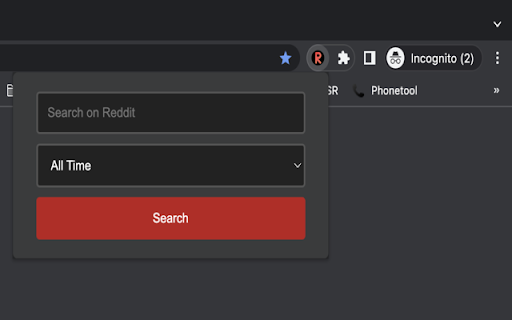

Do you have trouble finding relevant search results on Google among ads, sponsored content? Use this extension to quickly display search results from Reddit only!

Reddit Uncensored
Automatically restores deleted posts and comments on Reddit using the Arctic Shift API This extension will automatically restore deleted posts and comments as you browse Reddit. It works on both the current Reddit UI and on the old Reddit UI (old.reddit.com) Archived posts and comments are retrieved from the Arctic Shift API: https://github.com/ArthurHeitmann/arctic_shift

Text Tools
Sometimes you need to finish some simple tasks on text processing: change the case of free text, reverse a string, remove duplicate lines, or encode / hash text data. This extension can help you get them done easily. Just paste what you want to process, and click on start button, then wait for the result to come out. It is fast and effective! 25 functions are available for now and more will be added to the extension in a regular basis. - Lower Case: converts text to lowercase - Upper Case: converts text to uppercase - Title Case: capitalizes first character of each word - Count Characters: returns the number of characters in text - Count Words: returns the number of words in text - Count Lines: returns the number of lines in text - Character Frequency: returns character frequency in descending order - Word Frequency: returns word frequency in descending order - Reverse: returns text with its characters in the reverse order - Shuffle: returns text with its characters in a randomized order - Trim Line Start: removes whitespace from the beginning of each line - Trim Line End: removes whitespace from the end of each line - Trim Line: removes whitespace from both ends of each line - Add Line Number: counts lines and add the number to each line - Remove Empty Lines: removes empty lines from text - Remove Duplicate Lines: remove duplicates of any line from text - Strip HTML: strips all html tags from text - URL Encode: converts text to URL-encode format - URL Decode': converts URL-encoded data to original text - Base64 Encode: converts text to Base64-encode format - Base64 Decode: converts Base64-encoded data to original text - MD5 Hash: generates the MD5 hash of text - SHA1 Hash: generates the SHA1 hash of text - SHA256 Hash: generates the SHA256 hash of text - SHA512 Hash: generates the SHA512 hash of text Enjoy the ease of use offered by our text tools! Additionally, we've provided links to other tool extensions we've developed, including JSON, XML and ChatGPT, for your convenience. CHANGELOG ========== Version 0.1.4 - 0.1.7 - Add new features - Update the list of more tools - Update google analytics Version 0.1.3 - 2023-04-06 - Refine plugin title and description Version 0.1.1 & 0.1.2 - 2022-09-01 - Update plugin features and summary

Faro
Save pages with highlighted taglines - Bookmark manager ⨯ web highlighter Chaos in your bookmarks? Can't find what you want? They end up gathering dust? Or you don't even try and end up with 100s of open tabs? Faro is made to fix that! It's the simplest way to save & keep track of pages. With it, even thousands of saves don't get overwhelming. When saving, you highlight a sentence to act as a tagline. It helps you remember what the page is about and why you saved it. If unsure - just save whatever sentence you're reading. All saves appear on your dashboard. They come most-recent-first by default, so you don't forget what you recently saved. You can pick up your reading where you left off - no need for a separate reading list. You can also pin & archive to further arrange it. Organize them with tags. Since you're reminded what you saved and why, you can do it later. It makes your saves much easier to manage than bookmarks. Faro supports nested tags (eg: recipes/vegan), so combines the best of tags and folders. Clicking a save takes you right back to your highlight - especially useful for longer articles. Also: ➣ export to bookmarks to keep them if you uninstall Faro ➣ copy links to highlights and share them or paste into Notion, Obsidian, etc. ℹ️ About your data: When installing you can read: "it can read and change all your data on all websites" The only information that ever gets uploaded (when signed in) when you use it to save: ➣ Open page address ➣ Saved highlight/quote - what's visible in the sidebar ➣ Timestamp ➣ Debug info e.g. errors The extension also keeps track the currently open tab for each window - to update the sidebar as you navigate - but doesn't save or upload that data.

Search Web, AIChat, Social Videos, Images one
Access Most Popular Social Networks, All Top Websites and Search All Alternative, Top, New, Multiple Search Engines in One Best Internet Browser Start Page.
