
klecemighfnommaecegoefedcdappbep
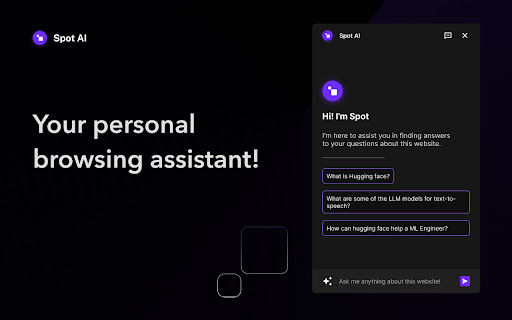


Get the answers of questions that matter most to you. 🌟 Meet Spot AI - your new browsing buddy! 🌟 🤩 It reads the webpages for you, to answer your questions from their content. 🔍 Research and uncover info with ease using Spot. ⚡️ Ready for Chrome, Brave, and Arc. Download Spot AI now! Once installed in the browser, can be launched with: 👉 CMD/CTRL + K 📌 Pin it in your browser for best experience.

FindWise: ChatGPT powered AI search assistant
A ChatGPT powered extension lets you ask questions on any website. Answers are factually based on the information given on the website. FindWise is a glorified search tool that lets you ask questions instead of finding the answer yourself. When you have a question, ask it instead of cycling through the search results. Key Features: • Ask questions about your current page. • Get facts based the website you’re on. • Chat with any website. • Access the extension from toolbar. • Simplify complex information into bitesized knowledge. • Ask followup questions. FindWise is your gateway to a smarter, quicker, and more intuitive online experience. 🎓🐆 Whether you're a student engaged in an extensive research project, a professional on the hunt for critical data, or a curious explorer in the vast landscape of the internet, FindWise is your compass. 🧭 No more getting lost in the information avalanche; cut through the noise with the sharp precision of FindWise. But that's not all. FindWise isn’t just about finding information; it's about enhancing the joy of learning and discovery. Our plugin is designed to make your browsing experience as enjoyable as it is efficient. 🎉🌟 Each interaction is smooth, each answer is comprehensive, and every discovery feels like an adventure. Embrace the future of browsing with FindWise. Our pledge is to make your digital journey effortless, satisfying, and enriching. 💼💡 No more dead ends, no more pointless detours - just clear pathways to the answers you seek. 🛤️🎯 Unlock the full potential of your online research today with FindWise. 🗝️⚙️ Experience the revolution in digital navigation and redefine your browsing adventure. Download FindWise now and let the discovery begin! 🚀🌟

Complete AI - Text Autocomplete for ChatGPT
Chrome extension that helps you write prompts faster on ChatGPT with AI-powered autocompletion. Supercharge your writing with AI! Enhance your writing experience with our AI-powered text autocompletion Chrome extension. With just one tool, you can save time and effortlessly compose text in various contexts. Our extension offers the following features: ➤ Seamless sentence autocompletion Effortlessly complete your sentences when writing your prompts. By hitting the Tab key, our autocompletion feature suggests relevant and context-aware sentence continuations, allowing you to write faster and more efficiently. ➤ Autocomplete The core feature of our extension is Autocomplete. By pressing Tab, you can swiftly accept suggested completions, reducing the time spent typing and boosting your overall productivity. ➤ Friendly text completion for ChatGPT Our extension is specially designed to provide text autocompletion support for GPT chats. Experience enhanced chat conversations, instant message generation, and accelerated writing workflows within ChatGPT interface. Note: This is a beta version. If you are facing some issues, you'll be required to add your hugging face GPT-2 API Key (https://huggingface.co/gpt2) We are continuously working to enhance your experience with our text autocompletion extension. If you have any questions or feedback, please reach out to us at kaitodevstore@gmail.com. We value your input and are here to assist you in making the most of our AI-powered writing tool.

Checkget AI - Smart Assistant for ChatGPT
Checkget is an intelligent browser assistant that utilizes the power of ChatGPT to help you accomplish daily tasks efficiently. With Checkget, you can compose emails, find answers, create documents, chat, and write code quickly. 🌎Anytime, Anywhere You don't need to copy and paste; you can open Checkget from any website by pressing ⌘+K (Mac)/Alt+K (Windows) or by clicking on the extension icon, saving you a lot of valuable time. 🧠Smart, or Smarter Thanks to the AI boost, it can automatically recognize different scenarios, whether you're replying to an email or explaining code. Just select the text and press ⌘/Alt+K, and it will do the rest. 🔒Privacy and Security, Local Mode Everything you send is encrypted, and only you and ChatGPT know its contents. If you're still worried, you can choose the local mode, which communicates directly with ChatGPT after setting ApiKey. Finally, if you have any ideas or suggestions, please feel free to contact us at admin@checkget.com.

ireadfaster
Adds OpenAI-powered "summary" and "transcript" sections to the YouTube UI. To generate a summary or transcript, press "Generate" on the panel that appears next to any YouTube video. Click on any part of the summary or transcript to jump to the corresponding part of the video! You may be asked to log in with Google first. This is to prevent abuse of our API, as each generation costs us a few cents.
