
kkakoapppljebblnkfcfcmaaiiclppbn
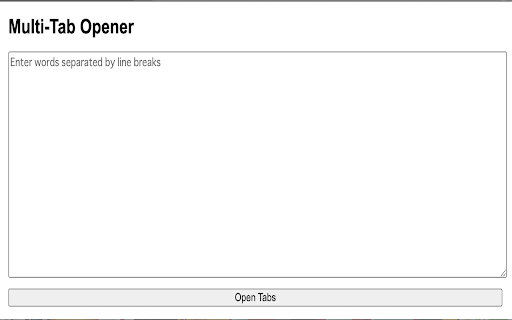
Introducing an innovative Google Chrome extension that allows you to instantly search multiple keywords in separate tabs with a single input. A simple design for ease of use, we have planned updates for additional features and improved aesthetics in the near future. Give it a try!

Instant Multi Search
Search on multiple websites, instantly. An ideal companion for power searchers. - Want to quickly learn about a new movie on your favorite review websites? - Need to look at several dictionaries for a definition that finally clicks? - Curious to see how different AIs answer the same question? - Tired of typing the same search term again and again? *** Then Instant Multi Search is for you! *** HOW TO USE - Type m and Space/Tab in the address bar. - Enter your search. - Profit. The results open up in multiple tabs. FEATURES - Lightning fast and lightweight (

Open Multiple URLs
Open multiple URLs [Bulk URL Opener] at once with customizable settings Short Description (up to 132 characters): Efficiently open multiple URLs in tabs, windows, or groups. Import from files, save URL lists, and manage tab opening with customizable delays. ✨ Key Features: • Open multiple URLs simultaneously in tabs, separate windows, or grouped windows • Import URLs from text files or current browser tabs • Save and manage frequently used URL collections • Customizable opening delay to prevent browser overload • Smart URL validation and auto-correction • Group tabs by domain automatically • Export URL lists for sharing or backup • Pause and resume bulk opening operations • Remove duplicates automatically • Mobile-friendly interface 🚀 Perfect for: • Web developers testing multiple pages • Digital marketers checking competitor sites • Research and data collection • Social media management • Bookmark organization • Daily workflow automation • Educational resource management ⚡ Professional Features: • Intelligent URL formatting • Progress tracking for tab opening • Advanced error handling • Customizable opening modes • Local storage for URL lists • Clean, intuitive interface • Memory-efficient operation 💼 Ideal for: • Professional web researchers • Digital marketers • Students and educators • Web developers • Content creators • Social media managers • Business professionals Free, lightweight, and regularly updated. Streamline your browsing workflow today!

Multitab I/O
Simplified import/export of your current browsing session: it creates a list of the open tabs from the active window, allowing you to share this list however you choose (e.g. via email or basic text file). You can also paste that list of urls to open them all in new tabs. Specifics on usage: 1. It checks for links, one per line 2. Links must be the only thing on the line 3. Links are identified by starting with 'http' or containing '://' 4. Anything not matching link criteria is ignored (i.e. title lines) Permissions: 1. Tabs and Browsing Activity -- required to get the list of open tabs, and open tabs for the pasted urls. Does not check for anything else. Inspired by "Tab-Snap", which graciously provides its source code. Likewise, view full source for this extension at https://github.com/zaus/chrome-ext-multitab-io

Multiple Tab Opener
USAGE: Name the macro and add URLs, save and add it to the macro list then you are ready to open multiple URLs on one click. REASON: When I was studying Law in English for some reasons, I needed to confirm words why those are appropriate and precise. Therefore I created this to open multiple dictionary sites on one click.
