
kjdgohfkopafhjmmlbojhaabfpndllgk

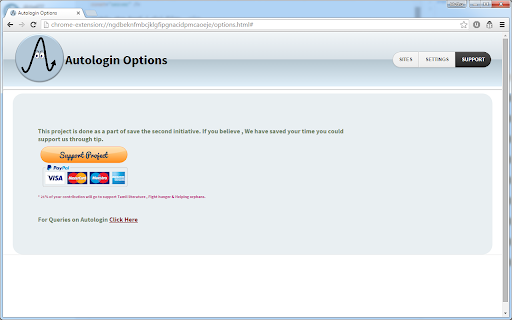


Automatically login to your favourite websites without entering credentials If you are a person, who would like an automated solution to logging into your favourite sites , this extension is for you (now removed basic auth , due to chrome policies). Allow User to automatically login to websites, with saved credentials Features ======== Changed the Algorithm for Capturing to work across multiple sites. Automated login to your websites , with saved username /password Enable /Disable auto login for individual websites. Option of having a prompt for password before Automatic Login to sites We dont inject any Ads We dont store any information on server. The plugin is Open Source Have a look at https://github.com/muthuishere/autologin

TweakPass: Free Password Manager
Manage your passwords on a single click TweakPass is a robust browser extension for Chrome that saves your passwords securely and allows you to auto login to sites, fill forms and generate secure passwords. No need to remember multiple passwords as a single, Master Password will simplify your digital life. Save websites, usernames and passwords in the Vault and auto login to your sites. Not only this, all the imported and saved data is synced between the TweakPass app and Browser Extension, for easy access of data. - Save usernames and passwords to make login easy - Secure notes and store encrypted data - An easy way to save all your secure and confidential data - Store all important data in one place - Add, modify, view, delete, and manage passwords for all accounts - TweakPass can be used on any computer and laptop with Chrome/Firefox/Opera/Edge - Use same login to access TweakPass account anywhere - Instant data syncing to make data available across all the devices - Generate strong and complicated passwords to protect against cyber threats - Create new random passwords for each site you visit and sign up - Add an additional layer of security with Required Password Prompt option - Encrypt data both at device level and server end - Single Master Password for all accounts - Generate strong passwords without much ado - Automatically login to sites with saved passwords - Secure all your passwords in the Vault Learn more about features and get TweakPass for Firefox, Opera and Edge by visiting: www.tweakpass.com

Passwork Auto Logon
Password manager for companies Team Password Manager For Your Business. Passwork makes corporate passwords easy. All of the data is stored safely, employees will quickly be able to find the right passwords. The administrator manages user rights and keeps track of all actions and changes.

Session Alive
Keep your Session Alive at any website and never get logged out... Keep Your Web Sessions Alive with Session Alive Extension Most websites with authentication features enforce session timeouts for security reasons. If you're inactive for a certain period, your session may expire, requiring you to log in again before continuing any activity. Session Alive helps prevent this by keeping your session active in the background—even during extended periods of inactivity. ✅ Background Keep-Alive Sends background AJAX requests to your site to prevent session expiry—no page reloads, no lost changes. Just set your dashboard URL, choose an interval, and open the page in a tab. ✅ Foreground Page Reload Auto-refreshes the current tab at intervals to bypass JavaScript-based idle timers used by some websites. ✅ Smart Auto-Stop Automatically stops when: • Server responses indicate a stopped session (Background mode) • You navigate away from the trigger URL (Foreground mode) ✅ Easy Rule Management Create, edit, enable, or disable rules easily from the settings page. Background Page Request (AJAX Mode) This mode keeps your session alive by periodically sending background requests (via AJAX) to a specified URL—typically your website's dashboard or welcome page. Since the page isn't reloaded, you won't lose any unsaved changes. * Specify the Background Trigger URL (e.g., your dashboard). * Choose an interval. * Save the rule. * Open the Trigger URL in a new tab—and you're set! Foreground Page Reload Some websites use JavaScript-based idle timers within the browser, which AJAX requests can't bypass. In such cases, use the Foreground Page Reload option. This feature keeps your session alive by auto-refreshing the active tab at regular intervals. * Automatic Stop: This mode stops automatically when the user navigates away from the Trigger URL. Enable browser notifications to receive alerts for successful or failed session-keepalive attempts. * Create and manage rules easily via the settings page. * Temporarily pause any rule with the disable option. * Experiment with different modes to suit your workflow. 1. Access your data on all websites – Required to inject JavaScript into web pages (only when a rule is active). 2. Access browser tabs – Needed to identify and interact with the active tab running a rule. 3. Display notifications – Enables browser notifications to inform you of rule status. Important: Always review the safety of any extension before installing. Learn more here: 🔗 [Tips for Assessing Extension Safety](https://support.google.com/chrome/a/answer/9897812?hl=en)

Free Password Manager & Authenticator & SSO
The free password manager extension comes with autofill & autologin including websites that support the Authenticator format. SAASPASS is a free Password Manager & Authenticator 2FA code generator with autofill & autologin capabilities. It is built with Security & Usability in mind. The SAASPASS password manager extension can autofill both your passwords AND authenticator codes enabling a smooth seamless experience and single sign-on SSO. There is NO need for a separate desktop password manager application with the SAASPASS browser extension. The password manager browser extension plugin is protected by two-factor authentication by default and includes passwordless 2FA like scanning an encrypted barcode and push login approval. The password keeper browser extension plugin is both phishing-proof and prevents man-in-the-middle attacks. The SAASPASS mobile app is available on the Apple App Store and Google Play. The iPhone and iPad version is available here: https://apps.apple.com/us/app/saaspass-authenticator-2fa-mfa/id849132027 The Android version is available here: https://play.google.com/store/apps/details?id=com.solidpass.saaspass&hl=en&gl=US You can access everything with copy/paste capabilities also from the SAASPASS web portal at: https://www.saaspass.com/sd/#/login The web portal is protected by multi-factor authentication by default, and includes passwordless MFA like scanning an encrypted barcode and push login approval. The SAASPASS Password Manager comes with over 100 thousand pre-configured websites and mobile apps There is the Authenticator 2FA code generator for websites and mobile apps The SAASPASS Security Scan identifies websites and apps that have Authenticator 2FA support, and also identifies Duplicate and Weak passwords The password manager and authenticator code generator has user initiated AutoFill & AutoLogin (prevents hijacking) The password manager addon is secured with passwordless 2FA There is SSL Detection and the browser extension only Autofills HTTPS sites The password manager add-on comes with SSO & Copy to clipboard The Web Portal Access comes with SSO & Copy to clipboard The Web Portal is secured with passwordless 2FA The 2FA on the browser extension is pinned and mitigates against Phishing and Man-in-the-Middle attacks Secure Notes - in this notes and password keeper you can store and vault all sorts of details both offline and optionally synced online with multiple devices There is a Strong Password Generator in the browser extension and mobile app SAASPASS comes with Multiple Device support and Device Management (including device removal) Tablet support (including landscape view and split screen on the iPad) Secure Backup & Restore options with SIM Swap prevention Universal Search is available for both the password manager and authenticator codes in the mobile app, web portal and browser extension Works on all platforms (Microsoft Windows, Apple Mac, Linux, iPhone, iPad, iOS and Android etc.) There is no need for a desktop application to be installed Sharing of Authenticator (TOTP & HOTP) codes supported (available for teams and enterprises) Mobile AutoFill with App Lock protection Password Manager, Authenticator & Secure Notes work with offline and online options Phishing proof logins logins from the password manager browser extension HOTP/TOTP support is adjustable and comes with support of 6,7 and 8 digit codes You can integrate the password manager with 2FA products twilio authy, google authenticator, microsoft authenticator, 1password, dashlane and duo security The mobile app is available in over 30 languages In addition to personal use, companies can also use SAASPASS for: Multi-factor authentication (MFA), Enterprise Password Manager, Single Sign-on (SSO) Shared Access Manager Share passwords Share Authenticator codes (TOTP & HOTP) with teams Share emails & applications Access Control Policies Adaptive Authentication Privileged Access Manager (PAM) Directory Services (including Microsoft Active Directory and LDAP) Endpoint Access Protection (enforce MFA on computers) Reporting & Audit Trail (internal SIEM & export to external SIEMs) Companies can sign up from the www.saaspass.com website. The Identity & Access Management (IAM) of SAASPASS can be used to integrate many business and productivity applications including email and collaboration suites There is pre-built out-of-the box integration to over 100 THOUSAND applications to services like Amazon, Facebook, Dropbox, Gmail, Twitter and Linkedin. Developers can integrate passwordless multi-factor authentication (MFA) services with RESTful API, ready code snippets in multiple languages and SDKs. More details on building two-factor authentication 2FA is available at: For enterprise customers there is support for hard tokens with TOTP, HOTP & FIDO U2F format and USB based Yubico Yubikey OTP. The mobile password manager and authenticator app has app protection that includes: Biometric Authentication TouchID FaceID Pattern Invisible Pattern Scrambled Keypad Fingerprint Authentication and Verification Facial Authentication and Verification You can import services as a CSV file from your Chrome browser or other formats from the SAASPASS web portal for services like Dashlane, Lastpass and 1Password. The 2FA (always required) to unlock your browser extension is phishing-proof and keylogger attacks are mitigated against. There are no static credentials, like a master password to unlock the browser extension, that can be used in a replay attack. Man-in-the-middle attacks are not possible as the 2fa is pinned to the browser. This makes the SAASPASS browser extension arguably have the highest level of security possible with extreme usability. Integrations of the Single Sign-on SSO solution include SAML, OIDC, RDP, VPN, okta, cyberark, onelogin, sailpoint, saviynt, simeio solutions, pingone, beyondtrust, avatier, roboform, avira, my1login, zoho vault, password boss, bitwarden, one identity, enpass, myki, nordpass, passwordstate, logmeonce, zenmate, blur, abine, lastpass, password depot, dropbox passwords, it glue, true key, x beta, norton security, microfocus, silverfort, kee, thycotic, avg, passbolt, total av, passwork, netiq, 1clickvpn, safeincloud, devolutions, steganos, remembear, keepasshelper, commonkey, aws iam, axiad, keepassxc, apple keychain, ping one, duo security, expressvpn, rapidIdentity, touch vpn, identity automation, ambius, kaseya, passly, directory services, metadata directories, Azure AD, Active Directory, LDAP and secure web based form-filling. You can even add passwordless MFA to Identity Providers (IdP) and Identity Governance solutions like idaptive, okta browser plugin, onelogin, ibm tivoli isam esso and oracle. You can set up the team password manager and team single sign-on by signing up in the company sign up. The team password manager can be used for all password sharing needs including making the passwords visible and invisible. The admin can share both the password manager and the authenticator codes (TOTP & HOTP) as well. The password manager & authenticator codes generated can be shared on mobile devices, the web portal and the browser extension. We have a limit of 500 login items in the personal use case for the free password manager and authenticator code generator. This is how we can offer the password manager for free for personal use while we charge companies. The secure notes keeper is stored in an encrypted vault and works offline by default. You can turn it online and have it synced with multiple devices as well. Keep us posted with your suggestions, feedback and ideas for improvements for the password manager and authenticator code generator. We look forward to it and always appreciate it! If you enjoy the service feel free to rate us. This helps us improve the password manager, secure notes keeper, password vault, and the authenticator code generator and our service to you. You can learn about more features about the password safe, encrypted vault, notes keeper and you can get the SAASPASS Free Password Manager & Authenticator for Mozilla Firefox, Google Chrome, Apple Safari, Microsoft Edge and Opera from www.saaspass.com
