
kiljfbiapahlahhilgcgfkfjnkgggode
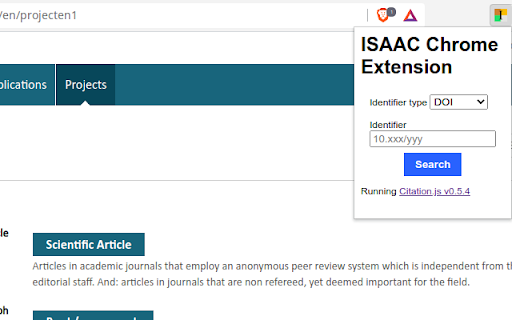
A browser extension to add literature using DOIs and PubMed identifiers. Browser extension that helps adding resource output to the NWO ISAAC database. After selecting the type of "product", the extension pop-up dialog can be used to look up metadata using DOI, PubMed identifier, and ISBN. The extension supports adding authors will jump to the "add author" iteratively, allowing you to add additional information (ORCID/gender/DAI). The plugin uses citation-js, see https://peerj.com/articles/cs-214/ while the source code is available from https://github.com/citation-js/isaac-chrome-extension under the MIT license. Information is collected from Crossref, DataCite, and mEDRA (DOI), Google Books and OpenLibrary (ISBN), PubMed (PubMed identifiers) and Unpaywall (OA status). THIS IS NOT A NWO ENDORSED EXTENSION AND NWO HAS NOT BEEN INVOLVED IN THE DEVELOPMENT. BETA: this extension is early in its development cycle. All feedback is welcome. Use at your own risk.

CORA: Understand PubMed Citation Contexts
Understand citation contexts as you browse PubMed papers. This extension aims to help people better understand the citation contexts of a PubMed article. We extracted over 100 million citation contexts from semanticscholar.org (especially, S2ORC: Allen AI's Open Research Corpus), and trained a deep learning model to classify those citation contexts into different types so that readers know how an article was cited by others. In addition, we also provide users with a search function to find EurekAlert! science news releases and NSF/NIH grants that are related to a PubMed article. This project is supported by IMLS grant RE-07-14-0015. Team members: Yingya Li, Yatish Hegde, Jun Wang (chrome extension developer), and Bei Yu (PI).

Altmetric for Pubmed and Google Scholar
Get Altmetric score for research papers in Google Scholar and Pubmed search results Using this extension, researchers can get Altmetric score for research papers in Google Scholar and PubMed search results. Altmetric score is an indicator of how impactful and influential, a particular paper is. It is complementary to traditional, citation-based metrics. Altmetric score can help researchers understand where and why a piece of research is being discussed and shared, both among other scholars and in the public sphere. For e.g., they can see how a particular paper is being covered in the news, blogs and Twitter.

Scientific Research Assistant
List of websites post for scientific research This extension is to assist researchers easy access most popular websites for scientific research. From the popup, you can find four buttons, starting by existing where you can find popular websites Quick search, is to easy access to google scholar by entering the test you want look for it and then click on Google search or the second search engine. The last buttons is to easy access to download papers from sci-hub. .

PubMed Impact Factor Search
Confused by tons of journals? Why not speed up your research by IMPACT FACTOR! Add search words in the search box at PubMed.gov. The words are the ISSNs of the journals, which have the impact factor you specified with the slider. - Added link to InCites CSV export page (1) You need to add a csv file. From InCites Journal Citation Reports, export the list of journals as CSV. This may require your registered accout. PIFS can read your CSV if the following conditions are met. (a) Your CSV needs to have the column names in the 2nd row (b) Your CSV needs to have the columns of "ISSN", "Journal Name", "Impact Factor". Available aliases are as below. (#) InCites exports only 600 top results. If you need more results in PIFS, please concatenate the results manually. and you need to, (2) Set it in the settings tab. - PIFS can read the newer format of exported CSV - Added ISSNs are kept in the input box also on https://pubmed.ncbi.nlm.nih.gov/. - PIFS tells if the added csv file is available. - PIFS also works on https://pubmed.ncbi.nlm.nih.gov/ - PIFS asks for rating me once in every 10 times adding the query. You can disable this message by clicking "No" in the dialog. - Keep the history of queries for reuse. - Search journals from the results with keywords.
