
kihifmacbckmlbcaobdofgjikfgidkmd
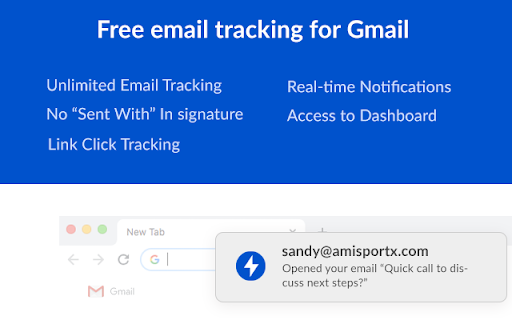


Free email tracker for Gmail. See email tracking and link click stats in real-time Mailerplex email tracker extension is a simple tool, which lets you see email opens and clicks in real-time. It's available as a chrome add-on for Gmail. With the extension, you can track your email opens, clicks and do appropriate follow-ups. Depending on your profession, email open tracking can give a boost to your outreach. For example, if you know when someone opens your email, how often, you can gauge their engagement levels and tailor appropriate content. Also you can reach them as soon they open, so that your email is fresh in their mind. If you are sending a number of emails from your Gmail account, here are some of the questions that are important for you. What happens after you send an email? Are your important emails being read? Do your prospects click on the resource links that you send them? With Mail Tracker extension, you can get these questions answered. You can also track Gmail location of your recipient and know if they have clicked on any link included in your email. It also comes with real-time notifications and detailed dashboard for your analysis. Listed below are the features of the chrome extension. REAL-TIME EMAIL OPEN NOTIFICATIONS (How do I know when someone opens my email) You will get a real-time notification, as soon as your email is opened by the recipient. This will help you to do perfectly-timed follow-ups and make your overall communication better. WE OFFER A FREE VERSION in the free version of MailerPlex, you can send 30 tracked emails per months without any signature. Also, it comes with real-time notification and access to a detailed dashboard. QUICK AND DETAILED DASHBOARD ACCESS Both free and paid versions come with access to a real-time dashboard. The dashboard has a detailed activity stream for your emails. Also, you can access your quick dashboard by clicking on the extension icon. MULTIPLE EMAIL ACCOUNTS IN THE SAME BROWSER Want to use both professional and personal email? MailerPlex comes with a robust multi-account feature. IDENTIFY ENGAGED LEADS AND THOSE WHO NEED FOLLOW-UPs With our detailed dashboard, you can easily identify the leads that are engaged with your content. Also, you can identify the ones who are not opening your emails and tune your communication accordingly. GET STARTED INSTANTLY. VERY SIMPLE TO USE We have designed MailerPlex to be extremely simple to use. And we would like to keep it that way. AFFORDABLE PAID VERSION Our pro version is priced at $6/User/Month ($4/user/month for annual plan) and comes with additional capabilities such as link click tracking, email support and other advanced features. We continuously add useful and essential features to our pro version, so that we can deliver more value to your sales process. WHAT OUR CUSTOMERS SAY - *Very useful for sales professionals like me. Helps with right communication and follow-ups. Add low price and simplicity to that.* - Kurt Eichenwood, VP Sales *Mailerplex enables my team to hire premium candidates better. We immediately act on the ones who have opened or clicked our mails. Those who don't open, we try to pitch them better. Must have for recruiters.* - Amy Christian, Recruitment Lead The $6/User/Month ($4/user/month for annual plan, cancel anytime) Mailtrack extension Pro version comes with link click tracking and additional pro-level functionality. For our customers, MailerPlex is an essential tool for their overall outreach and follow-up strategy. If you send professional as well as personal emails, tracking email opens and clicks could be very useful for you. Knowing whether someone opened your email, when they opened, their devices and location etc. may help you for better outreach. Here are some of the the ways you can use this information. To Do Better Followups - If you know that someone opened your email at a particular time, you can do a follow-up immediately to get better response. This is very useful when you are doing sales, business development, recruitment, job search and in many other professions. Studies have shown that if you reach your prospect at a time she is going through your content, you can get much higher response rate. To Know Highly Interested Prospects - If you see your recipient is opening your email multiple times and clicking on multiple links in your email, they are more interested. So you can tailor your follow-up email accordingly and can get better response. To Improve Subject Line or Offer More Value - If your emails are not getting opened, that may mean the subject line is not generating enough interest. You may need to work upon your subject or offer better value, so that they can engage with you. Depending on what you do, email open and click tracking may be very useful or even essential for you. But the challenge here is most of the email providers don’t track this information. For this you have to use a email Tracking tool like MailerPlex. MailerPlex is a simple Chrome extension for Gmail. Using MailerPlex, you can get detailed insight into the emails that you are sending.

GoEmailTracker-Email Tracker,Template,chatGPT
Email tracker for Gmail and Google Workspace (G Suite). Email opens tracking and link clicks tracking. AI Email Writer with chatGPT. Welcome to GoEmailTracker - The best Email Tracking service for Gmail & Google Workspace (Formerly, GSuite). The powerful tool that allows businesses and individuals to track the performance of their Emails and campaigns. It can provide valuable information such as open rates, click-through rates, and even the location of the recipient. 👉 Free add-on for Android / iOS Gmail™. 👉 Free email tracker. 👉 Secure email tracker. 👉 Email opens tracking. 👉 Email link clicks tracking. 👉 Live notifications on email opens and link clicks. 👉 AI Email Writer using chatGPT/ openAI. 👉 Create Email Template with chatGPT. 👉 Save Email Template for further use. 👉 Check if sender track the email. 👉 Email Signature Generator ~Beta. 1. Improving campaign performance: GoEmailTracker allows you to see which emails are most successful and make data-driven decisions to improve the performance of your campaigns. 2. Identifying engaged recipients: By tracking which recipients are most engaged with your emails, you can tailor your campaigns to better suit their interests. 3. Increasing conversions: By tracking clicks on links within your emails, you can see which links are most popular among recipients and use that information to increase conversions. 4. Scheduling and tracking email reminders: GoEmailTracker allows you to schedule and track email reminders, which can help you ensure that important messages are not forgotten. 5. Real-time reporting and analytics: With detailed reports and analytics, you can track the performance of your email campaigns in real time and make data-driven decisions to improve performance. 6. A/B testing: Email tracking software can help you test different subject lines, content, and layouts to see which performs best, allowing you to optimize your campaigns. 7. Deliverability: This provides insights into the email deliverability rate and potential issues that might affect it. 8. Spam filter tracking: This helps you track how your emails are being handled by spam filters and suggests ways to improve your chances of getting through. 9. Advanced security: Provides advanced security features to protect your data. 👉 Remember, GoEmailTracker does not share, read, modify the content of your email. We don't and will never add signatures to your email. Revolutionize Your Email Marketing with Our Powerful GoEmailTracker.

LinkedIn Email Finder & Intelligence | Salesgear
LinkedIn email finder & LinkedIn phone number finder extension. Find verified emails, phone numbers from any LinkedIn profile. LinkedIn Email Finder Tool from Salesgear is one of the most powerful LinkedIn prospecting tools available. It works alongside LinkedIn to help you find verified email addresses and phone numbers from any LinkedIn profile. Whether you're using LinkedIn Sales Navigator or standard LinkedIn search, Salesgear’s LinkedIn Email Finder integrates seamlessly to give you accurate contact details without leaving the platform. Beyond email finding on LinkedIn, Salesgear also enables you to send emails, make calls, hyper-personalize messages, and even export contacts to your CRM. This makes Salesgear’s LinkedIn Email Finder not just a tool, but a complete productivity suite for LinkedIn prospecting. Designed for sales teams, recruiters, and marketers, Salesgear’s LinkedIn email finder helps you get verified email addresses and phone numbers to enhance your prospecting and outreach efforts. It’s the perfect solution for efficient lead generation directly from LinkedIn. 1. Instant Email Finder & Phone Finder– With Salesgear, you can find email addresses and phone numbers from any LinkedIn profile, instantly. 3. Free LinkedIn Email Finder for B2B– Get 50 free credits every month to start using Salesgear’s LinkedIn email finder and start finding emails and phone numbers. 4. Email Verification – All the emails returned on LinkedIn profile pages are verified to ensure you're reaching the right email address, so your outreach efforts are always accurate. More Benefits of Using Salesgear’s LinkedIn Email Finder: ✅ Efficient Outreach – Quickly find and use LinkedIn email addresses and business phone numbers to streamline your cold emailing and outreach campaigns. ✅ Real-Time Email Tracking – Know when your outreach emails are opened, clicked, or replied to, so you can follow up at the right time. ✅ Business Contact Finder – Find email address and phone numbers for any business directly from LinkedIn profiles to enhance your outreach efforts. 🚀 Fast & Accurate Results – Use the LinkedIn email finder to instantly discover emails and phone numbers with a focus on quick and accurate results. 🗂 Bulk Email Extraction – Extract large volumes of LinkedIn email addresses at once, saving time and improving your outreach efficiency. ✅ Free Forever Plan – Get started with Salesgear’s LinkedIn email finder for free! Enjoy 50 monthly credits to find LinkedIn emails and phone numbers, with daily credit limits. 🔗 Seamless CRM Integration – Export theFfinder email addresses and phone numbers you’ve found through Salesgear's LinkedIn Email Finder directly to your CRM, such as Salesforce, HubSpot, Pipedrive or Zoho. 1. What is the best tool for finding emails on LinkedIn? Salesgear’s LinkedIn email finder is one of the top tools to quickly find LinkedIn email addresses and phone numbers from any LinkedIn profiles, also works with LinkedIn Sales Navigator. 2. How do I find email addresses from LinkedIn? Simply install the Salesgear LinkedIn email finder extension, click on a LinkedIn profile, and the tool will automatically find the email address and save it to your account. 3. Can I find phone numbers from LinkedIn profiles? Yes, Salesgear’s LinkedIn email finder enables you to find email and phone numbers in one click. 4. Is the LinkedIn email finder tool free to use? Yes, you can start using the email finder for free with 100 monthly email credits. 5. Can I find phone numbers from LinkedIn profiles? Yes, with Salesgear’s LinkedIn email finder, you get bonus credits every month to find phone numbers from any LinkedIn profiles. 6. Does Salesgear work with LinkedIn Sales Navigator? Yes, Salesgear works seamlessly with LinkedIn Sales Navigator, making it easy to find email and phone numbers from LinkedIn Sales Navigator. 7. How do I track emails sent via LinkedIn? Use Salesgear’s LinkedIn email finder is also a email tracker that helps you send and track your email opens and clicks. 8. Can I export all the found email and phone from LinkedIn to my CRM? Yes, once you’ve extracted LinkedIn email addresses and phone numbers, you can export them to CRMs like Salesforce, HubSpot, Pipedrive or Zoho. 9. Is Salesgear safe to use for extracting LinkedIn emails? Yes, Salesgear follows LinkedIn’s policies and ensures that all your data remains secure when using the LinkedIn email finder. 10. Can I use the LinkedIn email finder tool for recruiting? Yes, Salesgear is perfect for recruiters looking to quickly find email and phone from LinkedIn for potential candidates. 11. What payment methods are accepted for Salesgear’s subscription? Salesgear accepts major payment methods like credit cards and PayPal.

Email Tracker by cloudHQ
Know when your emails are opened in real-time Now you can find out when your emails are read! This email tracker software is extremely easy to use, and gives you all of the following features where you'll have: ✔️ An email tracking dashboard ✔️ Mobile text, desktop, and email notifications when your email is read ✔️ Reminders if your email goes unopened after 48 hours ✔️ Link tracking ✔️ Email tracking removal options for personal emails you don't want tracked You'll also get a Gmail label to show you: - Tracked emails that you sent, and were opened - Tracked emails that you sent, and were opened, with links that were clicked on (how many times, and which links were clicked on) - A list of all opened but unanswered emails where people need to respond back to you - A list all opened, but unanswered emails where you need to respond back - A list all unopened emails where people need to respond back to you - A list all unopened emails that are awaiting your reply ✔️ As an upgrade: You can export all of your tracked emails to Google Sheets for an up-to-date report on open rates, link clicks and more. This is ideal for salespeople, customer service reps, head hunters, and more! cloudHQ. Helping your productivity, 1 click at a time. NOTE: For easy access to your settings and other cloudHQ apps, look for the cloudHQ icon in the top right corner of your Gmail inbox. Click on it to get started! cloudHQ website: https://www.cloudhq.net/ cloudHQ app list: https://www.cloudhq.net/apps App website: https://www.mail-tracker.com/ Pricing: https://www.mail-tracker.com/pricing Support page: https://support.cloudhq.net/category/browser-extensions/email-tracker/ Blog: https://blog.cloudhq.net

Email Tracker, Email Tracking w/ AI - Mailtag
Email Tracker 2.0. Email tracking that gets more Responses. Free mail tracking, Signatures and Campaigns. Find out what happens after you hit SEND & make more sales in less time with EMAIL TRACKING by MailTag. Unlimited real-time E-mail Tracking, Email scheduling, and Automated Email Follow-Up (Pings). MailTag is an email tool that helps you make more sales, in less time. Try it completely free for 2 weeks — no card required. Email Tracking for Gmail - Know which emails have been opened, WHERE they were opened, and how many times the emails have been opened. - Be notified in real-time about email activity (browser notifications and/or email read receipts) - MailTag as a secret weapon, know who has opened your emails without needing to ask prospects/co-workers - Sleek and easy to use dashboard - Available for both Gmail & Google Workspace extension only on Chrome MailTag Pro - NO MailTag BRANDING OF ANY KIND IN YOUR EMAIL SIGNATURE! - For anyone using Gmail including professionals, students and casual users - Unlimited use of all MailTag functionalities for Gmail - Email tracking for Gmail - Location tracking for Gmail - Link tracking for Gmail - Notifications when your emails are opened (desktop notification and/or email) - PINGs & Schedule emailing functionality - Easy-to-use dashboard Features ➤ Track emails in Gmail (with real-time alerts) ➤ schedule emails in Gmail (type your emails now, and send them later in the future ➤ automate follow-ups in Gmail (never send another manual follow-up, again) MailTag has individual and business plans available. Check our pricing options: https://mailtag.io or contact us for 5+ seats (up to 50% OFF) ****************************** MailTag is truly the best email tracking extension.. Here’s why: ★ Unlimited email tracking. We don’t cap the amount of email you track per day or month, either in our free trial or paid tier. ★ Affordable pricing options from $9.99 per month per user, and even cheaper if you have 5+accounts (50% off). ★ MailTag is built on the latest technologies for GSuite so as to ensure your privacy remains protected at all times. It is fast, reliable and secure. Many CRM apps have mail tracking features, however, you may just need to a focused email tracker in Gmail or maybe you are looking to not spend $50+/m. The cheapest solutions out there also include rather than heavy marketing and CRM tools which drive the prices way too high. Forget the kitchen sink approach: MailTag is built to fit your needs. There are also a ton of email marketing solutions as well; These are heavy and costly solutions that are more focused on mass mail, than the higher response individual rates MailTag will get you with Gmail. Make your recipients feel like emails were written by hand, only for them with MailTag. It will give you much more personal touch to your outbound communications. And most importantly, MailTag can be merged with other services to make it even more powerful. Some examples: ➤ Gather emails from Type form or Google Forms answers into a Gsheet by connecting them with Zapier. Then you can send a personalized email campaign to these people with MailTag. Also to always ensure your email is perfect, use Grammarly to check misspellings in your emails. ➤ Interact with a service like Shopify or Prestashop clients to track if they opened their tracking confirmations, review requests or most importantly invoices.
