
nbmmhcmajjdfjobnmgnkbdhfpnbhpkef


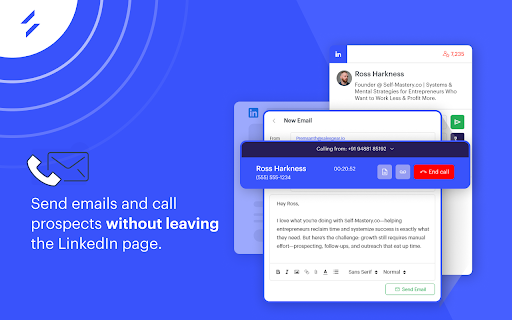

LinkedIn email finder & LinkedIn phone number finder extension. Find verified emails, phone numbers from any LinkedIn profile. LinkedIn Email Finder Tool from Salesgear is one of the most powerful LinkedIn prospecting tools available. It works alongside LinkedIn to help you find verified email addresses and phone numbers from any LinkedIn profile. Whether you're using LinkedIn Sales Navigator or standard LinkedIn search, Salesgear’s LinkedIn Email Finder integrates seamlessly to give you accurate contact details without leaving the platform. Beyond email finding on LinkedIn, Salesgear also enables you to send emails, make calls, hyper-personalize messages, and even export contacts to your CRM. This makes Salesgear’s LinkedIn Email Finder not just a tool, but a complete productivity suite for LinkedIn prospecting. Designed for sales teams, recruiters, and marketers, Salesgear’s LinkedIn email finder helps you get verified email addresses and phone numbers to enhance your prospecting and outreach efforts. It’s the perfect solution for efficient lead generation directly from LinkedIn. 1. Instant Email Finder & Phone Finder– With Salesgear, you can find email addresses and phone numbers from any LinkedIn profile, instantly. 3. Free LinkedIn Email Finder for B2B– Get 50 free credits every month to start using Salesgear’s LinkedIn email finder and start finding emails and phone numbers. 4. Email Verification – All the emails returned on LinkedIn profile pages are verified to ensure you're reaching the right email address, so your outreach efforts are always accurate. More Benefits of Using Salesgear’s LinkedIn Email Finder: ✅ Efficient Outreach – Quickly find and use LinkedIn email addresses and business phone numbers to streamline your cold emailing and outreach campaigns. ✅ Real-Time Email Tracking – Know when your outreach emails are opened, clicked, or replied to, so you can follow up at the right time. ✅ Business Contact Finder – Find email address and phone numbers for any business directly from LinkedIn profiles to enhance your outreach efforts. 🚀 Fast & Accurate Results – Use the LinkedIn email finder to instantly discover emails and phone numbers with a focus on quick and accurate results. 🗂 Bulk Email Extraction – Extract large volumes of LinkedIn email addresses at once, saving time and improving your outreach efficiency. ✅ Free Forever Plan – Get started with Salesgear’s LinkedIn email finder for free! Enjoy 50 monthly credits to find LinkedIn emails and phone numbers, with daily credit limits. 🔗 Seamless CRM Integration – Export theFfinder email addresses and phone numbers you’ve found through Salesgear's LinkedIn Email Finder directly to your CRM, such as Salesforce, HubSpot, Pipedrive or Zoho. 1. What is the best tool for finding emails on LinkedIn? Salesgear’s LinkedIn email finder is one of the top tools to quickly find LinkedIn email addresses and phone numbers from any LinkedIn profiles, also works with LinkedIn Sales Navigator. 2. How do I find email addresses from LinkedIn? Simply install the Salesgear LinkedIn email finder extension, click on a LinkedIn profile, and the tool will automatically find the email address and save it to your account. 3. Can I find phone numbers from LinkedIn profiles? Yes, Salesgear’s LinkedIn email finder enables you to find email and phone numbers in one click. 4. Is the LinkedIn email finder tool free to use? Yes, you can start using the email finder for free with 100 monthly email credits. 5. Can I find phone numbers from LinkedIn profiles? Yes, with Salesgear’s LinkedIn email finder, you get bonus credits every month to find phone numbers from any LinkedIn profiles. 6. Does Salesgear work with LinkedIn Sales Navigator? Yes, Salesgear works seamlessly with LinkedIn Sales Navigator, making it easy to find email and phone numbers from LinkedIn Sales Navigator. 7. How do I track emails sent via LinkedIn? Use Salesgear’s LinkedIn email finder is also a email tracker that helps you send and track your email opens and clicks. 8. Can I export all the found email and phone from LinkedIn to my CRM? Yes, once you’ve extracted LinkedIn email addresses and phone numbers, you can export them to CRMs like Salesforce, HubSpot, Pipedrive or Zoho. 9. Is Salesgear safe to use for extracting LinkedIn emails? Yes, Salesgear follows LinkedIn’s policies and ensures that all your data remains secure when using the LinkedIn email finder. 10. Can I use the LinkedIn email finder tool for recruiting? Yes, Salesgear is perfect for recruiters looking to quickly find email and phone from LinkedIn for potential candidates. 11. What payment methods are accepted for Salesgear’s subscription? Salesgear accepts major payment methods like credit cards and PayPal.

Email Finder by ContactOut – Email Lookup Tool
Find emails for 75% of Linkedin or ANY website. Save profiles to CRM. Chatgpt comments & email writer. Trusted by 76% of Fortune500. Email Finder and Linkedin tool. Email extractor for ANY company website. Phone finder and contact lookup tool. Find the most accurate emails and phone numbers on any website, used by 1.4M users from 76% of Fortune 500 companies. ContactOut Chrome extension is a powerful prospecting tool that enhances your outreach efforts. It offers a wide range of features and benefits, including: ● Find emails and phone numbers for over 300 million professionals on LinkedIn Standard, Sales Navigator, & Recruiter ● Discover decision-makers on any company website with ContactOut Anywhere ● Build relationships with decision-makers across levels for your next account based sales & marketing campaigns ● Quickly create quality lead lists and sync them with your CRM & ATS ● Engage with prospects instantly using multi-stage automated personalized email campaigns in just one click ● Easily integrate ContactOut with your existing tools, including Salesforce, HubSpot, Lever, Bullhorn, Greenhouse, and over 5,000 other apps with Zapier. Over 1.4 million recruiters and sales reps from top Fortune 500 companies. And with a higher match rate compared to other alternatives you're getting the most accurate information possible. Whether you're a recruiter, sales rep, or marketer, ContactOut is the ultimate tool for turbocharging your prospecting efforts. Download ContactOut now and see the results for yourself! Compare our email finder, linkedin automation and email extractor to Lusha, Apollo, RocketReach, SignalHire, HireEz.

LinkedIn Email Finder & Phone Number Finder by LeadStal
LinkedIn Email Finder by LeadStal reveals public emails, phone numbers & social profiles for free lead generation. LinkedIn Email Finder & Phone Number Finder by LeadStal helps you find publicly available contact details from LinkedIn profiles, including email addresses, phone numbers, and social media links. Instead of manually searching for contact information across different platforms, this extension gives you a faster and cleaner way to discover public business contact details directly while browsing LinkedIn. Whether you are looking for potential clients, recruiters, founders, decision-makers, freelancers, or business professionals, LeadStal helps simplify your LinkedIn prospecting workflow. ✓ Find public email addresses from LinkedIn profiles ✓ Discover phone numbers when available ✓ Reveal social media profile links in one place ✓ Works directly on LinkedIn profile pages ✓ One-click copy for emails and phone numbers ✓ Open social profiles quickly ✓ No signup required ✓ Lightweight and easy to use ✓ Built for lead generation, sales, recruiting, and outreach workflows ✦✦ How It Works ➜ Open any LinkedIn profile ➜ Let LeadStal scan for publicly available contact details ➜ View emails, phone numbers, and social profiles in a simple contact card ➜ Copy the details or open links in one click ➜ Use the information for prospecting, recruiting, or outreach ✦✦ Best For Sales teams, B2B marketers , Recruiters , Lead generation agencies, Founders and startups, Freelancers, Outreach specialists, Business development teams, Virtual assistants Finding contact details manually can take a lot of time. This extension helps you speed up your LinkedIn prospecting process by showing available contact information in a clean, easy-to-use interface. With LeadStal, you can: ✓ Save time on manual contact research ✓ Find public emails and phone numbers faster ✓ Discover social profiles from LinkedIn pages ✓ Copy contact details in one click ✓ Build prospect lists more efficiently ✓ Improve your outreach and recruiting workflow ➜ Sales Prospecting Find contact details of potential clients and decision-makers. ➜ Recruiting Discover public contact information for candidates and professionals. ➜ Agency Outreach Find emails, phone numbers, and social links for targeted outreach campaigns. ➜ Founder & Startup Networking Connect with professionals, founders, partners, and investors faster. This extension helps users discover publicly available contact information from LinkedIn profiles and public web sources. Users are responsible for ensuring their use of this extension complies with applicable rules and regulations, including: ➜ LinkedIn’s platform terms of service ➜ Data privacy laws ➜ Email outreach regulations ➜ Anti-spam laws in their region ➜ Any applicable business communication rules LeadStal does not encourage spam, misuse, or unauthorized data collection. Always use contact information responsibly and respectfully. 1. What is LinkedIn Email Finder by LeadStal? ➜ It is a Chrome extension that helps find publicly available emails, phone numbers, and social media profiles from LinkedIn profiles. 2. How does it work? ➜ Open a LinkedIn profile, and the extension displays available public contact details in a simple contact card. 3. Can I find email addresses? ➜ Yes. The extension can help reveal publicly available email addresses when found. 5. Does it show social profiles? ➜ Yes. The extension may display social media links related to the LinkedIn profile. 6. Is signup required? ➜ No signup is required to start using the extension. 7. Is it free? ➜ Yes, the extension can be used as a free LinkedIn email finder and phone number finder. 8. Who should use this tool? ➜ Sales teams, recruiters, marketers, agencies, freelancers, founders, and outreach specialists can use it for lead generation and contact research. 9. Is the data always accurate? ➜ Accuracy may vary because the information depends on publicly available data found for each profile. 10. Can I use it for bulk LinkedIn scraping? ➜ This extension is designed to help find contact details from LinkedIn profiles. For bulk lead generation, LeadStal may offer additional tools for LinkedIn, Google Maps, Yelp, and other platforms.

Email Finder - GetProspect
LinkedIn Email Finder – Look up emails for free. Find email address in seconds – free email finder. Search emails on website. Extract emails with GetProspect. Our plugin is the fast and easy-to-use LinkedIn email finder tool that helps to get accurate business email addresses in seconds. ✔ Email Finder It is the best solution to find email addresses of your connections for free or any people from LinkedIn search. With GetProspect Chrome extension you can easily find anyone’s email address and generate LinkedIn leads by clicking just one button in users’ profiles. - Easily search for email addresses of your 1st, 2nd and 3rd+ Linkedin connections; - Find business email addresses of any person from the basic LinkedIn or Sales Navigator search based on your specific search filters; - Save leads with emails in bulk from Sales Navigator lead lists or LinkedIn group members; - Get all the obtained email addresses verified for FREE. ✔ Bulk email finder Save hundreds or thousands of contacts at once with our batch email finder by clicking «Select all» → «Save prospects» in LinkedIn search, LinkedIn group members, or LinkedIn events attendees. Add the number of pages you want to save leads from. Our bulk email tool will automatically find and add their verified emails to your list. ✔ Email finder by name and by domain You can generate LinkedIn leads from basic search or with Sales Navigator. You just fill in your search criteria on LinkedIn, then extract hundreds of potential clients into a spreadsheet. You not only get an email address – but also other data from LinkedIn: - first and last name - position - location - summary - company name - industry - company website and address - LinkedIn profile URL ✔ Find email address by name with GetProspect email extractor extension This is how to search email by name in 2 minutes. To look up email addresses by name you enter the first and last names of the person of interest in a LinkedIn search. Go to their profile and click «Get email». The email and other information about the prospect will be saved to your GetProspect account. ✔ CRM contact management software All your saved leads from LinkedIn you will find in GetProspect contact management software. The web-based CRM allows you to: - group your leads in relevant folders; - segment your prospects with dynamic lists; - create custom filters; - cooperate with team members; - export your lists in the necessary format; - integrate GetProspect with Gmail or other sales tools. ✔ Our email finder is ideal for: - Sales teams - Founders and owners - Freelancers - Consultants - Project managers - Digital marketers - Email marketers - Growth marketers - Recruiters - Outbound marketers ✔ Main advantages GetProspect email extractor: - FREE monthly credits - Online human support - Email verification at no additional cost - Compatible with free LinkedIn, Sales Navigator and Recruiter - Pricing beginning with 49$/month - Exporting LinkedIn leads with the data in .csv or .xlsx - Saving numerous LinkedIn pages at once - Integrations with other services ✔ How to use the email address finder plugin? Step 1. Install the GetProspect email extractor Chrome extension. Step 2. Go to any LinkedIn profile and click on the «Get email» button. You will see the GetProspect banner indicating that the email is found and saved. Step 3. Or make a search on basic LinkedIn or Sales Navigator, click «Select all» → «Save prospects» and get multiple pages of leads with emails. ✔ FAQ 1. Can I use GetProspect email finder extension for free? Yes, email extractor plugin is free, but you can use it only in the Google Chrome browser for now. 2. How to find email addresses on LinkedIn? To find email with the GetProspect extension, open any LinkedIn profile and tap on the «Get email» button. The email will be automatically saved. If you want to save many emails, open the list of LinkedIn profiles in LinkedIn search, LinkedIn group, or LinkedIn events and click «Select all» → «Save prospects.» 3. Can I find email address owner with GetProspect? You can find email addresses owners in your GetProspect account with the enrichment feature. Go to the «Enrich» page, choose «Email lookup section», and enter the email of interest. 4. How can I use email extractor software for business? You can use the GetProspect extension to find emails of potential clients to reach them without reputation risks to your email account. 5. Can I extract emails from websites by GetProspect? Yes. Go to the tab with the website and click on the GetProspect icon among your extensions. You will see the panel and field to enter the name you want to find the email for. 6. Which payment methods can I use for GetProspect subscription? You can pay for the GetProspect subscription through the Fondy payment gate or BlueSnap payment gate. By default, our system offers to pay through Fondy. In case you are unable to pay by this method, try to use BlueSnap. 7. How to cancel my email finder subscription? Go to the Settings icon in your GetPropsect account. Choose the Price and billing section. In the Subscription tab, find your plan and click Cancel subscription. For any further questions about email finder, feel free to contact us support@getprospect.com

Instagram Email Finder & Phone Number Finder by LeadStal
Find public emails, phone numbers, and social profiles from Instagram profiles in seconds. Instagram Email Finder by LeadStal is a fast, lightweight Chrome extension built for marketers, freelancers, agencies, recruiters, creators, and business owners who want to discover publicly available contact details from Instagram profiles. Open any Instagram profile, and LeadStal helps you find available business emails, phone numbers, and connected social media profiles in one simple contact card. No complicated setup. No signup required. Just install, browse Instagram, and copy the details you need. 📧 Find Public Instagram Emails Quickly discover publicly available email addresses from Instagram profiles. 📞 Find Phone Numbers View available phone numbers connected to Instagram profiles when publicly accessible. 🔗 Social Profile Finder Find related social profiles and links in one clean, easy-to-use card. 📋 One-Click Copy Copy emails, phone numbers, and profile links instantly. 🌐 Works on Instagram Profiles Visit any Instagram profile and let the extension help you find available contact information. 🆓 Free to Use Start finding leads without signup or complicated onboarding. ⚡ Lightweight & Easy Modern, fast, and simple extension designed for everyday prospecting. 🛠️ Perfect For Instagram Email Finder is useful for: 🚀 How It Works 1. 📲 Open Instagram Go to instagram.com and visit any public Instagram profile. 2. 🔍 Let LeadStal Scan The extension checks the profile for publicly available contact details. 3. 📋 Copy & Connect Copy the email, phone number, or social profile link in one click. ⭐ Why Use LeadStal Instagram Email Finder? Finding contact details manually can take time. LeadStal makes the process faster by showing available contact information directly on Instagram profiles. Whether you are doing influencer outreach, finding potential clients, building a sales list, or connecting with businesses, this extension helps save time and improve your outreach workflow. With a simple interface, one-click copy buttons, and support for emails, phone numbers, and social links, LeadStal gives you a faster way to collect public Instagram contact information. ❓ FAQ 1. 📧 What does Instagram Email Finder by LeadStal do? Instagram Email Finder by LeadStal helps users find publicly available email addresses, phone numbers, and social profile links from Instagram profiles. 2. 🆓 Is this Chrome extension free to use? Yes, the extension is free to use and does not require signup to start finding available public contact details. 3. 🌐 Does it work on any Instagram profile? The extension works on Instagram profile pages and shows contact details when publicly available. 4. 📋 Can I copy the email and phone number easily? Yes, you can copy emails, phone numbers, and social profile links with one click from the contact card. 5. 🔒 Does LeadStal show private data? No, LeadStal is designed to help display publicly available information only. Please use the tool responsibly and follow privacy, platform, and anti-spam rules. ⚠️ Important Note LeadStal only helps display publicly available information. Please use this tool responsibly and follow all applicable privacy, platform, and anti-spam rules when contacting people or businesses.
