
kgjaddbcmpmacilgaekjfelhdebfjgib

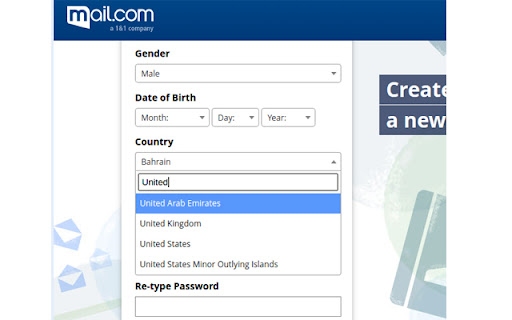


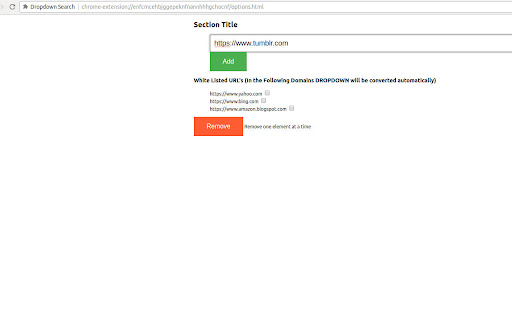
Search any Dropdown. Click on this Extension from any page, it will convert any drop down to be searchable dropdown. Right Click Options -> Enter any URL you want to convert All the Time

Searchable Dropdown (Legacy)
⚠ This extension has been merged into CMS Toolkit by Extenify. Install the new unified extension to continue using all features. Searchable Dropdown – Smarter Dropdowns for District Judiciary Punjab's CMS! Enhance dropdown menus in the CMS with fast, searchable input fields for a better, more efficient workflow Key Features: ✅ Instant Search – Quickly find case entries without endless scrolling. ✅ Auto-Filtering – Filters options dynamically as you type. ✅ Keyboard Navigation – Use Arrow Keys and Enter for fast selection. ✅ Lightweight & Efficient – Works exclusively within the District Judiciary Punjab's CMS. ✅ Smooth UI – Enhances dropdowns seamlessly without affecting other elements. How It Works: 1️⃣ Install the extension. 2️⃣ Visit the DSJ Lahore CMS. 3️⃣ Dropdown menus will automatically become searchable. Who is it for? 🔹 Court Staff working across the Punjab.. 🔹 IT Professionals / SCOs/ CO's managing the case entries. 🔹 Officials Handling Case Processing & Disposal. ✨ Install now to enhance your workflow in District Judiciary Punjab's CMS! 🚀

Dropdown to Clipboard
Do you frequently work with dropdown menus and need a quick way to copy the values? With Dropdown to Clipboard, you can select any dropdown menu on a webpage and copy all its options to your clipboard with just one click. This tool is designed to streamline tasks, save time, and make dropdown data management easy and efficient. - Select any dropdown menu and instantly copy all options to your clipboard. - Supports multiple pages without reloading your preferences. - Automatically stores your display preferences and adjusts to show/hide the UI based on your settings. 1. Click the extension icon and enable the "Show window on page" option. 2. Select the dropdown you want to copy. 3. All dropdown options will be shown in a code view and automatically copied to your clipboard. Simplify your work with dropdowns—install Dropdown to Clipboard today!

Copy the text from the search box dropdown list
Copy the select element and Google, Bing, Baidu engines, and copy the content of the search suggestion keyword dropdown menu related Copy the select element, Google, bing, baidu, search engine all text drop-down box copied to the clipboard. When you wish to copy the dropdown box or the predictive text from the search box, this is an efficient way to do so. For example, suppose you are visiting various search engines, such as Google, Bing, Baidu, and YouTube that are compatible with this software, and you wish to swiftly copy all options in the dropdown box to the clipboard. You can follow these steps: 1、Open the search engine webpage from which you would like to copy. 2、Enter the keywords in the search box, and the related search suggestions will appear in the dropdown box. 3、Place your cursor over the input area, right-click, and find the "Copy Dropdown All Text" menu and click on it. 4、In this way, you can copy the content of the related search suggestions in the dropdown box to your clipboard.

Dropdown Search
Search as You Type in Dropdowns This extension is used to search and select a text. Most of the time when we need to select any value from dropdown, it is complicated by finding them and selecting text. With the help of this extension user can easy find it by typing text and select it.
