
kffembmfgigpgfhkcmmedgpadnkgokgi
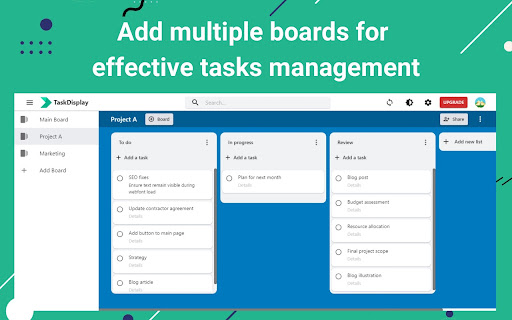
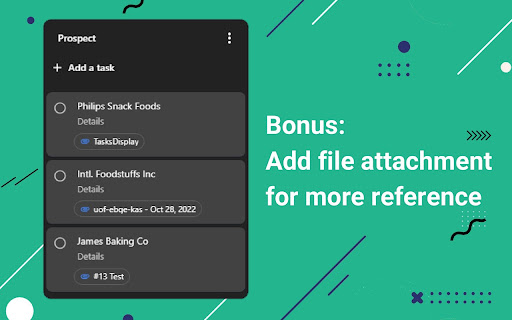

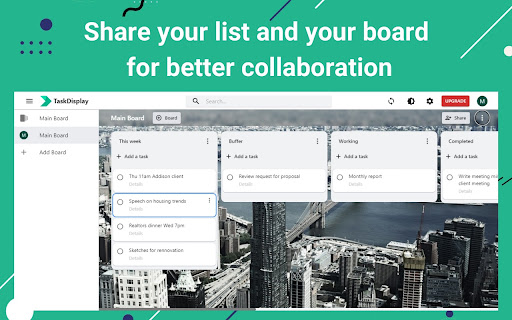
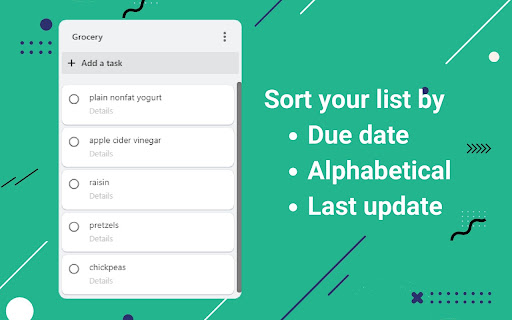
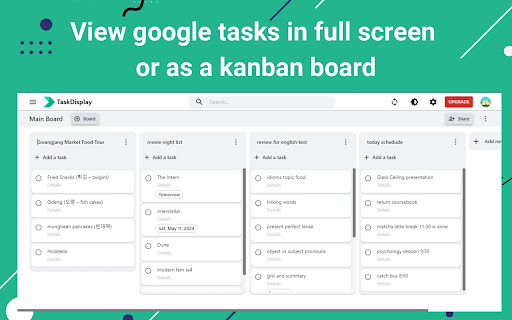
Display full screen for Google Tasks and acts as desktop app for Google Tasks. Use this Google Tasks manager for more productivity. TaskDisplay is a powerful desktop app for Google Tasks that manages tasks using a Kanban board. Here’s why it’s the ultimate Google Tasks manager alternative to the TasksBoard app: - Effortless Organization: With TaskDisplay, you can seamlessly organize your personal or work projects into boards and lists. - Collaboration Made Simple: This desktop app for Google Tasks lets you share task lists and boards with teammates, colleagues, or family members. Edit and sync Google shared tasks in real time. - Visualize Your Workflow: This full screen for Google task board overviews your Google tasks. Quickly identify what’s in progress, what’s pending, and what’s completed. - Boost Productivity: No more scrolling through endless lists or forgetting critical tasks. By visualizing your workload with this full screen for Google task, you’ll make firm decisions, allocate concentration efficiently, and achieve more in the same amount of time. - Seamless Integration: As a full screen for Google task, TaskDisplay syncs seamlessly with your Google apps, including Gmail, Drive, Sheets, Slides, and Calendar. - Add, edit, duplicate, archive, or delete unlimited tasks - Set reminder date - Real-time synchronization - Add, rename, duplicate, sort, archive, or delete unlimited lists - Share task lists - Add and share task boards (Paid plan only) - Customize board background - Dark theme - Add and manage team members (Team plan only) Pricing - Free: $0 per month with limited features - Individual: $3.90 per month - Team: $4.50 per month per member TaskDisplay isn’t just a task manager; it’s your productivity ally. Try this TasksBoard alternative today and experience the difference at taskdisplay.com!

Popup for Google Tasks
Creates a button in the extension toolbar for opening Google Tasks in a popup on the side of the screen. Clicking the extension icon a second time will focus the Google Tasks popup window if it is still open.

Full Screen for Google Tasks
Standalone Google Tasks app for desktop! A Google Tasks app for computer users. It can either open in a new tab, or launch an independent window like a desktop app - works the same on Windows PC, Mac, Linux and Chromebook. Try it if Google Task is your daily todo list, but sometimes you want to: - make the sidebar wider / bigger / fullscreen - use it alone in a separate window / separate tab, not on the side of gmail / google calendar - search across all lists - have a dedicated desktop client or PWA that you can pin to the Taskbar / Dock - print or export your list - sort the lists in the order you want - work offline Also available as a web version: https://fullscreen-for-googletasks.com/

Desktop app for Google Tasks
Standalone Desktop app for Google Tasks. Export and share your Google Tasks lists in one click. The TasksBoard Chrome extension let you add a task to your Google Tasks in one click from any page on Google Chrome. ✅ TasksBoard lets you manage, edit and share your Google Tasks on a full-screen interface. 👥 Collaborate with your team in real-time with the option to share the lists. ✨ TasksBoard offers a Premium plan with additional features such as unlimited shared lists, customisable boards, tags and more. 👌 Increase your productivity: Drag and drop your tasks from one list to another 🤝 Collaborate with your team: Share your Google Tasks lists with anyone 🗄️ Keep everything organized: Create multiple boards for each of your projects 🌈 Better Task management: Set highlight color to your lists to find them instantly 🏷️ Easily organize and prioritize your tasks with custom labels 📁 Attach documents from Google Drive directly to your tasks ✉️ Make emails actionable by turning them into tasks from within your Gmail inbox 💻 Access your Google Tasks directly on the desktop by installing the desktop app 🔑 Ensure secure sign-on with your team's existing Google credentials through Single-Sign-On authentication Need a helping hand? Have a look to our extensive guides, the documentation on https://tasksboard.com/support and/or contact us at contact@tasksboard.app TasksBoard has individual and enterprise Premium plans available. Check our pricing options: https://tasksboard.com/pricing By design, your data stays at all times on Google servers. We have no access to your data, and we never copy your tasks on our server.. Here's all the data we need in order to make TasksBoard work: - Your email address - to know who you are - Campaigns sent metadata (spreadsheet name, date of sending - that's all) - Emails sent metadata (date of sending, open / clicks events - that's all again) TasksBoard / TaskBoard complies with privacy laws (especially GDPR) to protect your data. Check out the full privacy policy on this page https://tasksboard.com/privacy

GQueues for Gmail
Turn emails into actionable tasks with GQueues - the task manager built for teams on Google Workspace. Turn your emails into action items in GQueues. Link or attach the email thread to a task to view from inside GQueues. Streamline your email processing and take control of your inbox with GQueues for Gmail. The GQueues for Gmail Chrome Extension requires a GQueues account to work. GQueues is a task management app specifically designed for Google users. With GQueues you get: • Deep integration with Google Workspace including Chrome, Gmail, Calendar, and Drive • Gmail integration to turn your emails into tasks • Simple, intuitive interface • Core task management including subtasks and repeating tasks • Robust search and task filters • Easy collaboration with shared folders and assignments for delegating work • Mobile apps for Android and iOS
