
kehfeffkkeikicjiehddmbmabmakfdff
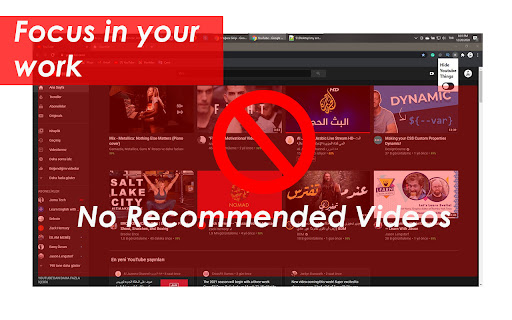

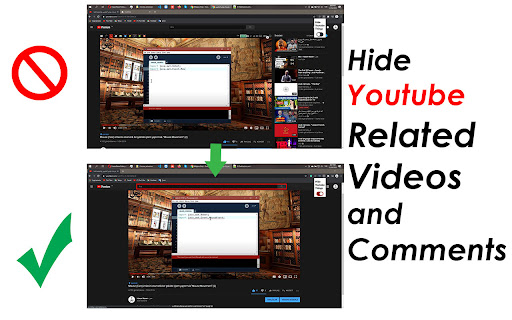
Remove YouTube homepage related videos feed, recommended sidebar, user comments. it is usefull to help you focus in your work A browser extension help you to focus in your work by removing YouTube recommended sidebar, user comments, homepage related videos feed, hide youtube feeds hide youtube recommended videos hide notification

SponsorBlock for YouTube - Skip Sponsorships
Skip sponsorships, subscription begging and more on YouTube videos. Report sponsors on videos you watch to save others' time. SponsorBlock lets you skip over sponsors, intros, outros, subscription reminders, and other annoying parts of YouTube videos. SponsorBlock is a crowdsourced browser extension that lets anyone submit the start and end times of sponsored segments and other segments of YouTube videos. Once one person submits this information, everyone else with this extension will skip right over the sponsored segment. You can also skip over non music sections of music videos. This is open source and the entire database is public. Access your data for youtube.com, www.youtube-nocookie.com: - Used to modify the YouTube webpage "Authentication Information": When you install the extension, it will generate a random "userID" that is used when submitting or voting. This allows you to appear on the leaderboard and helps determine reputation of submissions. With this extension, you will automatically skip YouTube sponsors.

UnHook YouTube
Use UnHook YouTube tool to hide shorts, comments, remove recommendations, related videos. Get distraction free and focusing youtube. Introducing UnHook YouTube – Your Gateway to Distraction Free Viewing! 🚀 Did you know that recommendations are responsible for over 70% of time spent on the platform? Take back your time and install Unhook Youtube. This tool is fully customizable! Just tap on it in the toolbar and choose the options you want to remove. 🧑💻 How to Make the Most of It: 1. Install extension by pressing the button Add to Chrome. 3. Click on the UnHook YouTube icon in the toolbar. 4. Choose which distractions to remove from these options: hide homepage recommendations, hide explore, hide subscriptions, hide shorts, hide related videos on the video page, hide comments, hide video endscreen, hide thumbnails. Are you tired of feeling like you're in a never-ending loop, constantly bombarded with shorts, trending videos, and endless distractions? It's time to take back control of your online experience with unhooked YouTube – the ultimate Chrome tool designed to help you focus on what truly matters. With UnHook YouTube, you can customize your environment to suit your needs, enabling you to get distractions free youtube and create a space where you can concentrate on the content that aligns with your goals and interests. Let's dive into the features that make unhooked Youtube the must-have tool for anyone seeking a more focused browsing experience: 1️⃣ Disable YouTube Shorts: Say goodbye to those addictive short videos that keep pulling you away from your tasks. With unhooked youtube, you can easily disable shorts and regain control of your viewing habits. 2️⃣ Hide youtube comments: Say farewell to the endless scroll of comments that can distract you from the video content. unhook youtube lets you disable comments, giving you a cleaner and more streamlined viewing experience. 3️⃣Hide youtube Explore: Keep your homepage clutter-free by hiding the explore tab. Say goodbye to irrelevant recommendations and hello to a personalized feed that caters to your interests. 4️⃣ Hide YouTube Related Videos: Put an end to the cycle of clicking from one video to the next. With UnHook YouTube, you can hide related videos on the video page, allowing you to focus on the content at hand without getting sidetracked. 5️⃣ Hide youtube Subscriptions: Keep your subscription feed clean and clutter-free by hiding subscriptions. UnHook YouTube ensures that you only see the channels and content you truly care about. 6️⃣ Hide Youtube Homepage Recommendations: Take control of your homepage by hiding recommendations that don't align with your interests. UnHook YouTube lets you customize your feed, ensuring that you only see content that matters to you. 7️⃣ Hide Youtube Thumbnails: Say goodbye to distracting thumbnails that lure you into clicking on videos you don't need to watch. unhook youtube allows you to hide thumbnails, so you can focus solely on the titles and descriptions of videos. 8️⃣ YotTube Unhooked: Take control of your watching experience in a whole new way with unhook YouTube. Say goodbye to distractions and hello to a focused browsing experience that allows you to make the most of your online time. Stay tuned for future updates, where we plan to introduce enhanced hiding options and new features for staying focused. 💡 Unhook youtube is a chrome extension that allows you to remove distractions: youtube comments, youtube explore, youtube related, block youtube shorts, subscriptions, video endscreen, thumbnails. 📌 Can I use it for free? 💡 To install unhook youtube, press the button "Add to Chrome". 📌 Can extension hide anything on the platform? 💡It can remove most of the distractions available there. Soon we'll add more options. 📌 Is it safe for my privacy to use this extension? 💡 Yes, this tool operates locally within your browser, ensuring the privacy and security of your personal information. It does not collect or store any user data. 📌 Is it available on iOS, Android, Windows, and Mac? 💡Development for these platforms is in progress, and soon you'll be able to enjoy our tool on multiple platforms. UnHook YouTube fast isn't just a tool – it's a game-changer for anyone who wants to make the most of their time online. Whether you're a student trying to study, a professional trying to work, or just someone who wants to enjoy distraction free youtube, Unhook youtube is the solution you've been searching for. So why wait? Install unhook youtube today and experience the freedom of distraction free Youtube. Take control of your online experience and unlock a world of productivity with our focus youtube tool! 🌟

Unhook - Remove YouTube Recommended & Shorts
Hide YouTube related videos, shorts, comments, suggestions wall, homepage recommendations, trending, and other distractions. A browser extension to remove YouTube distractions, including the recommended sidebar, shorts, endscreen video suggestions, user comments, homepage related videos feed, trending tab, turn off autoplay or annotations, and more. Toggle the options through the popup to customize your own YouTube experience! Compatible with mobile YouTube, m.youtube.com, through Firefox on Android. Also works on video embeds. Unhook YouTube is available as an add-on for: - Firefox: https://addons.mozilla.org/firefox/addon/youtube-recommended-videos/ - Microsoft Edge: https://microsoftedge.microsoft.com/addons/detail/unhook-remove-youtube-r/hebpjnnclppdnfghdnmhgdljmjpfhggk If you find Unhook useful, please consider making a donation: PayPal.me/unhook OPTIONS: - Hide Homepage Feed - Hide Video Sidebar - Hide Recommended (Related Videos) - Hide Live Chat - Hide Playlist - Hide YouTube Shorts - Hide End Screen Videowall - Hide End Screen Cards - Hide Comments - Hide Mix Radio Playlists - Hide Merch, Tickets, Offers - Hide Video Info - Hide Video Buttons Bar (share, likes, dislikes) - Hide Channel (profile + subscribe button) - Hide Video Description - Hide Top Header - Hide Notification Bell - Hide Irrelevant Search Results ("Related to your search", "Latest from", "Searches related to", "People also search for", etc.) - Hide Explore and Trending - Hide More from YouTube - Hide and Redirect Subscriptions - Disable Autoplay - Disable Annotations

YouShield - Remove YouTube Recommendations
Clear YouTube recommendations, suggestions, shorts and homepage A chrome extension to hide distractions in YouTube and help you focus. - It removes the ability to scroll in YouTube shorts - It replaces the cluttered homepage with a clean homepage, with only 3 options, Search, 'Subscribed Channels' and 'Consume'. - Consume mode gives you the normal YouTube but has a limit on the time you watch videos for, you set the limit every day. - 'Subscribed Channels' takes you to the subscriptions while removing any distractions. - It removes the video recommendations on the side that appear while watching videos. - The homepage shows you how much time you spent on YouTube.
