
keadechokmcohlcampccppbjjeabghcd

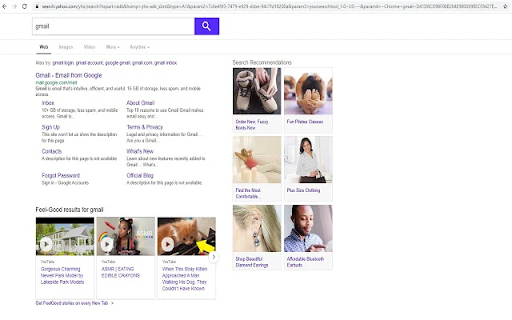
Search the web using this useful tool from the address bar. Search the web using this useful tool from the address bar. This extension sets your default search setting to Quick Search Tool with results powered by Yahoo!. This extension can be uninstalled at any time.

Search the current site
Search any site you're on by the simple click of a button. The search is done not only on the 1 page you are viewing as [Ctrl]+[F] does but instead Google is used to "site search" within ALL pages of the site. How to customize: Right-click the 🔍 "Search this site" button, then click "Options". See second screenshot above for what options are available. If you find the extension useful, you can leave me a tip if you want: ko-fi.com/tschmidbauer Want the same functionality for searching websites in Firefox? Install the "Site Searcher" add-on from https://addons.mozilla.org/addon/site-searcher/

SearchBox Bookmarks
Bookmark search-boxes and use the search-box in the toolbar popup. * Bookmark search-boxes on web pages. * Use search-box in the toolbar popup. * Use search-box by the selected word in the context menu.

Listly - Web Scraping
Convert any website to Excel in just a few clicks. Speed up your data collection and put your time and effort into what really matters to you. With 200,000+ installs and more than 80M URL downloads globally, Listly is the easiest tool to use and the preferred web scraping service among marketers and real estate agents who want to get their job done faster. • Look for suitable job candidates as a recruiter • Complete prospecting workflows as a sales representative • Collect product and pricing information from eCommerce websites as a marketer • Gather sports data to predict the outcome of sports games as a sports statistician • Generate new leads for companies and freelancers • Analyze social media posts, comments, likes, etc. • Track real estate prices and listing information • Identify potential competitors and monitor markets • Scrape movie reviews and ratings • Crawl various search engine results Listly Free Features • Export data to Excel (XLSX) files • Integrate with Google Sheets • Automatically detect and extract iFrame elements • Extract hyperlinks referring to other web pages • Tabs extraction – Extract data from multiple tabs instantly! • Export multiple pages into an Excel spreadsheet (group extraction at server) • Schedule daily extractions • Receive email notifications • Integrate with an API for developers (Beta) • Export data in CSV/JSON format • Upload .html files via Fileboard • Automate repetitive mouse or keyboard clicks to load more data • Auto-click to load more data • Auto-scroll to load more data • Auto-save while scrolling • Add a custom proxy server to change IP address and avoid getting blocked • Adjust the scraping speed to avoid getting blocked while scraping websites

Easy Email Extractor
Free email extraction tool. Download any email address from the web with just one click. Effortlessly Capture Email Addresses for your marketing needs. Browse the web as normal, and have emails auto-saved. Key Features: Save Emails as you browse: We will scan the page you are on and make it easy for you to copy and download any emails we find. Fast and Lightweight: The extension is compact and designed for speed. User-Friendly: No intrusive ads or extra junk—just a clean and efficient tool. Cloaked Email Detection: Identify and extract hidden or cloaked email addresses. Local & Offline Support: Extract emails from local HTML documents and text files. Export Options: Export and download extracted emails to a text or CSV file for convenient use. Auto Save Emails: When enabled, we store all your extracted email addresses in the cloud for easy access and management. Subscription Sharing: Share your Premium subscription with friends, family or colleagues. Subscriptions can be shared with friends, family or colleagues. This extension is a cost-effective alternative to email extraction tools and services like Email Hunter, Voila Norbert, Clearbit Connect and more. Usage Note: If you navigate to a new tab or page, the extracted email addresses will be overwritten. To avoid losing data, switch back to the previous tab to export emails or enable the auto-saving feature (a paid feature). The extension only accesses email addresses and stores them locally. Support: For any issues, please contact us via hi@tryemailextractor.com. Informal Disclaimer: This extension is intended for personal use only. Please avoid using it for spamming or unsolicited marketing.
