
kdpelmjpfafjppnhbloffcjpeomlnpah

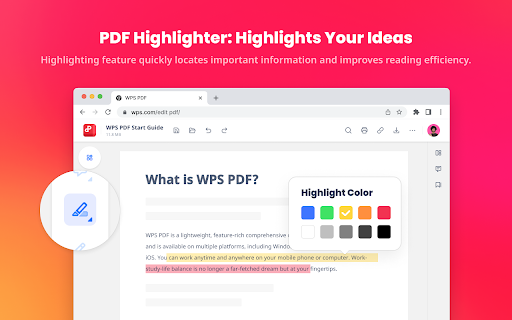


Easy-to-use PDF tools to view, edit, convert, fill, e-sign PDF files, and more in your browser. WPS PDF, part of the WPS Office suite with over 600 million monthly active users worldwide, offers an efficient approach to managing PDFs. Now integrated into Google Chrome, it enables effortless handling of PDF files across both desktop and web platforms, ensuring a consistent and powerful user experience. By adding the extension in Chrome, you can gain instant access to a wide range of tools, including various editing tools, parallel translate, fill & sign, chat PDF, drawing highlights, adding comments, making notes, and more. More features are waiting for your exploration here. How to Use the WPS PDF Chrome Extension: • Install and pin WPS PDF Chrome Extension • Open your PDFs in browser • Browse and process your PDFs View, Download, Print, and Store PDFs • Get the best PDF viewing experience online with WPS PDF extension. • Download or print your PDFs with a quick click. • Sign in to store your PDF files for fast access to them from anywhere. • Find your PDFs instantly. Edit PDFs • Add notes, text comments, and highlights to improve your work efficiency. • Use drawing tools to freely mark your ideas on your PDFs. • Unlock full PDF edit tools in WPS Office desktop, such as managing pages, extracting PDFs, protecting PDFs, combining PDF files, compressing PDFs, and more. Fill and Sign PDFs • Open a PDF file in WPS PDF extension and then fill or sign it in your WPS Office desktop. • Easily complete a form within WPS Office Fill & Sign feature. • E-sign your documents with your signatures or initials. Explore More Popular Premium Tools to Elevate Your Performance in Chrome PDF Parallel Translate • Supported by reliable LLMs with various languages. • Provide precise and layout-preserved translation. • Side-by-side comparison for intuitive reading and checking. Chat PDF • Extract essential information and provide concise summaries through insight. • Gain deeper insights and suggestions by asking the intelligent AI. • Provides credible and accurate AI responses backed by supporting citations. PDF Converter Offers over a dozen PDF solutions on the WPS online platform. Enjoy quick and high-quality PDF conversions to streamline your workflow. • Convert PDF to Word • Convert PDF to Excel • Convert PDF to PPT • Convert Word to PDF • Convert Excel to PDF • Convert PPT to PDF • Convert JPG to PDF Besides the PDF converter here, you can also find PDF tools such as compressor, splitter, merger, and more.

Xodo | PDF Editor, Converter & Merger
Free PDF tool to edit, convert, compress, merge, combine, crop, and redact PDF files. Enjoy the better PDF experience by adding Xodo to your Chrome browser! Access PDF converter, PDF combiner, PDF filler, PDF editor, PDF merger and more to supercharge your productivity online. Powerful PDF Converters and PDF tools to boost your productivity: - Convert PDF to Word, PPT, Excel, PDF/A, HTML, JPG, JPEG and PNG - Convert JPG, JPEG, PNG to PDF - Convert Word, Excel, Powerpoint to PDF - PDF Reader - Edit PDF - Merge PDF - Compress PDF - Crop and redact PDF - Fill PDF - Split PDF - Rotate PDF pages - Delete PDF pages - Reduce PDF size - Combine PDF files - Sign a PDF How to Use: - Install Xodo extension - Select an action from the top 5 tools - Upload your file and use our online tools to edit, convert, compress, merge, combine, crop, and redact. - Download your new file With Xodo you can process various file types: - PDF, PDF/A - Office: Word, Excel, powerpoint (doc, docx, xlsx, xlsm, ppt) - Images: JPG, JPEG, PNG, GIF, TIFF - HTML - DICOM NOTES: To access the full list of document processing tools, visit https://xodo.com By installing the Chrome extension, you agree to Xodo Terms of Use and Privacy Policy (https://xodo.com/legal)

WPS浏览器助手:文档在线阅读编辑
PDF、Excel、Word、PPT等文档无需下载即可在线预览,还能对文档进行编辑、打印、转换等处理。 WPS浏览器助手,助你轻松办公! ⭐ 新版本来袭,解锁惊喜新功能 ✅网页高效阅读:网页AI总结,快速划词翻译,AI问答,只要你能想到! ✅AI写作:让AI帮你创作,才思如泉涌 ✅AI PPT:输入灵感,AI生成PPT,一键助你妙笔生花 ✅AI 搜索:纵览实时咨询,智能搜索尽在掌握 ✅AI阅读:为你解读论文、课件,轻松又专业 ⭐ 轻量化办公,浏览器内即可轻松处理文档 ✅在线文档一站式处理: 1. 在线预览PDF,多视图模式随心切换,阅读体验超舒适; 2. 可用画笔随心标记重点、批注笔记; 3. 一键转换格式,满足不同场景需求。 ✅办公文档云端协同:Word、Excel、PPT文档无需本地下载,在线即可流畅预览,云端编辑保存实时同步,团队协作无缝对接,无论身处何地,打开浏览器就能继续工作,高效便捷不卡顿。 如果您有任何建议或反馈,欢迎在评论区给我们留言

Annotate pdf
Need to annotate pdf? Easily add text or images, highlight, comment, and sign pdf! Online pdf editor right in your browser. A simple yet powerful pdf annotator. Seamlessly annotate, type on, and sign pdf. Make notes, comments and corrections, add drawings, designs, and photos. ✅ How to annotate a pdf 📌 Open a pdf document Open any pdf file directly within your Chrome browser. No download of heavyweight software. Open a document of any size instantly. 📌 Add text If you ever asked yourself how to write on a pdf, here's a solution. Insert text anywhere on the document, whether it's to add comments, annotations, or additional information. Use standard or Google fonts. 📌 Add shapes (arrow, line, rectangles, circle) Emphasize key points with arrows, highlight important sections with rectangles, or draw attention with circles. 📌 Draw freehand Draw a signature or just unleash your creativity with the freehand drawing tool, allowing you to jot down notes or sketch directly on the pdf. 📌 Insert image or photo Enhance your document with images. Insert png or jpeg files seamlessly, perfect for adding logos, signatures, or illustrations. 📌 Move, resize, delete any object Enjoy full control over your annotations. Easily manipulate, resize, or delete any text, shape, or image. 📌 Save document Save your annotated document effortlessly, preserving all your additions and modifications for future reference. 🚀 Quick start 1. Click Add to Chrome to install the extension to your browser. 2. Click the Extensions icon (puzzle) at the top right of Chrome and pin the annotate pdf extension to your toolbar. 3. Click the annotate pdf icon whenever you need to use our pdf editor. ✅ When it comes to enhancing your document-editing experience, our powerful pdf editing tools are designed to meet your every need. With the capability of adding text, drawings, or images, our platform empowers you to make precise modifications without compromising the document's integrity. Say goodbye to the hassle of cumbersome software installations – our pdf annotator ensures a seamless and hassle-free process, making the task of editing pdf a breeze. ⚡ Annotate pdf - who can benefit from it? 1️⃣ Legal professionals and lawyers: - Streamline document review, annotation, and signature processes. - Highlight key legal points and add comments for case analysis. 2️⃣ Students and researchers: - Annotate research papers, textbooks, and lecture notes with ease. - Make notes directly on study materials for efficient learning. 3️⃣ Business professionals: - Collaborate on contracts, proposals, and reports with annotations. - Add signatures and comments for effective communication within teams. 4️⃣ Teachers and Educators: - Provide feedback on assignments and coursework directly on documents. - Enhance educational materials with personalized annotations. 5️⃣ Freelancers and Creatives: - Collaborate on design projects by adding annotations and feedback directly to visual elements - Sign and approve creative documents effortlessly. 🔥 Unlocking the potential to edit pdf files has never been this straightforward. Whether you're looking to update a contract, add annotations to a report, or make any other necessary modifications, our intuitive interface and advanced features cater to users of all levels. If you're asking yourself how to edit pdf on mac or windows, annotate pdf is the right choice. ❓ So how to edit a pdf? 📍 Install the extension: 🚀 Begin by clicking Add to Chrome to seamlessly install the annotate pdf extension directly from the Chrome Web Store. Enhance accessibility by pinning the extension icon to your Chrome toolbar, ensuring quick access whenever you need to annotate pdf online. 📍 Open a pdf file directly: 🚀 Simply click on the pinned extension icon to open any pdf document directly within your Chrome browser without the need for additional software. 📍 Edit pdf right from the Google search results: 🚀 Whenever you search for pdf documents, you will notice small red buttons next to search results. Just click the button to instantly open the document in the online pdf editor. 📍 Modify pdf right in your Chrome pdf viewer: 🚀 When you open a pdf file in your Chrome browser, pay attention to a red circle button in the top right corner. Click the button to instantly proceed to edit pdf online. 📍 Annotate pdf: 🚀 Utilize the intuitive tools to type on pdf, add comments, notes, and annotations, enhancing your document with personalized and informative content. 📍 Insert images: 🚀 Enhance visual appeal by clicking on the image tool. Insert png or jpg files effortlessly, perfect for logos, signatures, or additional visual elements. 📍 Manipulate objects with ease: 🚀 Enjoy full control over your pdf annotation. Click and drag to move, resize, or delete any object, ensuring precision and customization. 📍 Draw freehand: 🚀 Unleash creativity with the freehand drawing tool. Click, drag, and sketch directly onto the document pages, adding a personal touch to your documents. 📍 Highlight text: 🚀 Improve document readability by selecting the highlight tool. Click and drag to emphasize important text fragments with customizable colors. 📍 Ensure privacy with whiteout: 🚀 Safeguard sensitive information by clicking the whiteout tool. Cover or whiten out specific content, adding an extra layer of privacy and confidentiality. 📍 Save and share: 🚀 Click on the save icon to effortlessly save your annotated work. ✔ Why annotate pdf: ✅ Simple but powerful way to edit pdf on windows or mac ✅ Easy to use ✅ Continuous improvement ✅ Online pdf annotator - no need to download, install or register ✅ Fast and lightweight pdf reader: opens large documents in no time ✅ Supports Google fonts ✅ Quick and friendly customer support: your voice matters! ❤︎ Made with love: we are eager to make it the full scale online pdf editor Annotate pdf is your all-in-one solution for elevating your everyday experience. Add annotate pdf to Chrome now and make editable pdf in no time! 👍 📧 Contact us If you have any questions, suggestions or feature requests, feel free to send a message to support@annotatepdf.io. We are more than happy to help!

PDF Viewer Pro - View, Edit, Fill, Convert, Sign, and More
PDF Viewer Pro: Your all-in-one PDF solution. View, edit, fill, comment, and sign PDFs seamlessly in your browser. PDF Viewer Pro is an advanced and user-friendly browser extension that allows you to view and edit PDF files directly within your browser, all for free. As a leading solution in PDF reading, PDF Viewer Pro integrates seamlessly with Google Chrome, offering an exceptional PDF viewing experience and enhanced productivity. - **Comprehensive PDF Application:** PDF Viewer Pro is a fully functional PDF web application designed for your busy lifestyle. It provides a complete suite of tools accessible from any device, making it ideal for on-the-go use. - **Conversion Capabilities:** - Convert PDFs to and from Word, Excel, PowerPoint, JPG, JPEG, PNG, and HTML. - Convert images (JPG, JPEG, PNG) to PDF and vice versa. - **PDF Management:** - Merge, Split, and Extract PDF Pages - Edit, Rotate, and Delete PDF Pages - Compress PDF Files - Sign and Send PDFs for Signature - Protect and Unlock PDF Documents 1. Install the PDF Acrobat extension for Chrome. 2. Pin the extension for easy access. 3. Open any PDF file directly in your browser. 4. Choose from the available PDF Acrobat tools to edit or convert your PDF. - **Productivity Boost:** Enhance your workflow with features such as PDF compression, merging, splitting, and more. - Supports Microsoft Office formats including Word, Excel, and PowerPoint. - Provides integration with Adobe Acrobat for additional PDF editing and conversion tools. Experience a better PDF interaction by adding PDF Viewer Pro to your Chrome browser. Enjoy tools for editing, converting, compressing, merging, and managing PDFs all from one place. We hope PDF Viewer Pro enhances your PDF handling experience. We welcome your feedback and suggestions for further improvements.
