
kdelmehlimamoooiopndgiljbooninlf
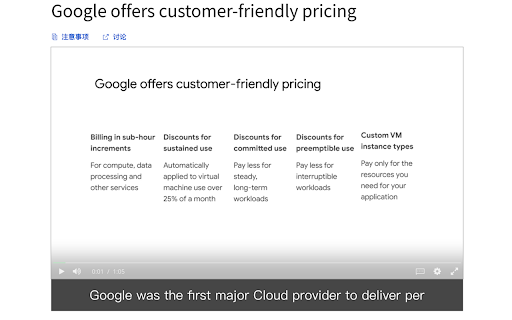

・We recommend turning off the original subtitles for a better experience ・You can switch the language of the subtitles by switching the language of the Transcript ・Please refresh the page if it is not displayed properly

CST - Coursera Subtitle Translation
CST Extension: Real-Time Subtitle Translation for Coursera Videos. The CST Extension is a powerful browser extension designed to enhance your learning experience on Coursera by providing real-time subtitle translation from English to your preferred language. With this extension, you can effortlessly translate subtitles in videos while watching courses, enabling you to better understand the content and grasp important terms and context accurately. Seamless Subtitle Translation: The CST Extension integrates seamlessly with Coursera's video player, allowing you to translate subtitles in real time. As the video plays, the extension automatically detects the English subtitles and provides instant translations into your chosen language. This feature eliminates the need for manual translation or external tools, making the learning process smoother and more efficient. Dual Subtitle Display: The translated subtitles are presented alongside the original English subtitles, providing a side-by-side comparison. This unique feature enables you to comprehend the material more comprehensively by gaining insights into the specific terminologies and contextual nuances used in the course. By having both translations at your disposal, you can ensure a more accurate understanding of the subject matter. Adjustable Subtitle Size: The CST Extension allows you to customize the size of the displayed subtitles according to your preferences. Whether you prefer larger subtitles for better readability or smaller ones for a less intrusive viewing experience, this feature provides you with the flexibility to adjust the subtitle size to suit your needs. The CST Extension is an invaluable tool for Coursera learners who are non-native English speakers or those seeking a deeper understanding of the course content. By enabling real-time subtitle translation and offering a dual subtitle display, it empowers users to overcome language barriers and grasp the material with greater clarity. Improve your learning journey on Coursera today with the CST Extension. https://github.com/lexxai/coursera-subtitle-translate-extension

Duplex Subtitles
Duplex Subtitles is designed to display bilingual subtitles on Coursera. This extension can easily handle whether displaying embedded subtitles in Coursera videos or translating from the main language to other languages. If Coursera does not provide subtitles in the target language, the extension will automatically use Google Translation to translate the subtitles into the target language. Unlike typical subtitle translation extensions that translate line by line, the extension utilizes a specific algorithm to retain the context during translation, significantly enhancing translation accuracy. Moreover, this extension pays particular attention to the accuracy of the subtitle timeline. We understand that the accuracy of the subtitle timeline directly affects the user's video-watching experience. Therefore, the extension aims to ensure the precision of the subtitle timeline while maintaining high translation accuracy. In summary, the core feature of the extension is to provide extremely high automatic translation accuracy while ensuring the accuracy of the subtitle timeline. In the future, we plan to extend our services to support more video websites, to cater to the needs of a broader range of users.

Learn languages with Netflix & YouTube
Language learning with Netflix, YouTube, Coursera. eLang smart extension - dual subtitles, personal vocabulary & more Master foreign languages with eLang, the smart language learning companion. Immerse in the world of your favorite Netflix shows, movies, YouTube videos, and Coursera courses and combine the fun with the rewarding. Say goodbye to tab switching and other inconveniences and focus on your watching. 🌟 SMART SUBTITLES: Enjoy YouTube, Netflix, and Coursera content subtitled in two languages simultaneously, making it easier to understand and learn. 🌟 FAST TRANSLATION: Make sense of what's happening on screen with instant translation of text and subtitles. 🌟 ALL ABOUT WORDS: Synonyms, pronunciation and other useful information at your disposal. 🌟 IMPROVED VIDEO NAVIGATION: Repeat phrases, slow down playback, and search for specific subtitles to improve your results. 🌟 SUBTITLES LIST: Get a timestamped list of subtitles for easy navigation and search. 🌟 BUILD YOUR DICTIONARY: Add words to your personal dictionary with translation and context of use. 🌟 PLAY & TRAIN: Practice and consolidate your vocabulary in an interactive and fun way. 🌟 WIDE TRANSLATION SUPPORT: Take advantage of translation support for 102 languages, making eLang accessible to learners around the world. 🌟 DOWNLOAD SUBTITLES FROM YOUTUBE, NETFLIX, AND COURSERA: Save important information, revise it and learn. 🌟 SPEECH-TO-TEXT: Use auto-generated subtitles in English for any video or during online calls/meetings. 🌟 QUICK ACCESS TO FAMOUS DICTIONARIES: Look up desired words in third-party dictionaries with ease. eLang is the perfect tool to improve your foreign language skills with movies, videos, news, etc. Save money on tutors, learn from native speakers anywhere and choose engaging content. Learning a foreign language with Netflix, YouTube and Coursera is now available to everyone - try it today! You can also practice your translated words with our mobile app. It's available for free on iOS and Android: Add the eLang extension and start using it for free! *** From the eLang team *** https://elang.app/games And if you're learning English, get the most out of it with our mobile games! We offer apps on different aspects of English, including irregular verbs, phrasal verbs, prepositions and more. Play, improve your understanding and increase your English proficiency! https://elang.app/elangtv eLang-TV is an online service for learning English with your favorite videos on your cell phone. Translate unfamiliar words and phrases on the go!

Coursera Dual Subtitles - Subtitle Translator
Translate subtitles, display bilingual subtitles, customize subtitle style and position, and download subtitles. Are you a learner of watching Coursera lessons but sometimes find it challenging to follow along with subtitles in a foreign language? Or maybe you’re learning a new language and want to see both your native language and the one you’re studying, side by side? 🌍🎬 Look no further! Our Coursera Dual Subtitles Chrome extension makes your viewing experience smoother, more engaging, and perfectly suited to your needs. 1. Translate Official Subtitles in Real-Time Watch Coursera content in your preferred language with accurate subtitle translations. No need to guess or miss a word! Our extension pulls the official Coursera subtitles and translates them instantly so you can enjoy your shows without missing any context. 2. Bilingual Subtitles Learning a new language? Curious about the original dialogue? With our bilingual subtitle feature, you can display both the original language and the translated version simultaneously. This is perfect for language learners or anyone who enjoys understanding both the original script and its translation. 3. Customize Subtitle Style Want to change how the subtitles look? No problem! You have full control over subtitle **color, size, opacity and background**. Whether you prefer large text or a specific font color, our extension allows you to personalize subtitles to fit your viewing comfort. 🎨✍️ 4. Position Subtitles Anywhere Tired of subtitles blocking key parts of the screen? Adjust subtitle position with ease! You can drag and place the subtitles anywhere on the screen, ensuring they never obstruct important visual elements. 📐 5. Download Subtitles Love a particular scene and want to keep the subtitles for future reference? Or maybe you're creating language-learning resources? Download the translated subtitles and save them as text files for offline use or study. 💾📝 6. Clear and Simple User Interface We’ve designed this extension to be straightforward and easy to use. No complicated steps or lengthy setups—just install, activate, and start translating subtitles in seconds. Whether you're tech-savvy or just want something simple, our extension has you covered! ✔️🖱️ 🎯 Who Is Coursera Dual Subtitles For? 🎯 - Language Learners: Whether you're studying Spanish, French, Japanese, or any other language, seeing both the original and translated subtitles can significantly enhance your learning experience. - Bilingual Viewers: If you're fluent in two languages or learning a second one, bilingual subtitles allow you to enjoy both the original script and the translation, helping you appreciate the nuances of dialogue. - International Coursera Users: If Coursera isn't available in your native language, this extension is perfect for translating your favorite shows and movies. - Custom Subtitle Lovers: For those who love to tweak their subtitles’ appearance, this extension gives you full creative control over how your subtitles look on screen. 1. Install the extension from the Chrome Web Store. 2. Open Coursera.org, and start any show or movie. 3. Activate the extension to translate the subtitles in real-time. 4. Customize the subtitles’ style and position as per your preference. 5. Enjoy your personalized subtitle experience! 🌟 Let me know if you have any issues using the extension. Support email: revja0189@gmail.com
