
kchfebdbmcpogmjjacgfihipplkbgkli
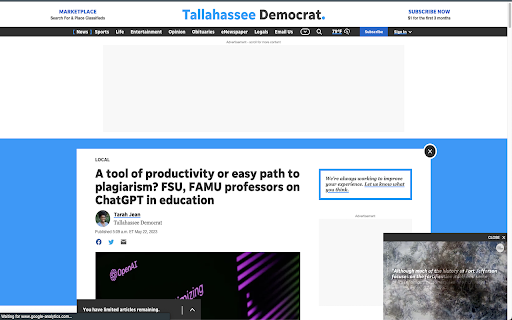


Determine the major components of a web page and zoom them in Locates and zooms in on the title and main content of a webpage, thereby eliminating any distracting elements that you don't want to see while making the things you do want to see easier to read! Features: - Extremely quick and reliable feature detection - Does not affect website styling and layout - Works for any text language or display resolution By default, the shortcut to activate Reader Mode is Left Shift + Space. Alternatively, click on the extension's icon in the toolbar.

Reading Mode
Transform the way you read online with Reading Mode, the ultimate Chrome extension designed to declutter your browsing experience. Say goodbye to distractions and hello to focused reading! • Distaction-Free Reading: Activate Reading Mode to eliminate ads, pop-ups, and unnecessary elements from web pages, allowing you to immerse yourself in your content. • One-Click Activation: Easily toggle Reading Mode on or off with a single click, making it simple to switch between regular browsing and focused reading. • User-Friendly Interface: Enjoy a sleek and intuitive design that enhances usability without complicating your browsing experience. Whether you're a student, professional, or avid reader, Reading Mode is perfect for anyone looking to improve their online reading habits. Boost your productivity and comprehension by focusing solely on the text that matters!

Minimal Reader
turn web page articles into minimal reading mode, remove distracting elements from the web page. turn web page articles into minimal reading mode, remove distracting elements from the web page. Only web pages in the articles category are supported. There are still some sites that are not supported !!

Reader Mode for Google Chrome™
Strips away clutter like buttons, background images, and changes the page's text size, contrast and layout for better readability Do you want to view a news article online without the advertisements etc all blocking the actual article? Simply install our software Reader Mode for Google Chrome™ and our software will help you remove all the clutter away from a webpage. This is a simple chrome reader mode software which allows you to focus on the text. Switch to reader view instantly once you install our software. To get started, here are the few simple steps to follow Install the software Reader Mode for Google Chrome™ Go to the website you want to use Reader Mode Click on our software icon/right click and choose "Reader Mode" Our software will automatically remove the advertisements, leaving behind only the article for you to focus on. Disclaimer: Please note this extension is NOT made by Google and is made by an independent development team. All copyrights belong to their respective owners. Google doesn’t endorse or sponsor this Chrome extension. Reader Mode for Google Chrome™ is not owned by, is not licensed by and is not a subsidiary of Google Inc.

Reader View 2.0
1. Install and pin 📌 the extension. 2. Click on the extension on any page to enter the reader's view of the page. 3. Or you can select any part of the page and click on the extension to enter into the reader view with only that reader. 1. Fullscreen reader mode. 📖 2. Blocks 🚫 the ads and hides the additional links. 3. Adjusts the text size, formatting, navigation, and theme. 🔖 Enjoy your favorite articles without distractions and without having to exit your browser!
