
kbgfdagbmkjficnoamjjecjobbhgciep
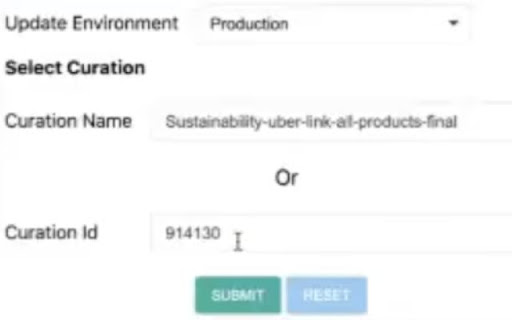
This extension adds Curation by using Myntra website This tool allows different styles available in myntra.com to be combined together to form a single link. This link can be used to share across platforms to users who will be able to view the styles related to each other under a particular theme.

Linqbase - LinkedIn CRM & Outreach
Effortlessly collect, organize, and export detailed LinkedIn profiles for an enhanced networking experience. Linqbase - Simplify and Enhance Your LinkedIn Experience Effortlessly collect, organize, and export LinkedIn profiles for better networking. Here's how Linqbase makes it easy: 📊 Collect LinkedIn Profiles with One Click Quickly gather important profile details with a single click—no more manual work. 📂 Organize Your Connections Automatically sort and group profiles into categories for better management. 📋 Export Data Easily Export your organized LinkedIn data for further review or sharing with your team. 🚀 Boost Your Productivity Automate key tasks like profile extraction and grouping to save time and improve efficiency. 👥 Perfect for Professionals Ideal for recruiters, sales teams, and business owners looking to streamline LinkedIn tasks. 🔗 Optimize Your LinkedIn Strategy Turn LinkedIn into a powerful tool for business growth and connection management. Explore how Linqbase can transform your networking. Visit linqbase.io or contact support at support@linqbase.io for more information.

Slides Captions
Slides Captions allows you to turn Google Slides into a full screen captioning tool idea for those who have hearing loss, auditory processing disorders, or foreign language learners. It allows you to: • Choose the font, • Line spacing, • Font size • Font colours, The extension puts you in control of your Google Slides Captions. To use the extension load your presentation by using /present in the URL with Google Slides, enable captions and then click the extension icon. Preferences can be set by right clicking on the extension icon. You can then enter full screen if you wish. - In a school auditorium, it can be used for providing captions on a projector or TV for students with hearing loss, or auditory processing issues. - In an office, it can be used for captioning a meeting or presentation - At a comedy club, it could be used for captioning the comedy show - There are many other possible uses for the extension. If you're enjoying Slides Captions, try out Zip Captions our browser based dedicated tool at https://zipcaptions.app

Naro
Naro is an always-on sales knowledge assistant that helps sellers organize and surface the right content and knowledge in every customer interaction -- email, in meetings, demos, and beyond. We work right alongside the apps you use today (Gmail, Gong, Zoom, etc.) and pull in data from your CRM (Salesforce, Hubspot) and LinkedIn. We remove the need to search by unifying everything a seller might need (from slides to snippets) so teams can trust everything they need is in one platform.

Applitools Centra Screenshot Capture
Take a screenshot and save it to your system clipboard Applitools Centra enables you to capture full-page and viewport screenshots of your website or web application and upload it to Applitools Centra for easy comparison and validation against your designs or components. Once uploaded to Centra, stakeholders can collaborate on differences that may arise between design and implementation. Enabling you to easily collaborate, validate, and track an app's development in your team. Collaborate -- Easily communicate with different stakeholders across the product delivery lifecycle. Validate -- Verify that your designs are implemented correctly and that your brand is kept intact. Track -- View the history of your UI over time as changes are made. Located in the context menu by right-clicking on the webpage. Available options include... - [Default] Full-page screenshot (Captures the entire page). - Viewport screenshot (Captures the viewable area on the page). - [Default] Stitch with CSS (Captures screenshot using CSS transition and removes duplication of fixed position elements. i.e sticky headers/footers). - Stitch with scroll (Captures screenshot using standard Javascript scrolling). Saving an image to the system clipboard only works on HTTPS or local HTTP sites. Users need to allow the extension to copy images to clipboard per domain they use it on.
