
kbdobpkcobapldadlpcjbjijmjnjfddk
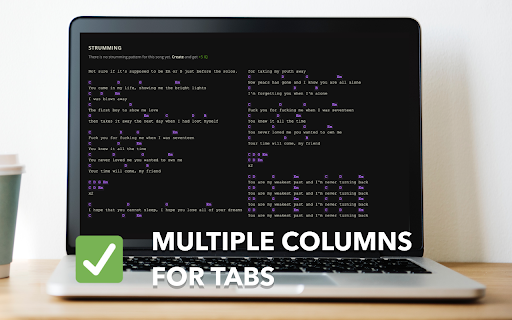


Multiple columns and fullscreen for Ultimate-Guitar tabs Say goodbye to scroll breaks and take full advantage of your jumbotron display while playing the guitar. 😏 🎸 Features ✨ · Columns for tabs · Fullscreen mode · Dark mode toggle Modest Guitar is not affiliated with Ultimate-Guitar. P.S. The extension is completely Open Source, contributions are welcome. 🤹♀️

Chrome Piano
Play the piano in your browser Record your own music or pick a song from a wide variety of artists from the music sheet. There is virtually no learning curve. The only thing you need is your keyboard or mouse. Features: - Play the piano from a wide selection of music - Recording and playback - Keyboard and mouse compatible - Dark theme and Light theme

Music Mode for YouTube™
Hides the video and thumbnails on YouTube. Blocks the video keeping only the audio on YouTube Music. Reduce distractions and hide NSFW content on YouTube and YouTube Music with Music Mode for YouTube™, perfect for uninterrupted music listening. A browser extension that hides the video and thumbnails on YouTube, YouTube Music and embedded YouTube videos on third-party sites. On YouTube Music, the video is completely blocked. It is the only extension that not only disables the video but also blocks it on YouTube Music, reducing CPU and GPU usage and saving bandwidth. FEATURES (ALL OPTIONAL): 1. Hides the video on YouTube and blocks the video, playing only the audio on YouTube Music 2. Hides the video thumbnails 3. Hides the images of channel/user avatars 4. Hides various other images 5. Disables the "Video paused. Continue watching?" message 6. Skips the ads Separate options for YouTube, YouTube Music and YouTube videos embedded on other sites. You can enable/disable the extension for all tabs or for specific tabs. Extra options: 1. Quick access buttons: two extra buttons on YouTube in order to hide the thumbnails and hide the video quickly without using the popup window Notes: i. If you have enabled the features 1, 2, 3, 4 and 6 the images are not only hidden but also blocked saving more bandwidth ii. The message "Video paused. Continue watching?" is disabled only when you block the video iii. If you want to hide Shorts use the new No Shorts Mode for YouTube™ extension: https://chromewebstore.google.com/detail/no-shorts-mode-for-youtub/ilkcgpioigbhepilmhljihldmpgldpme Available for mobiles using the Kiwi or Firefox browsers that support extensions. Available for Firefox: https://addons.mozilla.org/en/firefox/addon/music-mode-for-youtube/ The source code of the extension is now available on GitHub: https://github.com/Thunderarea/music-mode-for-youtube The extension does not collect any kind of data. The user options are stored locally in the user's browser. Donate to support the development of the extension: https://www.paypal.com/donate?hosted_button_id=V2EHRNX8RBTX2

Tab Scroller - Guitar Tab Auto Scroll
Auto scroll designed especially for guitar tablature, pdf / text files, sheet music and chords or any website. Full keyboard control Tabscroller is an auto scroll and metronome tool which is able to auto scroll any web site, Text file, google docs or PDF file. It is very useful for music reading (sheet music, tablatures, notes, chords...) for any instrument. Tabscroller was developed especially for music reading in order to minimize distractions from you’re playing to scroll the page. Tabscroller works on any web site and you can find others usages for it such as: reading, pictures ... and more. ** the app itself does not contain any tablatures or files it just gives the ability to auto scroll them. ✓ Easy to use - play, pause, stop (scrolls to the top of the page) and replay buttons ✓ PDF files - load your own PDF files locally ✓ Google Docs - load your own google docs files ✓ Text files - load your own Text files locally ✓ Choose your own scroll speed - you can set your own scroll speed by clicking on one of six presets or manually. ✓ Save your settings - settings are saved automatically for each url and will be loaded each time you return to it. ✓ Full keyboard control - each control on the panel can be controlled via a keyboard shortcut. Just click the info icon and the full list of the shortcuts will appear ✓ Three display modes - Regular, Minimized and Keyboard mode

Guitar Tuner - Tune by Ear
You can either click directly on the strings buttons or use the enter key to hear the sound. Use the right and left arrow keys to select the string. If set to manual you can either use the string button or play button to hear the sound. In the case of play button the string selection will advance to the next one after playing the sound. If set to auto the sound is played and automatically advances to the next. You will need to use the play button to play/stop the sounds (you can use the space key as a shortcut). Set the number of times the sound will be played by string. Set your own custom tunings
