
niepofkdkfigkcabifpgagjlhecpjdcm


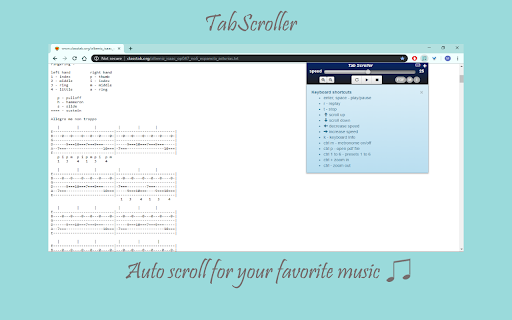
Auto scroll designed especially for guitar tablature, pdf / text files, sheet music and chords or any website. Full keyboard control Tabscroller is an auto scroll and metronome tool which is able to auto scroll any web site, Text file, google docs or PDF file. It is very useful for music reading (sheet music, tablatures, notes, chords...) for any instrument. Tabscroller was developed especially for music reading in order to minimize distractions from you’re playing to scroll the page. Tabscroller works on any web site and you can find others usages for it such as: reading, pictures ... and more. ** the app itself does not contain any tablatures or files it just gives the ability to auto scroll them. ✓ Easy to use - play, pause, stop (scrolls to the top of the page) and replay buttons ✓ PDF files - load your own PDF files locally ✓ Google Docs - load your own google docs files ✓ Text files - load your own Text files locally ✓ Choose your own scroll speed - you can set your own scroll speed by clicking on one of six presets or manually. ✓ Save your settings - settings are saved automatically for each url and will be loaded each time you return to it. ✓ Full keyboard control - each control on the panel can be controlled via a keyboard shortcut. Just click the info icon and the full list of the shortcuts will appear ✓ Three display modes - Regular, Minimized and Keyboard mode

Scales & Modes Quick Reference
Musical Scales and Modes Quick Reference. Scales and Modes Quick Reference gathers in a very concise way valuable information about musical scales and modes. You can see the notes and the formula of the scale along with the intervals sequence that make it up. You can also listen to them and visualize their shapes along the fretboard or keyboard.

Auto Scroll Down
A speed-customizable auto-scroll Google Chrome extension. It allows you to easily change the auto-scroll speed and save it in three different modes; slow, medium and fast.

Autoscroll : Automatic Page Scrolling
Cleanest web extension to seamlessly scroll a webpage ★ Improved UI ★ Settings Page Redesign ★ Performance Optimizations ★ Keyboard Shortcuts: — Alt + Shift + U (Scroll Up) — Alt + Shift + D (Scroll Down) ★ Hidden theme Easter Egg (click the Autoscroll logo in the extension panel)

Guitar Tuner - Tune by Ear
You can either click directly on the strings buttons or use the enter key to hear the sound. Use the right and left arrow keys to select the string. If set to manual you can either use the string button or play button to hear the sound. In the case of play button the string selection will advance to the next one after playing the sound. If set to auto the sound is played and automatically advances to the next. You will need to use the play button to play/stop the sounds (you can use the space key as a shortcut). Set the number of times the sound will be played by string. Set your own custom tunings
