
kafipagegiainlcphchpacfggnjickkn
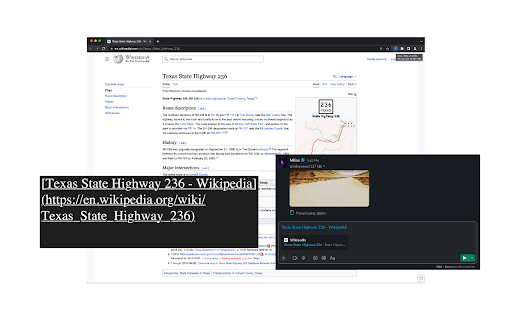
Adds a button to copy the title and URL of the current page for pasting as rich text. Adds a simple "Copy Title and URL" button to the browser that you can use to copy the URL and title of the active tab (page) into Clipboard as markup and rich text so you can paste into any other application. For example, if you paste to Slack or Notion you'll get the page title linked to the page URL. If you paste to a plain text editor you'll get the markup variant: [title](URL).

CopyCat: Link and Title
CopyCat: Link and Title. Copy the tab link in following formats with just a click: - Rich Text - Link only - Title only - Title and Link (Title - Link) - Markdown ([Title](Link)) - Excel Link (=HYPERLINK("Link", "Title")) - HTML (Title) Ability to: - Customize the options you use most often - Turn On or Off the notifications

Title and URL Copy
Copy the current page's title and URL with one click. Markdown Title & URL Copier is a lightweight and handy Chrome extension that lets you instantly copy the title and URL of the current webpage as a Markdown-formatted link with just one click. Simplify your content curation, note-taking, or research process by quickly generating Markdown links for your favorite websites, blog posts, or articles with this easy-to-use browser extension.

Copy Tabs Title URL
Copy the title and URL from a Chrome tabs This extension allows you to copy the titles and URLs of multiple tabs selected in Chrome or Edge. You can also copy titles and URLs in markdown format. You can also paste multiple URLs copied to the clipboard to open them in a new tab. ### Copy Option 2 - Title: Replace Space Zenkaku to Hankaku (Japanese Space Char type) - Title: Remove Username On GitHub PR - Title: Remove Answer's On Quora (English and Japanese) - URL: Short Amazon (.com and .co.jp) - URL: No Encode Japanese

Copy title & URL
Copy the title and URL of an open page.
