
jobjggliikoeekhalcfolgdjonlaelhg
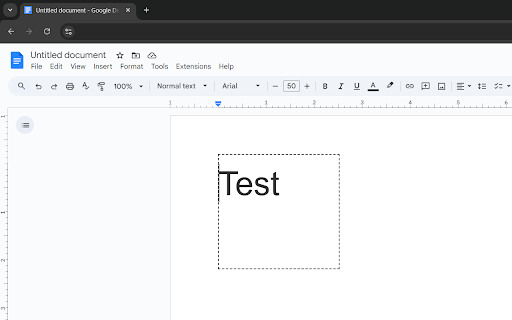


Apply color inversion filter by page or by selection to increase visibility of selected item. Apply color inversion to a webpage on Chrome by: - Selection - Page Created to test how inversion of colors may increase visibility of images for those with colorblindness. Can use for other purposes such as reading at night or having a dark mode for Google Docs. Will reset upon page reload or clicking "Reset Screen" within the extension menu.

Auto Invert!
Toggle invert brightness on every website and its tab when you prefer to reduce strain on eyes and improve readability at night! Bring automatically the dark mode in every website you want in your browser! ☯️🖤 Enable the dark mode also (and especially) where it's not supported with just a click, and just on text and background, not images or videos! Just click on the "A" icon of Auto Invert! extension and enable (or disable) the feature when you want, for every tab of the website. The extension works inverting the brightness, but not the colors. So you can also achieve the opposite effect and make lighter a dark website 💡

Color Inverter
Invert colors on specific websites with optional monochrome filter. Settings are per-domain with hierarchical matching. Reduce eye strain and improve readability by inverting colors on any website. Color Inverter gives you per-site control with a clean one-click popup — no blanket dark mode that breaks every page. HOW IT WORKS Click the extension icon on any site, grant access, and toggle Invert or Monochrome. Your settings are saved per domain and apply automatically on every visit. Subdomain rules override parent domains, so you can fine-tune sites like docs.google.com separately from google.com. FEATURES - Per-site inversion: enable color inversion and/or monochrome on individual domains. - Hierarchical domain matching: sub.example.com settings override example.com settings automatically. - Image protection: images, videos, and canvas elements are re-inverted so they display normally. Toggle this off for canvas-heavy apps like Google Docs. - Works in iframes: filters apply inside embedded frames too. - Background-image detection: CSS background images on leaf elements are detected and preserved. - Light and dark theme: the popup and settings page follow your preference. - Import/export: back up your site list as JSON and restore it on another machine. - Storage usage indicator: see how much of Chrome sync storage your rules consume. - Minimal permissions: site access is requested only when you enable a filter, never at install time. PRIVACY Color Inverter stores your site rules in Chrome sync storage so they follow your Google account across devices. No data is collected, transmitted, or shared with any third party. The extension has no analytics, no tracking, and no remote servers. PERMISSIONS - Storage: save your per-site settings. - Active Tab: read the current tab's URL to show the right controls. - Host access (per site, on demand): inject the CSS filter on sites you choose. Requested only when you first enable a filter — never granted automatically. OPEN SOURCE Source code is available for review. Built with Manifest V3 and zero dependencies.

Color Invert
Grayscale and invert the colors on the web page. Working in dark mode is easier on the eyes and will allow you to continue writing that important document long into the night, without disrupting your ability to sleep. Sadly, not all web sites have a dark mode, which is where this simple extension comes in handy. It will change the colors on the page by first performing a grayscale (removing colors) and then inverting them (but only by 90%). The result is a type of dark mode that is not too harsh on the eyes. It can be used on any web site and can be turned on and off in different tabs. All you need to do is add the extension, have it pinned to always be shown, then simply click on the extension icon to turn it on and off.

Invert Color
Inverted colors on any page. > I've been using a Chrome extension called "Invert!" for years. It always inverted colors with one click. But recently, Chrome says it's no longer supported. I missed it so much — and it was hard to find a substitute. Most are either slow, apply weird color filters, run at low resolution, or require multiple clicks just to work. This extension does one thing, and does it well: It inverts the colors of any webpage — instantly, with just one click. ✅ Fast ✅ Lightweight ✅ Private (does nothing besides apply the effect) Perfect for night browsing, high-contrast needs, or just saving your eyes.
