
jmpdakdpppggedloepbcodjhlliooclp
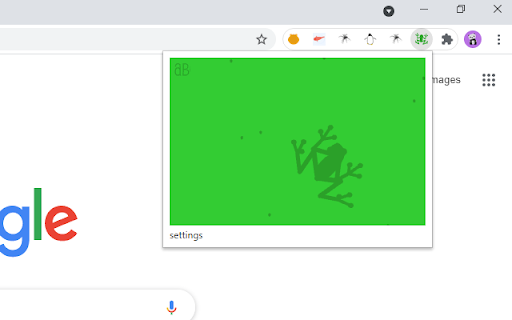

The aBowman Tree Frog Chrome extension. Here is a pet tree frog to play around with when you're bored. Click to release flies that the frog will crawl to and slurp up with its long tongue. Edit the settings to auto release flies, change the colors, and size of the frog's belly.

aB Fish
Add a touch of nature to your browser with these small, hungry fish. Watch them as they follow your mouse hoping you will feed them by clicking the surface of the water. Click the colors link to color the fish, the water and the food.

Laser Cat
Shoot laser at things you want to remove from the internet This extension adds a laser cat to your internet. Use the laser to zap things you want to remove! If you like cats and lasers you are going to LOVE this extension. == Here's how to use the extension == 🌍 Step 1: Go to a website 😺 Step 2: Click on the activate button 🌈 Step 3: Click on the page to shoot laser! This permission is needed for adding a laser cat to the website. Laser Cat **DOES NOT** collect any of your data or your browsing activity on any websites. As a privacy advocate myself, I prioritise your privacy above all. If you want to read the privacy policy and terms of service you can find it at my website https://lasercat.app#privacy == Feedback and bug reports == If you find a bug or are having issues please don't post your bug report here - contact me directly at hello@lasercat.app so I can fix it asap. If you like Laser Cat, please help spread the word by giving it a 5 star rating here or share it with your friends 😄 If you are not fully satisfied, please contact me at hello@lasercat.app and I'll make sure to help. I'm currently in the process of creating brand new characters. The long term idea is to create a lot of cute/funny characters with unique looks and feels. You can unlock all characters with a one-tome support or alternatively unlock them with points based on how long time you have used the extension. If you have some good ideas for new characters, feel free to throw me a message! If you want to learn more about my extension you can go to my website https://lasercat.app. Here you can read the privacy policy, terms of service and FAQ. I will keep improving Laser Cat! Stay tuned for updates in the future 👍

SuperSmashBrowser
Take our your anger on your browser! Does the internet ever make you angry? If the answer is no, you are much more serene than us. The internet is full of objectionable, crazy-making content. Images, articles, pictures, advertisements, comments, and videos can all drive us to fits of rage, or simply annoy us to the point that we wish they would go away. For those times, there's Super Smash Browser. This extension provides you with a menu of options for removing and defacing content that you don't like, in a safe way. Those three options are: - MAKE IT GO AWAY: click a button, and watch all an entire page disappear into nothingness. - MAGIC WAND: turn your cursor into a magic wand. Click on any element of a webpage to make it disappear. It's as simple as that! - HAMMER TIME: turn your cursor into a hammer. You may use it by clicking to smash up the content on a page. If you get angry enough at an element to smash it 5 times, it will be destroyed. And when you're done, if you want to continue viewing the page, simply refresh and all of your damage will be undone! Enjoy all of the fun of smashing stuff with none of the repercussions. To use the latter two options, click the relevant button in our dropdown menu, then click outside the menu to activate your chosen mode. NOTE: Does not work on the Chrome Extension Store page! Go somewhere else to try it out.

Rotten Tomato Destroyer
Throw rotten tomatoes in websites that you do not like! Throw one by one rotten tomatoes in any area of almost any site on the Internet. We have all heard of or even seen people throwing rotten tomatoes when disappointed in a live performance. Now you have the opportunity to throw tomatoes in websites that deserve it. Tomato website destroyer for Chrome is always at hand when necessary to blow off steam on sites that really infuriates. Just click on the website destroyer extension icon in the toolbar menu of the browser and throw tomatoes by mouse clicking in the nasty sites. Tomatoes will fall on the webpage and flatten out on its surface, spraying the pulp and juice on the sides. Let the websites know your anger and resentment. Use Tomato destroyer game! And also it can be used for streaming and video to express how your feel about bad web sites, pages and services. In the new release, we have added a collection of objects for throwing in websites: - Rotten tomato; - Slime; - A rotten egg; - Banana.
