
afimbdjeknokdnhccecbkonhehohkbpa
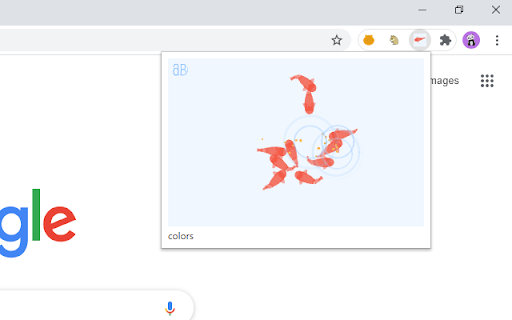
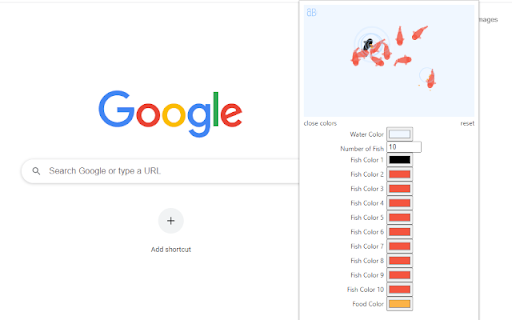
Add a touch of nature to your browser with these small, hungry fish. Watch them as they follow your mouse hoping you will feed them by clicking the surface of the water. Click the colors link to color the fish, the water and the food.

Chrome Cat
Hi! I'm Chrome Cat. I like to hang out and keep you company. [^._.^]ノ彡 You can see a demo at www.chromecat.app Click "Add to Chrome" and I'll hang with you on your favorite sites. We can watch videos, look at photos, and even do some work (I'll just sleep). I ask for permission to modify your data on all sites only so I can hang out with you on all sites! I can't read or store your personal data – I only store if you want me on or off. – I like to hang out almost everywhere, but some places just don't allow cats. – I get sleepy after 5 minutes in case your computer wants to go to sleep. – I'm a leo. If I cause any problems: Try turning me off or refresh the window. (I can't be responsible for anything – I'm just a cat) Thanks to the real life owner of this cat for sharing: Creator: Snapwing Falcon https://www.youtube.com/channel/UCEz90_TzcLkwRMFoYAU0PiA

Rotten Tomato Destroyer
Throw rotten tomatoes in websites that you do not like! Throw one by one rotten tomatoes in any area of almost any site on the Internet. We have all heard of or even seen people throwing rotten tomatoes when disappointed in a live performance. Now you have the opportunity to throw tomatoes in websites that deserve it. Tomato website destroyer for Chrome is always at hand when necessary to blow off steam on sites that really infuriates. Just click on the website destroyer extension icon in the toolbar menu of the browser and throw tomatoes by mouse clicking in the nasty sites. Tomatoes will fall on the webpage and flatten out on its surface, spraying the pulp and juice on the sides. Let the websites know your anger and resentment. Use Tomato destroyer game! And also it can be used for streaming and video to express how your feel about bad web sites, pages and services. In the new release, we have added a collection of objects for throwing in websites: - Rotten tomato; - Slime; - A rotten egg; - Banana.

SuperSmashBrowser
Take our your anger on your browser! Does the internet ever make you angry? If the answer is no, you are much more serene than us. The internet is full of objectionable, crazy-making content. Images, articles, pictures, advertisements, comments, and videos can all drive us to fits of rage, or simply annoy us to the point that we wish they would go away. For those times, there's Super Smash Browser. This extension provides you with a menu of options for removing and defacing content that you don't like, in a safe way. Those three options are: - MAKE IT GO AWAY: click a button, and watch all an entire page disappear into nothingness. - MAGIC WAND: turn your cursor into a magic wand. Click on any element of a webpage to make it disappear. It's as simple as that! - HAMMER TIME: turn your cursor into a hammer. You may use it by clicking to smash up the content on a page. If you get angry enough at an element to smash it 5 times, it will be destroyed. And when you're done, if you want to continue viewing the page, simply refresh and all of your damage will be undone! Enjoy all of the fun of smashing stuff with none of the repercussions. To use the latter two options, click the relevant button in our dropdown menu, then click outside the menu to activate your chosen mode. NOTE: Does not work on the Chrome Extension Store page! Go somewhere else to try it out.

Capybara New Tab
Enjoy a collection of high-quality capybara wallpapers. The actual wallpapers don't have copyright watermarks. Additional selections of capybara wallpapers will be continuously added to this extension as time permits :D P.S. This extension will never collect or sell your data.
