
jmncgplffffdifhjcodkdfbhfpiaamnb
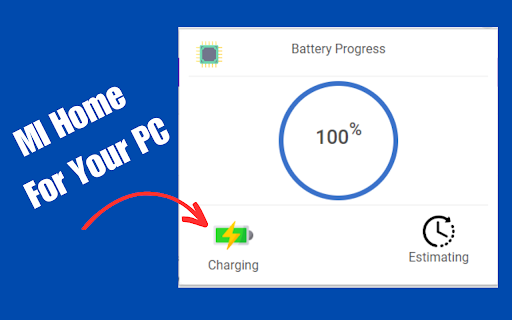
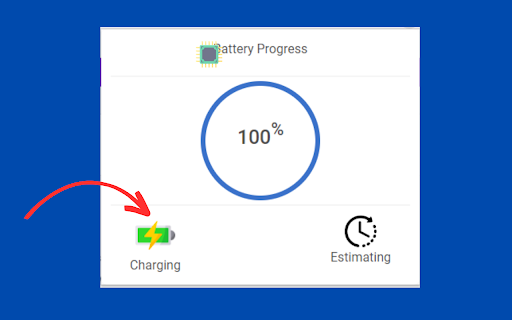
Mi Home For PC, Windows, Mac - Free Download Mi Home For PC, Windows, Mac - Free Download" is a handy Chrome extension that provides users with valuable battery statistics right from their desktop or laptop. Designed specifically for Mi Home devices, this extension allows you to effortlessly monitor and analyze battery usage patterns, giving you insights into your device's power consumption habits. With an intuitive interface and real-time data updates, you can easily keep track of battery life, identify power-hungry apps, and optimize your device's energy efficiency. Whether you're a productivity enthusiast or simply looking to extend your battery life, "Mi Home For PC, Windows, Mac" is the perfect companion to keep your battery performance in check. 1. Battery Statistics 🔋: The extension provides users with valuable battery statistics, allowing them to monitor and analyze battery usage patterns. Users can get insights into their device's power consumption habits, which can help them optimize their battery usage. 2. Real-Time Data Updates 🔄: The extension offers real-time data updates, ensuring that users have the most up-to-date information about their battery life. This feature enables users to make informed decisions regarding their device's energy efficiency. 3. Intuitive Interface 🖥️: The extension is designed with an intuitive interface, making it easy for users to navigate and access the battery statistics. The user-friendly interface ensures a smooth and hassle-free experience while monitoring and managing battery performance. 4. App Power Analysis ⚡: With the extension, users can identify power-hungry apps that may be draining their device's battery quickly. This feature allows users to take necessary actions, such as closing resource-intensive apps, to optimize their device's battery life. 5. Compatibility 💻: The extension is compatible with PC, Windows, and Mac operating systems. Users can conveniently download and use the extension on their desktop or laptop devices, regardless of the platform they are using. This wide compatibility makes it accessible to a broader range of users. #Here is the Privacy Policy: https://mihomeforpcdownload.blogspot.com/p/privacy-policy.html #How To Use This Extension? Step-1: Download or Add your extension From Chrome extension store. Step-2: Then, Click The Extension Icon. Step-3: You will see the "Real battery statistics" Step-4: Enjoy!! Note: This is not a Official MI Home Extension. Its just for fun purpose. You can easily add or delete this extension from your chrome browser.

Download Google Home For PC - Best For Windows, Mac
Create and manage custom shortcuts for your favorite sites. Download Google Home For PC - Best For Windows, Mac, is an intuitive browser extension designed to enhance your web experience by allowing you to create and manage custom shortcuts for your favourite websites. It provides a seamless way to search, launch, and manage web resources directly from your browser, making your online activities more efficient and personalized. 🔴 Extension Features: ✔ Custom Shortcuts: Easily create and manage shortcuts to your favourite websites. Add a name, URL, and optional icon for each shortcut. ✔ Voice Search: Use voice commands to initiate searches and launch sites. Simply click the voice search icon to start speaking. ✔ Image Upload: Upload and manage custom images to enhance your shortcuts or for other personal use. ✔ Settings Management: Access and modify extension settings effortlessly through the settings icon. ✔ Custom Actions: Additional context menu options, including Google Lens Detector and custom search actions, enhance your browsing experience. ✔ Cross-Browser Compatibility: Works seamlessly across all major platforms, including PC, Mac, and Windows. 🔴 Why Use This Extension: Google Home Web is designed to significantly enhance your browsing efficiency and personal enjoyment. By allowing you to quickly access frequently visited websites and services, the extension eliminates the need to manually type URLs or sift through bookmarks. It offers a high level of personalization, enabling you to create custom shortcuts with unique names and icons that align with your preferences. This customization not only makes your browser more intuitive but also visually appealing. Additionally, the extension incorporates voice activation, which means you can initiate searches and launch sites simply by speaking, making your online experience hands-free and more convenient. For those who enjoy adding a personal touch, the image integration feature lets you upload and use custom images, further enhancing the aesthetic of your shortcuts. 🔴 How to Use This Extension: Using Google Home Web is straightforward and user-friendly. To start, open the options page (options.html) from the extension menu to create new shortcuts. Here, you can input the name, URL, and an optional icon URL for each shortcut you wish to add. After filling out these details, simply click "Save" to add the shortcut to your collection. When you need to perform a search or launch a site, use the search bar in the popup (popup.html). For hands-free operation, click the voice search icon to activate voice commands. If you want to personalize your shortcuts further, use the "Upload Image" button to choose and upload images from your device. These images can enhance the visual appeal of your shortcuts. Finally, manage your extension settings by clicking the settings icon in the popup, where you can adjust preferences and manage various functionalities to suit your needs. This extension requires access to your browser storage and microphone to provide its full range of features, including custom shortcuts and voice search. All data is handled in accordance with our privacy policy and only used for enhancing your browsing experience. Please ensure you review the permissions and understand their implications before using the extension.

Tzofar - Red Alert
The best extension for rockets sirens alerts and other threats in Israel

Home Assistant
A quick shortcut to your Home Assistant Unofficial extension to quickly access your Home Assistant dashboard from everywhere Open your configuration.yaml file and add the following lines, then restart Home Assistant. http: use_x_frame_options: false In your Lovelace dashboard, create a new view and add a few cards that you want to see in your extension - If you have only one card, activate the "panel mode" option for a better look - If you want to match your browser color scheme, you can choose a specific theme just for this view - You can completely hide the view if you don't want it to show in your existing dashboard, it won't affect the extension - I suggest you to choose a specific URL for the view. For example: "extension" Install and pin the extension in Chrome so it's always visible Open the extension options (right-click the icon > Configure), then: - Set the URL of your view as seen in your browser, for example https://my-home-assistant.com/lovelace/extension - Adjust width and height so everything looks good - You can choose to crop the upper part of your view to hide the page header. By default, the size of the header is 56 pixels

CrosManager - A Web-based System Monitor
Take charge of your Chromebook with focused monitoring tools! A System Manager Created on and for ChromeOS! 🏢𝗠𝗔𝗡𝗔𝗚𝗘 𝗬𝗢𝗨𝗥 𝗖𝗛𝗥𝗢𝗠𝗘𝗕𝗢𝗢𝗞 - Keep an eye on CPU, RAM, temperature, and more! - Change your browser font with one click. - Read in-depth information on default and attached screens. - Check storage space and network speeds from the pop-up window! 🧩𝗖𝗢𝗡𝗧𝗥𝗢𝗟 𝗘𝗫𝗧𝗘𝗡𝗦𝗜𝗢𝗡𝗦 & 𝗔𝗣𝗣𝗦 - Enable/Disable your extensions with a click on the pop-up window. - See all open PWAs in the Options page, then close them when you’re done. - Hover over extensions to stay aware of what permissions they’re using. 💨 𝗤𝗨𝗜𝗖𝗞 𝗖𝗢𝗠𝗠𝗔𝗡𝗗𝗦 - Run Quick Commands to enable/disable annoying web rules. - Share a link to your active webpage using Share Current Webpage. - Re-enable the Chrome context menu using the Context Menu Unblocker! - Website blocking your clipboard? Use the Copy/Paste Unblocker! ⏲𝗞𝗘𝗘𝗣 𝗔𝗟𝗘𝗥𝗧 𝗧𝗢 𝗬𝗢𝗨𝗥 𝗗𝗘𝗩𝗜𝗖𝗘'𝗦 𝗡𝗘𝗘𝗗𝗦 - Set audio and visual alerts to watch your battery, RAM, and CPU usage. - Customize your alerts to tell you what you want to know! - Watch the extension icon for changes in your battery, RAM, and more. - Get up to 3 alerts as a free user and an unlimited amount with CrosManager Pro! - Use the Optimize tool to disable unused browser tabs and web apps. 🦾 𝗖𝗥𝗢𝗦𝗠𝗔𝗡𝗔𝗚𝗘𝗥 𝗣𝗥𝗢 For just $2.99, you get: - Network monitoring: Read in-depth information on your browser traffic and recent downloads. - Quick Proxy Setup: Enable/Disable proxy settings from the pop-up menu. - App Editor: Customize bookmark apps & PWAs using the App editor. Want to create a shortcut with a personalized icon? Now you can! - User-Agent Switching: Customize your browser identity with pre-built and custom User-Agent profiles. - More alerts: Create an unlimited amount of alerts! - Make CrosManager your own by adding custom sounds to your alerts! 🔒 𝗦𝗧𝗔𝗬 𝗣𝗥𝗜𝗩𝗔𝗧𝗘 & 𝗦𝗘𝗖𝗨𝗥𝗘 - We use the latest, most secure extension technologies from Google to accomplish what we do. Manifest Version 3 keeps you safe from harmful extensions and we embrace it wholeheartedly. - CrosManager Pro payments are handled by Stripe. This system is used and trusted by Google, Amazon, Zoom, and others. 𝗔𝗗𝗗𝗜𝗧𝗜𝗢𝗡𝗔𝗟 𝗜𝗡𝗙𝗢𝗥𝗠𝗔𝗧𝗜𝗢𝗡 - Some CrosManager Pro features require an internet connection. - We developed CrosManager for Chrome OS and it will not work 100% on Windows, Mac OS, or Linux. For full patch notes and support, visit us on our subreddit: https://www.reddit.com/r/CrosExperts/
