
jmcllpdchgacpnpgechgncndkfdogdah
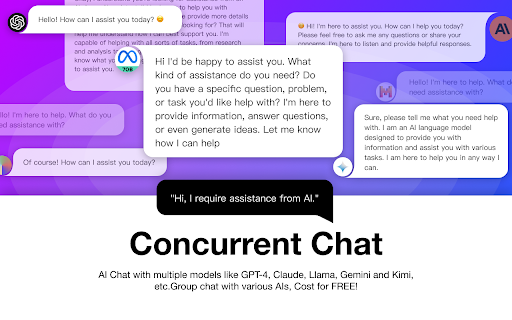
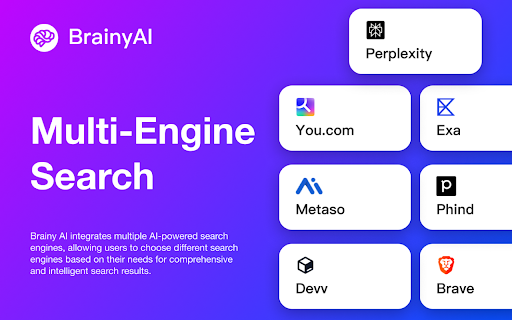
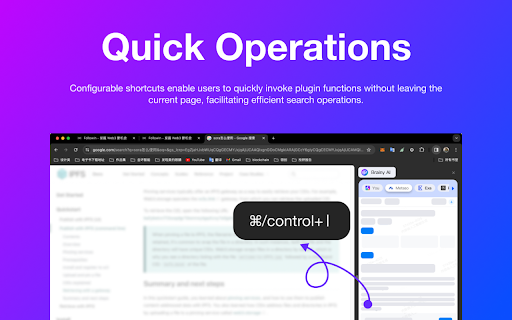
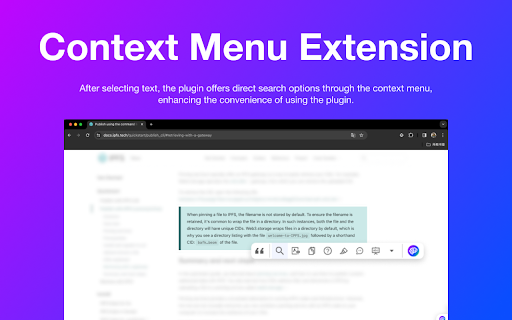
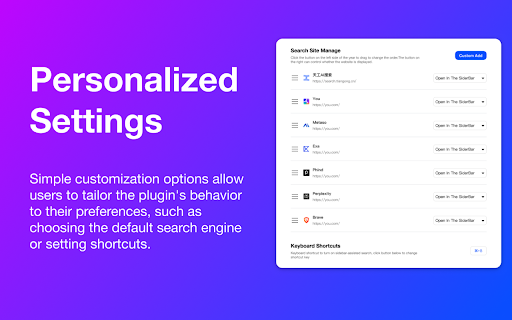
Enjoy seamless AI chat, search, summarization, and browsing with the best AI models.All from browser sidebar!No more page-hopping! BrainyAI is your go-to work assistant designed to revolutionize the way you work. Powered by the latest ChatGPT technology, BrainyAI offers a versatile and unrestricted query browser extension that seamlessly integrates into your workflow. Whether you need assistance with searching, chatting, translating, writing, summarizing, or any other task, BrainyAI is here to elevate your productivity to new heights. 1. Multi-Engine Smart Search: Get the best of multiple AI-powered search engines, tailored to your specific search requirements. Choose from a variety of search options to find the most relevant and insightful results. 2. Customizable Shortcuts : Process selected text on web pages and receive explanations, translations, and rephrasing with one click, greatly enhancing work efficiency. 3. Interactive AI Conversations: Engage in real-time discussions with BrainyAI, get instant, accurate responses to your questions,and even gain inspiration from BrainyAI. 4. Continuous Updates and Enhancements: Regular updates ensure an ever-evolving user experience, with new features and improvements based on user feedback. 5. Privacy Protection: We believe in your right to privacy. BrainyAI follows a transparent privacy policy, ensuring your data is secure. Opt-in anonymous data collection gives you full control over your personal information. Say goodbye to tedious manual tasks and hello to BrainyAI - the ultimate AI work assistant that empowers you to accomplish tasks with ease and efficiency. Experience the future of work productivity with BrainyAI by your side. Upcoming Enhancements: 1. Enable users to further customize the extension's features and settings to suit their needs. 2. Enable users to generate and manage their own custom prompts for continuous use.

Kimi Explorer
Kimi Explorer: Highlight for explanations, explain screen areas, summarize articles, and find inspire writing - All in one! 🔎 Got questions?Highlight and ask Kimi : - Easily highlight the text you have questions about to get context-specific answers without having to switch back and forth between pages while browsing. 🖼️ Selecting an area? Capture to share with Kimi: - Quickly capture page content and ask questions using the screenshot shortcut, enabling seamless problem resolution. 📚 Reading documents? Summarize with Kimi : - Click the floating bubble on the right side or use the shortcut key to quickly summon the dialogue box and summarize the entire document to reduce reading time. 📝 Writing articles? Get inspired by Kimi : - Switch freely between "Sider Panel" mode and "Overlay" mode in the plugin settings page, available at your side in any scenario you need. ⭐️ How to use Kimi? 1. Click "Add to Chrome" in the top right corner and pin Kimi to the toolbar for easy access. 2. Log in to your Kimi account. 3. Press Command⌘/Alt + K to summon Kimi. 4. Start working! 🌘 If you have any suggestions or feedback about the plugin, feel free to leave us a comment, or contact us via email at any time, kimi.extension@moonshot.cn

KISS Translator
A minimalist bilingual translation extension that supports webpage, text selection, and video subtitle translation. - [x] Keep it simple, smart - [x] Open source - [x] Adapt to common browsers - [x] Supports multiple translation services - [x] Custom translation interface - [x] Covers common translation scenarios - [x] Web bilingual translation - [x] Input box translation - [x] Seletction translation - [x] Open the translation box on any page - [x] Favorite Words - [x] Mouseover translation - [x] YouTube subtitle translation - [x] Support for various translation effects - [x] Customizable text recognition and full-text translation - [x] Customizable translation styles - [x] Support for rich text translation and display - [x] Support for displaying only the translated text (hiding the original text) - [x] Advanced translation API features - [x] Aggregate and send translated texts in batches - [x] AI contextual conversation memory - [x] Customizable AI terminology dictionary - [x] AI-powered subtitle segmentation and translation - [x] Customizable hooks and parameters - [x] Cross-client data synchronization - [x] KISS-Worker(cloudflare/docker) - [x] WebDAV - [x] Custom translation rules - [x] Rule subscription/rule sharing - [x] Customized terminology - [x] Custom shortcut keys - `Alt+Q` Toggle Translation - `Alt+C` Toggle Styles - `Alt+K` Open Setting Popup - `Alt+S` Open Translate Popup / Translate Selected Text - `Alt+O` Open Options Page - `Alt+I` Input Box Translation

V2EX Polish
专为 V2EX 用户设计,提供了丰富的扩展功能。 为原网站添加了众多便捷的功能,让你的 V2EX 页面焕然一新 ! ―――――― ◉ 扩展功能 🪄 界面美化 UI 设计更现代化,为你带来愉悦的视觉体验。 📥 评论回复嵌套层级 主题下的评论回复支持层级展示,更轻松地跟踪和回复其他用户的评论。 🔥 热门回复展示 自动筛选出最受欢迎的回复,第一时间了解热评。 😀 表情回复支持 评论输入框可以选择表情,让回复更加生动和有趣。 📃 长回复优化 智能折叠长篇回复,一键展开查看完整内容。 📰 内置主题列表 无需打开网页,插件内即可快速获取最热、最新的主题列表和消息通知。 更多实用功能: ⊙ 便捷回复操作:上传图片、预览回复内容、文字转 Base64。 ⊙ 添加用户信息卡片,快捷查看用户信息。 ⊙ 右键菜单扩展:支持解析页面中 Base64 编码内容。 ⊙ 在主题列表中即可预览内容,无需再进入主题页面。 ⊙ 自动领取每日签到奖励。 ⊙ 用户标签设置,快速标记各类用户。 ⊙ 支持备份个人配置,方便跨设备、跨脚本同步配。 ⊙ 支持自动跟随系统切换浅色/深色主题。 ⊙ 支持预加载多页回复,让嵌套回复更完美。 ⊙ “稍后阅读”功能:添加感兴趣的主题,方便日后浏览。 ⊙ 支持水平分区展示主题内容。 ―――――― ◉ 更多信息 ⊙ 代码开源,在 GitHub 中查看:https://github.com/coolpace/V2EX_Polish ⊙ 任何想法、新功能需求?在此反馈:https://github.com/coolpace/V2EX_Polish/discussions/1 ⊙ 浏览我们的主页,发现更多:👉 https://v2p.leoku.dev 👈 ―――――― 喜欢我们的扩展吗?请在应用商店给我们好评!🥰

Kimi Copilot - 网页总结助手
用Kimi AI一键总结网页内容 安装后,在浏览网络文章时点击插件图标,或使用快捷键 Ctrl/Cmd+Shift+K,即可一键召唤Kimi.ai总结网页内容 特点: 1. 免费,登录Kimi账号即可无限使用 2. 得益于Kimi的长文本大模型,总结更全面 3. 极简,除了一键总结没有其它花里胡哨的功能 4. Kimi无法访问的网站也能总结 5. 支持总结YouTube和B站视频 6. 支持总结PDF页面(试试arXiv论文吧!) 7. 支持暗黑模式 8. 支持自定义总结时使用的prompt 注意: 1. 本插件为第三方爱好者开发,不是Kimi.ai或月之暗面官方产品 2. 由于技术限制,本插件无法在Arc等非原生Chrome浏览器使用
