
jlhmfgmfgeifomenelglieieghnjghma

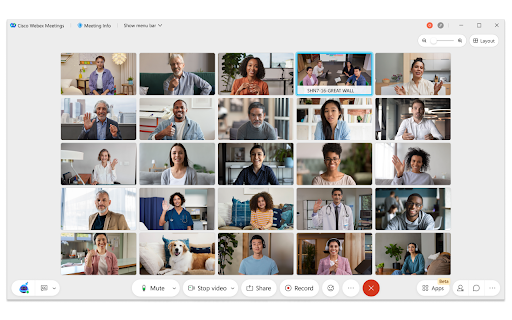
Cisco Webex web and video conferencing is an easy, cost-effective way to exchange ideas and information online with anyone, anywhere on any mobile device or video system. Accelerate decision-making, keep projects on track, and collaborate in real time with integrated audio, video, and content sharing, all in one meeting. Enhance engagement with a lifelike video experience, which rapidly builds relationships and trust, just like you would in person. Make connecting simple for smoother meetings so users can invite others to easily join with their own video system. From the proven industry leader in web and video conferencing, rely on secure, scalable Webex meetings from the global Cisco Collaboration Cloud.

Read on reMarkable
Easily send web articles to your reMarkable with one click. 🔸It’s now easier than ever to send web articles to your paper tablet with Read on reMarkable.🔸 Choose between two different options to optimize your paper tablet experience: 🔹 Select reMarkable Notebook, and use Convert to Notebook to send web articles as notebooks to your paper tablet. Ads and pop-ups are stripped away, so you can read with focus and develop ideas with the power of the pen. 🔹 Select EPUB to keep the original content, but limit the ability to edit and arrange your content. You can also use Read on reMarkable from the print menu, by pressing command/control P or right clicking in your browser, then selecting Read on reMarkable. ▪️ If you don’t already have an account at my.remarkable.com, you’ll need to create one. ▪️Convert to Notebook requires a Connect subscription. ▪️ Once installed you’ll find the extension icon at the top right of your Chrome window, beside the address bar. ▪️Be mindful that each website has its own way of displaying content, which may change the formatting when it appears on your paper tablet.

Salesforce
Work with Salesforce records directly in your browser. Sales Cloud Everywhere lets you work on your to-dos, see engagement alerts, create records, and update multiple records. You can use it in your Gmail inbox, or in a standalone window alongside any web page. - Sell where you work: Move deals forward as you move around the web. - Access data anywhere: Bring context to every conversation. - Accelerate deals with real-time buyer data: Engage with people who want to engage with you. What you can do with Sales Cloud Everywhere: - Work with Salesforce directly in Gmail. - View, sort, and complete tasks like sending emails, reaching out on LinkedIn, and updating records, without returning to Salesforce.com. - Connect Salesforce to your Calendar and send calendar links, set availability, and more. - Get real time notifications of recent engagements as you browse the web. - Create and update records from within your Chrome web browser without leaving the current page. - Access and quickly update CRM records like leads, opportunities, and contacts. If you can’t access Salesforce via the extension, ask your Salesforce admin for help. Review the app’s terms of service: https://c1.sfdcstatic.com/content/dam/web/en_us/www/documents/legal/Agreements/software-order-form-supplements/gmail-integration-order-form-supplement.pdf

IBM Aspera Connect
This extension enables the use of IBM Aspera Connect with Chrome. This extension requires the IBM Aspera Connect application, version 3.9.0 or newer. The purpose of this extension and the corresponding desktop application is to move large files FAST from your computer to an IBM Aspera server. You need to have an account on an Aspera server to move files. FASP is the protocol used to move files much faster than is possible over TCP/IP. The application has to be where the network is. Privacy statement: This extension is activated only by websites that integrate IBM Aspera to transfer files. This extension does not read or store any personal information.

Degreed Extension
Track all your learning. Bring learning into your everyday workflow with the Degreed button. You can track your learning from any website, share content with others, save for later, add to a Pathway, or search for content in Degreed without ever leaving the site you’re on. Track your learning: Track all your learning directly from your browser without leaving the page you’re on — and save comments about what you learned. Share with others: If you love what you learned, you can recommend it to a friend or a group. Save for later: If you find an article you want to read later, you can save it. If you forget, Degreed will recommend it in your feed. Add to Pathway or Plan: When building a Pathway or plan in Degreed, you can add to it directly from the Degreed Button. Add to catalog: If you have the “Manage Content” permission, you can add directly to the catalog. The Degreed Button will scrape the title, description, and image for the content if available, removing the need to manually add the information. You can also review and modify the title and description before the item is added to the catalog. Find more learning resources: Find new learning resources and people to follow. If you want to learn more, search to see other learning items or find people to follow and see what they’re reading. Stay in touch with notifications: Your Degreed notifications are available directly. If someone recommends an item, you get notified without leaving the page you are on.
