
jkceopdbgceipplheljepnmoaiodckng
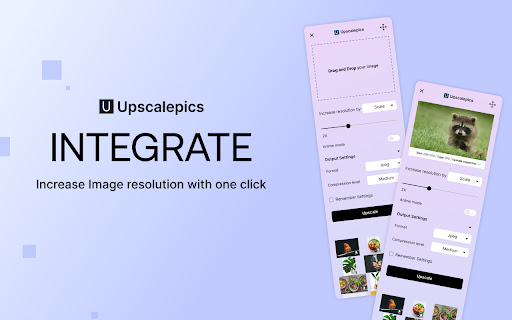

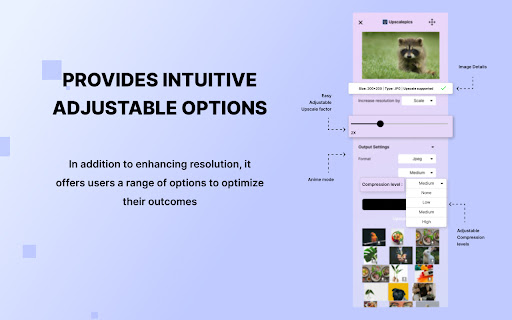

Increase the resolution of any image with a simple right click. Works with most of the websites. Increase the resolution of any image with a simple right click. Works with most of the websites.

PixelSharp
Sets the image scaling of the page to Nearest Neighbor for sharp pixels PixelSharp changes the scaling of images on the current page to be pixel-perfect when activated. Scaled up pixel art in the browser often ends up very blurry due to the default "linear" scaling method. This scaling works well for general browsing, as most images on the web are high resolution, but is detrimental to pixel art and low resolution images. Activating PixelSharp changes the page scaling to "nearest neighbour", the intended scaling method for pixel art. How to use: The extension was designed to be pinned so that you can simply click the icon to activate it. You can also activate PixelSharp by first pressing the "Extensions" button next to the URL bar and then clicking on PixelSharp in the list of installed extensions. You will need to enable "Allow access to file URLs" for the extension to work on images loaded from your computer. Technical details: The extension only activates when clicked. Clicking the extension icon will trigger a single update to the current page which modifies the display styles to use nearest neighbour scaling. After the page has been updated the extension stops. Reloading the page will clear the page modification, essentially reverting the images on the page back to the original browser scaling behaviour. Image attribution: The "before and after" image was created from real screen captures of the same image at 500% browser zoom scale, before and after using the PixelSharp extension. The pixel art used to demonstrate this ("Ninja Adventure - Asset Pack" by pixel-boy and AAA) was licensed under the Creative Commons Zero (CC0) license ("public domain").

Remove / Upscale / Compress / Colorize in One Click
Just right-click any image online and let our AI do the work! ✅ Remove Backgrounds ✅ Upscale Images ✅ Colorize ✅ Compress Here's how to get started: 👉 Install the extension. 👉 Create an account on our website. 👉 Subscribe to the All-Access Plan for $9.99/month (100,000 credits per month: 500 edits or 41 upscales). 👉 Right-click any image to apply your edit instantly. One subscription covers both this extension and our full platform PicassoPix.com—fast, simple, and powerful AI image editing!

AI Image Upscaler - Enhance images to 4K Quality Instantly
Upscale low-resolution images to 4K with AI. One-click enhancement for sharper details, reduced noise, and crystal-clear results. Transform low-quality images into stunning high-resolution photos with advanced AI technology. Our intelligent upscaler enlarges images up to 4x while reconstructing fine details, enhancing facial features, and preserving natural textures. ✨ Key Features 🤖 Smart AI Enhancement Advanced neural networks analyze and enhance your images automatically, reconstructing missing details, sharpening edges, and reducing noise for crisp, professional-quality results. 📐 Flexible Scaling Options Choose from 1x, 2x, 3x, or 4x upscaling to match your exact needs. 👤 Face Enhancement Technology Optional facial detail restoration intelligently enhances portraits, improving skin texture, facial features, and overall clarity while maintaining natural appearance. 📁 Multiple Format Support Works seamlessly with JPEG, PNG, and WEBP formats. Upload files up to 10MB and get instant results. 🔄 Real-Time Preview Interactive before/after slider lets you compare original and enhanced versions side-by-side, so you can see the dramatic improvement before downloading. 💎 Professional Quality Output Export clean, watermark-free images in high resolution - ready for immediate use across any platform or medium. 👥 Perfect For 📷 Photographers & Creatives Rescue underexposed shots, restore old photographs, and enhance portrait details for gallery-quality prints and professional portfolios. 🛒 E-commerce & Product Sellers Transform product photos into crystal-clear images that showcase every detail, build customer trust, and increase conversion rates. 🎬 Content Creators & Marketers Elevate social media posts, blog headers, and marketing materials with sharp, eye-catching visuals that stop the scroll and drive engagement. 🎨 Graphic Designers Upscale low-resolution assets, client-provided images, and stock photos for high-DPI designs, presentations, and large-format printing. 👨👩👧👦 Family Memories Restore and enhance old family photos, scanned images, and vintage prints - bringing precious memories back to life in vivid detail. 🚀 How It Works 1.Upload Your Image Drag and drop or click to upload any JPEG, PNG, or WEBP image up to 10MB. 2.Select Enhancement Level Choose your desired scale factor (1x, 2x, 3x, or 4x). 3.Download & Use Get your high-resolution, watermark-free image instantly - ready for any project or platform. 💡 Tips for Optimal Results 🎯 Start with the Best Source Use the highest quality original image available. Better input quality produces even more impressive enhancement results. 📱 Process Before Posting Upscale images before uploading to social platforms - your content will look sharper on modern high-resolution screens and mobile devices. 🔍 Review Before Export Always use the before/after slider to verify the enhancement meets your standards - adjust settings if needed for perfect results. 🔐 Privacy & Security We respect your privacy. Your uploads are processed only to enhance images. Projects are saved to your account per your settings and can be deleted anytime. See our website privacy policy for details. 📚 Support & Resources If you have questions or need help, contact support with details and screenshots for faster assistance.

Image Upscaler
Upscale an image using artificial intelligence or a native HTML5 engine in your browser! Image Upscaler is an extension that enables you to upscale an image inside your browser. It uses three different techniques to upscale the input image. The first (and the default) method is using the HTML5 Canvas API to upscale the images up to 10 times the original size. The Canvas API has a built-in interpolation method for pixel smoothing. The final result with the HTML5 method is somehow satisfactory but lacks some details and may not be sharp enough. Two other methods use artificial intelligence for upscaling. The first AI is client-side and uses UpscalerJS (https://github.com/thekevinscott/UpscalerJS) & TensorFlow (https://github.com/tensorflow/tfjs) libraries. The second AI is server-side and uses the ClipDrop API (https://clipdrop.co/apis/docs/super-resolution). Please read the privacy policy for this addon here (https://mybrowseraddon.com/privacy-policy/image-upscaler.html). Note 1: for the canvas method (default engine), the maximum upscale factor is 10x, for the client-side AI it is 8x, and server-side 4x. Note 2: for both AI methods, it is recommended to use small images as the upscaling process with artificial intelligence is computationally expensive. In server-side AI, an API key is needed; please read the instruction within the extension on how to get the API key. If you have a feature request or found a bug to report, please fill out the bug report form on the addon homepage (https://mybrowseraddon.com/image-upscaler.html).
