
jjnpbalpllpfdpgplpbcbadkgdmleopm


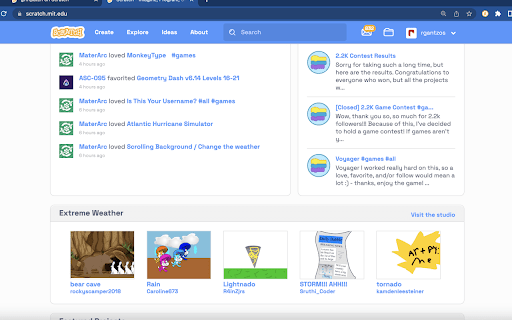
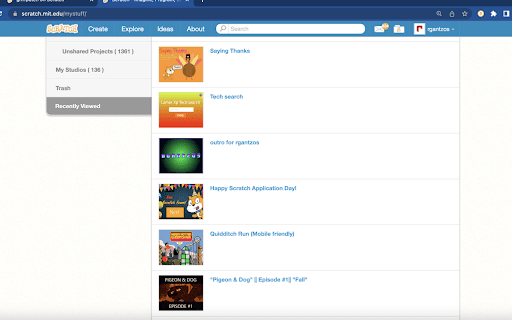
ScratchTools is fully customizable with tons of features, all for making the Scratch website better and easier to use! With tons of awesome features that YOU can customize, ScratchTools is centered around your needs, and what makes Scratch easier and more efficient for you. Here are some community favorites: Website features: - Hide Generic Projects from Trending - Custom Website Font - Project Timer - Nicknames - Unlisted Projects Editor features: - Search Context Menus - Collapse Scripts - Individual Sprite Clone Counter - More Paint Editor Fonts - Pause Audio Remember, there's much, much more, and even more to come!

Scratch Always Load More
A very poorly written chrome extension to make Scratch always "load more".

#S - Hash Scratch
For Scratch teacher and book creator, downloading Scratch blocks to SVG file. Supports MakeCode for micro:bit. This Chrome extension, #S - Hash Scratch is for the Scratch Teachers and the Book Creators, downloading Scratch 3.0 blocks to SVG file. If you want to print out the blocks nicely, you should use the SVG format. The #S - Hash Scratch is running as Chrome extention, so downloading just one clicked! I usually use the Inkscape to create educational materials, and then copy/past to MS-Word, etc. In addition, MakeCode for micro:bit is also supported. Donate by purchasing the book at the following URL, if you like. https://leanpub.com/hash-scratch ver. 3.1.906.2023 more accurate reproduction of micro:bit blocks ver. 3.0.404.2020 supports mBlock, https://ide.mblock.cc/ . ver. 3.0.327.2020 supports ML for kids, https://machinelearningforkids.co.uk/scratch3/ . ver. 3.0.322.2020 supports MakeCode for micro:bit, https://makecode.microbit.org/ . ver. 3.0.214.2020 supports Scratch, https://scratch.mit.edu/projects/ and https://champierre.github.io/scratch3/ .

Scratcher's AtCoder
for Scratchers who want to compete in AtCoder (The description in English is provided below Japanese.) With this extension, you can compete in AtCoder with Scratch 3.0! (1) Go to a submission form of AtCoder, and click orange "Scratch 3.0 online editor" button to open the online editor. (2) Create your solution in Scratch online editor. If your solution is ready, download your Scratch project to a local file. ([File] -> [Save to your computer]) (3) Return to AtCoder and click the orange "Load Scratch project" button. Then select your Scratch project file you downloaded in (2). (4) Your Scratch project file will be instantly converted to C++ source, and displayed in the solution form. (5) Submit it! (Make sure that "C++14(GCC 5.4.1)" (or newer) is selected as the language.)

CustomTube - Restore the Old YouTube Layout
Choose your own YouTube layout, and more! What if you could just choose your YouTube layout? Well, now you can! CustomTube lets you choose between recreations of any YouTube layout from 2008-2021, all with a single click! Outside of the layout selector, CustomTube has even more options, including: -Ability to loop videos by default (with an option to exclude playlist videos) -Choose the size of the video player -Make search better by hiding some irrelevant results -Hide the "Shorts" button on the sidebar -And more, with even more options planned for future updates!
