
jjlcmbnimimdhlmgggidcdbgljelilek
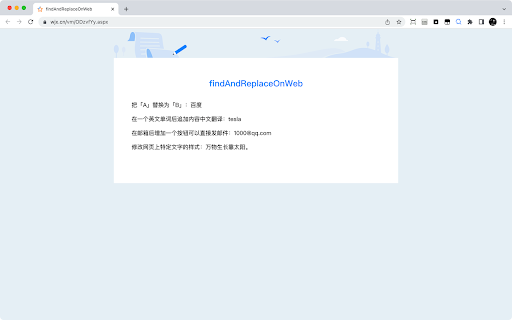


Using this tool, you can replace an "A" with a "B" or append a "B" after an "A" on a page. ### Introduction: - Using this tool, you can replace an "A" with a "B" or append a "B" after an "A" on a page. - When searching for "A", you can find a fixed value, you can find a type of value based on a regular expression, or you can find a type of value through a css path. - When replacing with "B" or adding "B", HTML code can be written, and the original content of "A" can be brought into. ### Application scenarios: - If you don't like a certain politician, you can replace his name with a nickname to reduce the frequency of seeing him; - You can change the mailbox displayed on the web page into a style that can be sent directly by clicking (add the href attribute of "mailto"); - You can change the phone number displayed on the web page into a style that can be dialed directly (after adding the href attribute of "tel", you can use Facetime dialing on Mac); - You can add translation after some unfamiliar words, especially some specific terms;

Word Replacer
Replaces specified words on the web page. Replaces specified words on the web page.

Find & Replace for Text Editing
Adds search & replace tool for input fields and editable text content. Find & Replace for Text Editing is an extension that allows you to search and replace text in input areas, directly in your browser. It works for any editable text, and automatically highlights all found occurrences as you type in your search term. Use it for composing long emails, blog articles, or forum posts. Extra Features: * Save to Favorites * History * Text Templates (click to paste into page) * Regular expression info previews * Occurrence highlighting

Simple Search and Replace
Extension to search and replace text in input and textarea tags The Simple Search and Replace extension for Google Chrome is a powerful tool that allows you to quickly search and replace text within input and textarea tags on web pages. With flexible customization options, this extension is a handy tool for efficiently performing text editing operations. Key Features: Quick Search: Swiftly search for text within input and textarea tags on web pages. Flexible Replacement: Execute replacement operations with flexible options, including one-time or global replacement, case sensitivity options, and more. Advanced Customization: Provide a variety of customization options to meet your specific needs, including advanced search and replace options. Save Settings: The extension automatically saves your settings, saving you time when reusing them. Benefits: Time-Saving: Perform search and replace text operations quickly and effectively. Seamless Integration: Operates directly within the Chrome browser without complex steps. High Customization: Easily tailor settings to suit your specific requirements. How to Use: Open the web page where you want to perform the search and replace operation. Click on the extension icon in the Chrome toolbar. Enter the text you want to search for and replace. Select the necessary options. Click the "Search and Replace" button to complete the operation. Easy to customize and use, the Simple Search and Replace extension helps you manage content on web pages quickly and efficiently.

Word Replacer Max
Seamlessly replace text on any web page. ⚡️ Smart Text Replacement Set up rules to automatically transform text across the web. 🌐 Domain Controls Specify which sites your rules apply to using allow or block lists. 🤝 Share & Import Exchange rule sets with friends and teammates to share useful replacements. 🎯 Pattern Matching Fine-tune rules using whole word, case sensitivity, or regular expressions for exact control. 🎨 Visual Styling Optionally highlight changes with styles such as bold, italic, underline, or background colors to make them stand out. 🌗 Dark Mode Eye comfort for all times of day. 1. Install Word Replacer Max 2. Click the extension icon in your toolbar 3. Create your first replacement rule 4. Start browsing with your personalized web experience ❯ Simple to use but powerful when you need it ❯ Full control over where replacements happen ❯ Your rules stay private on your device ❯ Open source code on GitHub: https://github.com/dan-lovelace/word-replacer-max
