
jihjopcnbelnohmfcpbgdlgbjjchadgj
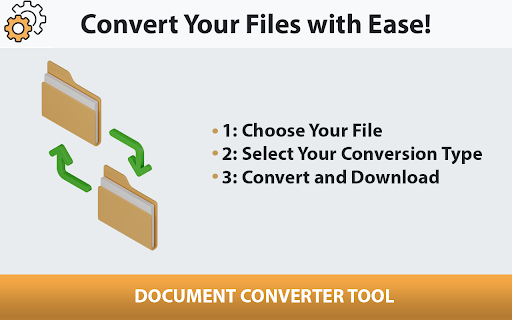
Easily convert your documents with our browser-based Document Converter Tool. Take control over your files with the Document Converter Tool! This versatile and user-friendly extension enables you to convert various file formats directly from your browser. PDF Converter: Simplify your work by converting your files to the universally accepted PDF format. DOC and DOCX Converter: Switch between the classic DOC and the modern DOCX formats with ease. DOCM Converter: Preserve your macros by converting documents to DOCM format. RTF Converter: Maintain text style and formatting with the Rich Text Format (RTF) converter. TXT Converter: Strip away all formatting for a bare-bones text file. DOT and DOTX Converter: Convert your document templates to DOT or DOTX as needed. DOX Converter: Ensure compatibility with older versions of Word using the DOX converter. PAGES Converter: Bring your Apple Pages documents into other formats for broader compatibility. With just one click, you can convert from one format to another, saving time and increasing productivity. Whether you are a student, a professional, or anyone in need of quick file conversion, the Document Converter Tool is perfect for you.

Word to PDF Converter / Convert docx to PDF
Convert your .docx documents to PDF quickly and easily within your browser. Introducing "Word to PDF Converter / Convert docx to PDF", the Chrome extension that simplifies the process of converting Word documents to PDF. No more need for third-party software! This extension enables you to convert .docx files to PDF in just a few clicks. Perfect for professionals and students who need a fast and efficient way to convert documents. Note: This extension only supports .docx format files.

WorkStreamer Guide: Craft Screenshot Training Guides Incredibly Fast
Create beautiful training guides in minutes with this automated screenshot tool. If you have to create training guides for your team and you're dreading taking all the screenshots, then this may be your new favorite tool. WorkStreamer Guide is an extension you add to Chrome, Edge, or Brave browser that let's you automatically capture screenshots on every webpage you visit just by clicking Start. When you're finished, click Stop, and all screenshots are compiled into a guide. 📋 You can add text, blur sensitive info, and highlight parts of each screenshot. When you're finished, share a link to the guide, download it as a MS Word document, or export it as a video slideshow. 🧩Say goodbye to long and tedious hours spent capturing individual screenshots and pasting them into word documents. 🧩Say hello to an incredibly fast way to create and share training with your team, clients, or organization. ⚙️ How does it work? 1️⃣ Install this extension Chrome, Edge, or Brave Browser. 2️⃣ Enter your email at https://guide.workstreamer.com/signin 3️⃣ Click Start then navigate to any website you want to record 4️⃣ Click Stop then edit the guide and download or share. That's it. In 4 simple steps, you can unleash the power of beautiful and fast training guides. 🌟 Features 💡Add red boxes on any screenshot 💡Change branding color of the guide 💡Share as link 💡Embed into other websites 💡Download as a .Doc Word file 💡Download as a .Mp4 video file 💡Useful Analytics and more... Prove to yourself how fast and effortless creating training can be. Start with a free 30 day trial (no credit card required).

Convert PDF to Editable Doc
Effortlessly convert your PDF to DOCX, ODT, RTF, PDF, TXT, HTML, EPUB with Convert PDF to Editable Doc. Introducing our Chrome extension, the ultimate PDF transformation tool! , "Convert PDF to Editable DOC," you can seamlessly convert any PDF document into a versatile range of editable formats, making it the perfect solution for tackling scanned or uneditable PDFs. Whether you're dealing with scanned documents from your exams or facing the challenge of uneditable PDFs in your work, our extension has you covered. You can effortlessly convert PDFs to DOCX, ODT, RTF, PDF, TXT, HTML, and EPUB formats, giving you the freedom to edit, search, and interact with your documents like never before. The motivation behind creating this extension is simple: to enhance productivity and convenience for students, professionals, and anyone who regularly works with documents. As a student myself, I often encountered exam practice papers in uneditable or scanned formats. With this extension, I found a solution to convert them into editable documents, enabling me to easily extract questions for practice or conduct research through chat with GPT or quick Google searches. This extension aims to be a valuable asset for students and document-centric professionals alike, streamlining the document-handling process and facilitating efficient work and study practices.

PDF Tab - PDF Converter in a New Tab
Convenient PDF converter in the new tab. Simply drug and drop document and received which one you need in a seconds. How to convert a PDF file? It’s very easy in using PDF converter service. Just follow the next steps: 1. Select needed format for converting. Drop the file in the appropriate box or choose from your PC.
