
jifjdmnjnmpbclnpjlmebkclilekkdho

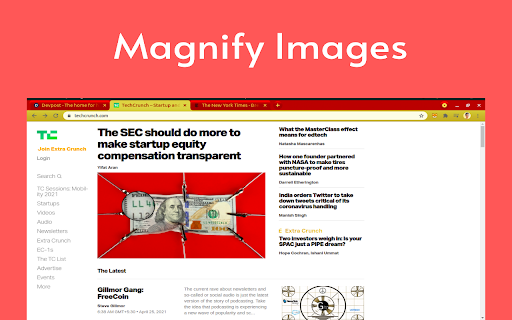
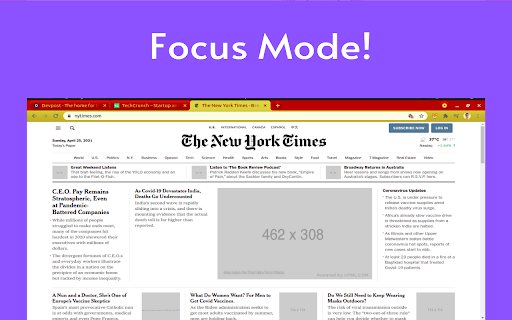

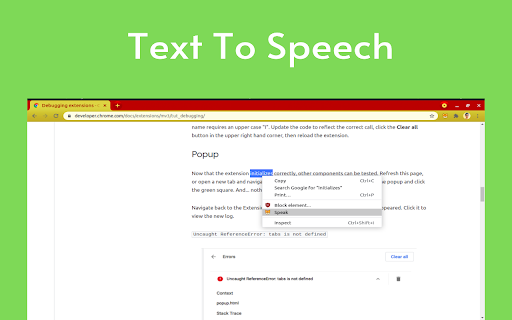
Making the Web Accessible for All More than 70% websites on the Internet have been classified as in-accessible. This is inimical to people with disabilities and restricts involving them within the Internet Community. We were determined to change this. We built Someity to serve as an all-in-one accessibility and productivity tool without having the website makers change a single line of source code. We want our users with varied abilities to feel empowered and confident on the Internet just like their more fortunate peers. We want them to feel brave and fearless - just like Someity. • Someity Actions • Color Blind Aid • Font Type • Focus Mode • Text-to-speech • Text Zoomer • Font Color • Magnifier • Cursor Customizer • Screen Capture • Print Page With Someity Actions you can have Someity: • Open any website on the Internet by just naming it. • Google anything for you. • Play a song on YouTube. • Translate from any language to English. • Google Map directions from any location to any other location in the world just by naming the two cities. Support Features, bugs and improvements welcome over here: https://github.com/RonLek/Someity/issues

TubeSpy
Research tool for Youtube Marketers TubeSpy is a very simple and straightforward app to find the tags or the keywords every YouTube video is using. The app is very easy to use! Just follow these few steps: Step 1: Download and install the TubeSpy chrome extension. Step 2: Open the YouTube video you want to analyze. Step 3: Scroll down and just below the description, you will see a list of keywords/tags content creator is using. * You don't have to do anything else! TubeSpy automatically shows all the keywords or tags under the video description. * The best part is app is 100% free and all the upcoming features will be free forever. Note: If the video creator did not use any keywords/tags, the tag section will remain empty.

Wikipedia Anywhere
This extension brings the mobile version of Wikipedia to any website to lookup terms without leaving the page. The extension has no visual button. To activate, select a text on the active tab and press the "W" icon that appears on top of the mouse pointer. To hide the panel, select anywhere outside the mini Wikipedia panel. Use cases: Look at the meaning of a technical term without leaving the panel. Get more info about a topic with an embedded Wikipedia Find a song track details right inside an online media player (YouTube Music or Spotify) Get technical review about a movie without leaving IMDB Notes: 1. To improve the loading speed, the mobile version of Wikipedia is used. You can change this from the options page. 2. The size of the panel as well as the bubble's position is customizable. 3. If you prefer a localized version of Wikipedia, change the default "en" locale ( the language of the loaded Wikipedia page) from the options page.

Stash
A tiny browser extension that saves and syncs your favorite links across all your browsers. Never lose a link again. Stash is your witty, no-nonsense assistant for bookmarks—syncing your favorite websites across Chrome, Edge, Arc, Dia and all your Chromium-based browsers. Effortlessly save, organize, and access your links, no matter where you are or what account you’re using. Ever emailed yourself a link and felt like a caveman? Us too. That’s why we built Stash—a tiny (but mighty) browser extension that remembers your favorite websites, syncs them across all your browsers and devices, and keeps them safer than your Halloween candy stash. - Save links in a flash (shortcut: Shift + Alt + S) - Works with multiple browsers and accounts—no more “Where did I save that?” - No folders, no fuss—just stash and go - Your data, your rules—encrypted and private, powered by Github - 100% free, forever—no hidden fees, no premium tears Stop being a digital squirrel. Start stashing like a boss. - 🚀 One-click save: Add links instantly from any page - 🔄 Cross-browser sync: Chrome, Edge, Arc, Vivaldi, Brave, and more - 🦾 Github-powered: Your data, your control - 🔒 End-to-end encryption: Only you can see your stash - 🆓 No signup required: Just connect your Github - 🌴 Completely free forever - Works everywhere you browse - No vendor lock-in—your data lives in your Github - Designed for privacy and speed - No learning curve, just stash and go - Built by someone who’s been burned by lost links (that’s me) - A Github account (to keep your stash safe and synced) - Any Chromium-based browser (Chrome, Edge, Arc, Vivaldi, Brave, etc.) Ready to stop losing links? Add Stash to Chrome and start syncing your bookmarks like a tech-savvy wizard. Support Questions? Feedback? Just want to chat about your favorite bookmarks? Email me at hello@rafaelgandi.com or visit https://rafaelgandi.com/contact. Made with 🤙 by Rafael G.

Lexend for Chrome™
Make reading online easier and more enjoyable by formatting pages with the Lexend font. With the Official Lexend Font Chrome Extension, you can transform how you view websites and dive into the world of Lexend fonts. 🖋️ Features Say goodbye to boring fonts and enjoy the versatility of Lexend! This extension makes it easy to change the font on any website to your favorite Lexend style. Choose from these fantastic fonts: 🤝 Built & Maintained by the Helperbird Team The Lexend Font Chrome Extension is lovingly crafted and continuously maintained by the passionate team at Helperbird. We ensure a seamless and delightful user experience for everyone. Looking for more than just font magic? Check out Helperbird for all things accessibility, reading, and writing! Use code "lexend" at checkout for an exclusive 25% discount. 🌐 Website Curious about Lexend's intriguing history? Visit Lexend.com for a fascinating look into this exceptional font. 🆕 Version 2024.6.9 Completely rebuilt using the side panel for a more intuitive experience. Much lighter and quicker, improving performance. Enhanced accessibility features for a better user experience. 🆕 Version 3.0.0 Support for icons to add a personal touch. Streamlined code for better performance. Only essential permissions requested. 🔄 Version 2.0.1 Stunning new UI and layout for an enhanced browsing experience. Upgraded to MV3 manifest, leveraging the latest Chrome features. Efficient, clutter-free code. Privacy-focused permissions review and adjustments. For any questions or assistance, feel free to contact Robert at robert@lexend.com. Unleash your creativity and explore the beauty of Lexend fonts with our official Chrome extension. Get ready for a captivating browsing experience. Install now and elevate your web journey! 🚀
