
jgocjgkdladclacgmkkiklmdcmngjcba
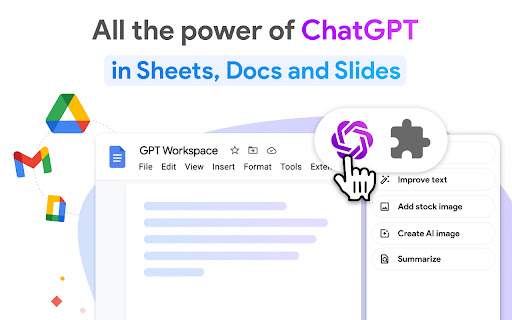

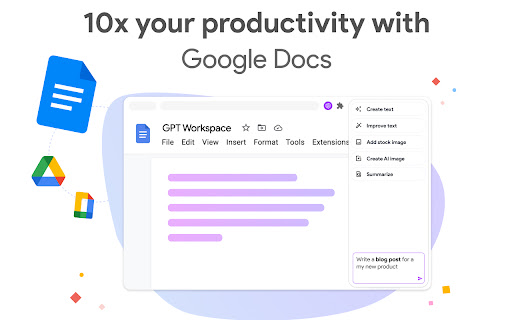


Run GPT in Google Workspace: use ChatGPT into Google Slides, Docs, Sheets, Drive and Gmail. ChatGPT for Google Sheets, Docs, Slides, Gmail and Drive. ✓ No sign-up required. ✓ Free with premium features. ✓ No API key required. GPT Workspace is a powerful GPT-5 reasoning agent that can be used for all sorts of tasks on text and data analysis: writing, editing, extracting, cleaning, translating, summarising, outlining, explaining, etc. 🟩 For Google Sheets : Create, complete and analyse a range : select your range, enter a prompt and let AI automagically do the rest. - Analyze, summarize, classify, categorize, normalize, extract - Clean lists, extract entities, normalize formats (lists of names, addresses, emails or companies, dates, currency amounts, phone numbers) - Classify large datasets with feature categorization - Try different versions of a prompt quickly - Working on SEO metadata (titles, descriptions), ad copy (PPC, Meta ads) - Manage and clean product catalogs for e-commerce stores (Shopify / Amazon) - Change the case of your cells text: upper / lower / capitalize / toggle case - Split content of cells across, given any separator to multiple columns - Translate large amount of text - OCR (optical character recognition) PDF to Google Sheets GPT for Sheets includes 6 powerful formulas: =GPT to get the result in a single cell =GPT_LIST to get one list item per row =GPT_TABLE to get an entire array =GPT_TRANSLATE to translate large amount of text =GPT_FILE extract text or data from multiple files or images =GPT_IMAGE generate large amount of images 🟦 For Google Docs : - Rephrase, paraphrase, expand - Outline and expand a piece of content - Write emails, blogs, articles, essay - Summarise large notes - Translate entire documents - Change the style of content - OCR (optical character recognition) PDF to Google Docs 🟨 For Google Slides : - Generate entire presentations with images and animations - Edit slide content, layout and style with a single prompt - Insert AI generated images into your slides - Create a slide deck from a text or a document - OCR (optical character recognition) PDF to Google Slides 🟥 For Gmail : - Generate replies automatically - Edit the tone and fix the grammar spelling - Autocorrect - Analyse large amount of emails and attachments 🟪 For Drive : 1️⃣ Open Google Sheets / Docs / Slides / Drive or Gmail 2️⃣ Open the GPT Workspace extension 3️⃣ Try out the different functions shown on the chrome extension. Check out your youtube page https://www.youtube.com/@gpt-for-google-workspace/videos GPT Sheets Docs Slides offers an extensive free tier and an Unlimited Premium plan starting at 9$/month only - Data analysts and data professionals who need to enhance quickly how their spreadsheets look like - E-Commerces owner who needs to enrich their spreadsheets with data coming for other documents - And also startups, digital marketing agencies, consultancy groups This extension was developed by Qualtir.com

WorkGPT - Your Ultimate AI for Work (with ChatGPT, Gemini, Grok, Claude)
WorkGPT is powered by top AI ChatGPT, Gemini, Grok, Claude, DeepSeek to enable you deliver great work much faster! Experience the power of WorkGPT, your ultimate AI companion for Work! WorkGPT is the best AI assistant and a game-changer designed specifically for your work needs. It harnesses the power of advanced cutting edge AI technologies (used by 500M+ users) to provide you with an unparalleled level of productivity and efficiency! ✅ ChatGPT GPT GPT-5, GPT-4o, OpenAI o3 deep thinking ✅ Google Gemini™ Pro 2.5 (thinking) and Flash 2.5 ✅ xAI Grok 4 latest ✅ Anthropic Claude 4.5 Sonnet and Haiku ✅ DeepSeek V3 & R1 (deep thinking) ✅ And more listed here, https://aiworksuite.com/workgpt-gpt-for-work WorkGPT can help you deliver great work across various tasks such as, improving writing or polishing content, creating materials, composing emails or posts, generating reports or video scripts, grasping context, and creating images or logos (with DALLE 3) etc. In addition, you can ask any question to GPT with a freeform prompt. We are also on Product hunts: https://www.producthunt.com/posts/workgpt Here are also our Web app: https://www.workgpt.aiworksuite.com/ and Google Workspace addon: https://workspace.google.com/marketplace/app/workgpt_chatgpt_ai_gpt_for_workspace/368806015202 Install now and get free credits to use! No API Key is needed here. ✓ Free credits. ✓ No API key required. Features 🟢 General Assistance (improve, read, understand content) - Improve writing and rewrite with many tones supported (professional, friendly, formal, causal etc)! - Elaborate - Fix grammar and spelling - Polish - Reply to emails/questions/posts/comments with different tones - Continue writing for any content - Expand and make longer, or Shorten - Translate to different language - Bulletize, - Format - Offer suggestions to the content - Provide different ways to say - Help me understand - Summarize content - Explain content - Make notes - Create tasks or To-Do List - Any other freeform prompt and command you want for GPT. 🟢 Creating content: - Write great emails - Write SEO articles - Create tweet or posts for Linkedin, Facebook, Instagram - Draft video scripts, Youtube scripts, Tiktok scripts - Write SEO-optimized content - Compose status updates or summary - Generate ideas - Create descriptions - Generate images or logos - Write reports - Create calendar notes - Write an essay - Create profiles - Write resume - Write for anything! You can also ask GPT directly for any questions! This product is brought to you by ZQ Labs, Inc. ZQ Labs, Inc. is not affiliated with OpenAI. Rest assured, your data and privacy are of utmost importance to us. We have implemented robust security measures to guarantee the confidentiality and protection of your information. Experience the the WorkGPT and the power of best AI Assistant for Work with this extension today! Join the countless professionals who have already embraced the power of WorkGPT. Revolutionize your work, increase your efficiency, and unlock your true potential with the ultimate AI solution – WorkGPT. Originally, AI Copilot (It's also called AI Agent or AI Assistant) refers to an AI-powered tool that assists developers in writing code. It is trained on billions of lines of code and can provide coding suggestions based on natural language prompts. There are different versions of Copilot available, such as GitHub Copilot GitHub Copilot is a code completion AI developed by GitHub. It utilizes the GPT language model developed by OpenAI and is trained on numerous repositories on GitHub. WorkGPT, on the other hand, is a Chrome extension integrated into anywhere on the web. It works alongside users, providing endless search results with translation, paraphrasing, and related document recommendations. This helps users to efficiently complete their tasks or research while they are saving their time and energy. WorkGPT aims to enhance productivity and efficiency by leveraging AI technology to support users in their work-related activities. ChatGPT is an AI language model developed by OpenAI that can understand and generate human-like text. It has been trained on vast amounts of internet text data and can perform natural languages processing tasks such as translation and text summarization. Essentially, ChatGPT is a computer program that can communicate with people in a natural and human-like way. Google Gemini is a family of multimodal AI models designed to process and understand various data types, including text, images, audio, and code, and is Google's most capable AI model. Deepseek is one of the most capable open-source AI models in the industry. A notable model from DeepSeek is DeepSeek-R1, a reasoning model trained using "chain-of-thought" which allows it to show its reasoning process before answering, similar to GPT-o1 by OpenAI. Claude is a family of large language models (LLMs) developed by Anthropic, offering conversational AI capabilities, code analysis, and image processing, accessible through a web interface or API for various applications. ➕ How do I utilize AI and ChatGPT, Gemini, Grok, DeepSeek, Claude in Chrome? To utilize AI on Chrome, you can install Chrome extensions that integrate AI technology. By downloading and logging into the extension, you can utilize AI and ChatGPT on any website or application without additional sign-ups.

ChatGPT for Gmail
Leverage the power of ChatGPT within your Gmail inbox. With ChatGPT for Gmail you can transform your Gmail inbox into an AI-powered productivity machine. It's a free Chrome extension that utilizes the power of OpenAI's ChatGPT to improve the speed and quality of email writing within the Gmail inbox. 1. Generate subject lines based on email content 2. Generate multiple subject line variations 3. Generate email content based on subject line 4. Real-time readability and spam score checking 5. Rewrite entire emails for better readability 6. Unlimited custom prompts for creative emails and responses 7. Email thread summarization 8. Custom reply content within email thread With ChatGPT for Gmail, you'll write emails like a pro and save time while doing it. No need for a ChatGPT or OpenAI account – just install the extension and start writing smarter emails on your Gmail today. 1. What is ChatGPT? ChatGPT is a language model developed by OpenAI, it's a type of AI that is able to understand and generate human-like text. It's been trained on a vast amount of text data from the internet, so it has a good understanding of various topics and it can perform various natural language processing tasks such as language translation, text summarization, and text completion. Essentially, it's a computer program that can communicate with people in a way that feels natural and human-like. 2. What is ChatGPT for Gmail? ChatGPT for Gmail is a chrome extension that turns your Gmail inbox into an AI thinking box with the power of ChatGPT. Installing ChatGPT for Gmail chrome extension makes your email writing process faster, easier, and more effective. 3. Is ChatGPT for Gmail free to use? Yes, ChatGPT for Gmail chrome extension is free to use. 4. Is this extension built by the OpenAI team and is it associated with openai.com? No, ChatGPT for Gmail is not built from the OpenAI team or Gmail team. It’s built by the Salesgear.io team to bring the power of chatGPT to the world's largest emailing platform, Gmail. So it could help millions write emails better. 5. Do I need a ChatGPT/OpenAI account? No, you don’t need to have a ChatGPT account to use ChatGPT for Gmail chrome extension.

Google Docs SplitView
Open and manage multiple Google Docs, Sheets, and Slides side-by-side in a single tab to boost your document workflow Looking for a way to boost productivity and manage your Google Docs, Sheets, and Slides more efficiently? 𝗚𝗼𝗼𝗴𝗹𝗲 𝗗𝗼𝗰𝘀 𝗦𝗽𝗹𝗶𝘁𝗩𝗶𝗲𝘄 is the ultimate Chrome extension designed to revolutionize how you work. Say goodbye to endless tab switching and hello to seamless multitasking. With SplitView, you can open multiple documents side-by-side in a single browser tab, maximizing your productivity and minimizing distractions. 𝗢𝗽𝗲𝗻 𝗠𝘂𝗹𝘁𝗶𝗽𝗹𝗲 𝗚𝗼𝗼𝗴𝗹𝗲 𝗗𝗼𝗰𝘀, 𝗦𝗵𝗲𝗲𝘁𝘀, 𝗮𝗻𝗱 𝗦𝗹𝗶𝗱𝗲𝘀: SplitView allows you to open as many Google Docs, Sheets, or Slides as you need—side-by-side—within a single Chrome tab. You can choose between horizontal or vertical splits for ultimate flexibility. 𝗖𝘂𝘀𝘁𝗼𝗺𝗶𝘇𝗲 𝗬𝗼𝘂𝗿 𝗪𝗼𝗿𝗸𝘀𝗽𝗮𝗰𝗲: Switch between fullscreen and split views effortlessly. Adjust the frame sizes to create a workspace that fits your needs perfectly, whether you’re analyzing data, writing reports, or designing presentations. 𝗦𝗲𝗮𝗺𝗹𝗲𝘀𝘀 𝗗𝗼𝗰𝘂𝗺𝗲𝗻𝘁 𝗦𝘄𝗶𝘁𝗰𝗵𝗶𝗻𝗴: With SplitView, you can quickly switch between all your open documents in a unified interface. Say goodbye to losing focus or hunting through tabs—everything you need is right there, just one click away. 𝗗𝗿𝗮𝗴-𝗮𝗻𝗱-𝗗𝗿𝗼𝗽 𝗜𝗻𝘁𝗲𝗿𝗳𝗮𝗰𝗲: Organize your documents easily with our intuitive drag-and-drop interface. Rearrange your workspace with just a flick of the mouse—perfect for keeping your workflow efficient and clutter-free. 𝗨𝗻𝗹𝗶𝗺𝗶𝘁𝗲𝗱 𝗗𝗼𝗰𝘂𝗺𝗲𝗻𝘁 𝗙𝗿𝗮𝗺𝗲𝘀: Manage as many open document frames as you need without any limitations. Whether it’s 2, 3, or 10 documents, SplitView handles them all smoothly. 𝗗𝘆𝗻𝗮𝗺𝗶𝗰 𝗨𝗥𝗟 𝗦𝗵𝗮𝗿𝗶𝗻𝗴: Share your entire workspace with a simple URL link. Your layout updates dynamically, so others can see exactly what you see—perfect for team collaboration and sharing document setups. 𝗗𝗮𝗿𝗸 𝗠𝗼𝗱𝗲 + 𝗙𝗼𝗰𝘂𝘀 𝗠𝗼𝗱𝗲 𝗳𝗼𝗿 𝗖𝗼𝗺𝗳𝗼𝗿𝘁𝗮𝗯𝗹𝗲 𝗪𝗼𝗿𝗸𝗶𝗻𝗴: Protect your eyes and reduce strain with dark mode and remove all toolbars with focus mode. Whether you’re working late, trying to lock in, or prefer a darker interface, SplitView offers a sleek, eye-friendly environment. Works with Google Docs, Sheets and Slides. 𝗦𝗶𝗱𝗲𝗯𝗮𝗿 𝗳𝗼𝗿 𝗤𝘂𝗶𝗰𝗸 𝗔𝗰𝗲𝘀𝘀 𝗕𝗼𝗼𝗸𝗺𝗮𝗿𝗸𝘀: Organize and save your most-used documents in folders within a handy bookmarks sidebar. Instantly access your important files without wasting time searching for them. Drag and drop folders and bookmarks for streamlined organization. 𝗦𝗵𝗮𝗿𝗲 𝗩𝗶𝗲𝘄𝘀 𝘁𝗼 𝗖𝗼𝗹𝗹𝗮𝗯𝗼𝗿𝗮𝘁𝗲 𝗘𝗮𝘀𝗶𝗹𝘆: Share your vertical split-screen workspace with others, even if they don’t have the extension. Keep your team on the same page with seamless collaboration, no matter what tools they use. 𝗚𝗼𝗼𝗴𝗹𝗲 𝗗𝗼𝗰𝘀 𝗦𝗽𝗹𝗶𝘁𝗩𝗶𝗲𝘄 is ideal for professionals, writers, students, and anyone looking to enhance their productivity by managing multiple Google Docs, Sheets, and Slides more efficiently. With its easy-to-use features and customizable layout options, SplitView helps you stay organized and focused, making it the best Chrome extension for multitasking and document management. Maximize your productivity today with 𝗚𝗼𝗼𝗴𝗹𝗲 𝗗𝗼𝗰𝘀 𝗦𝗽𝗹𝗶𝘁𝗩𝗶𝗲𝘄—the must-have Chrome extension for anyone looking to streamline their workflow and get more done in less time. Download it now from the Chrome Web Store and experience the future of document management! Version 2.1.5 ships a major productivity update focused on smoother workflows, cleaner layouts, and better focus: 𝗦𝗰𝗿𝗼𝗹𝗹 𝗦𝘆𝗻𝗰 (𝗚𝗼𝗼𝗴𝗹𝗲 𝗗𝗼𝗰𝘀 𝗼𝗻𝗹𝘆): Scroll two Google Docs simultaneously to review, compare, or edit content side-by-side without losing alignment. 𝗟𝗮𝘆𝗼𝘂𝘁 & 𝗢𝗿𝗶𝗲𝗻𝘁𝗮𝘁𝗶𝗼𝗻 𝗣𝗲𝗿𝘀𝗶𝘀𝘁𝗲𝗻𝗰𝗲: Save workspace orientations and layouts using the URL and bookmarks. Frame proportions and split orientation are retained so you can return to the same setup every time. Internal folder-based workspace saving is coming soon! 𝗙𝗼𝗰𝘂𝘀 𝗠𝗼𝗱𝗲: Hide menus, toolbars, and other visual clutter inside documents to stay fully immersed in your work. 𝗙𝘂𝗹𝗹𝘀𝗰𝗿𝗲𝗲𝗻 𝗪𝗼𝗿𝗸𝘀𝗽𝗮𝗰𝗲 𝗠𝗼𝗱𝗲: Expand your SplitView workspace to fill the entire screen for maximum screen real estate and fewer distractions. 𝗨𝘀𝗮𝗯𝗶𝗹𝗶𝘁𝘆 & 𝗗𝗲𝘀𝗶𝗴𝗻 𝗜𝗺𝗽𝗿𝗼𝘃𝗲𝗺𝗲𝗻𝘁𝘀: A new empty-workspace launcher, improved drag handles for resizing frames, and subtle UI and visual refinements for a cleaner experience This update makes Google Docs SplitView faster to use, easier to return to, and better suited for deep work, especially when writing, comparing, or editing multiple Google Docs at once.

Quick Create Google Workspace
Quickly access your favorite Google Workspace apps like Docs, Sheets, Slides, and more. Save time and boost your productivity!🚀 🚀 Access your entire Workspace with a single click or use Ctrl+Shift+9! Simplify your workflow with this Chrome extension, designed to make working with Google Workspace faster and easier. 🪄 Create new documents, spreadsheets, forms, or access any Workspace tool instantly. ✨ Why choose this extension? If you use Google Workspace every day, this extension is a must-have. It eliminates the need for endless navigation, allowing you to access all the tools with a single click. 🖱️ 💎 Benefits: 🚀 Quickly access Docs, Sheets, Slides, Forms, Keep, Drive, and much more. ⏰ Save time and boost your productivity. ⚙️ Customize the tools that appear in the pop-up menu. 🎇 Minimalist design for intuitive navigation. 📂 Organized in 6 intuitive sections: Create, Communicate, AI, Developer, Media, and Marketing. ⌨️ Quick Keyboard Shortcut: Need even more speed? Use Ctrl+Shift+9 (or Cmd+Shift+9 on Mac) to open the extension instantly from any webpage. 🧰 Main Features: Quick document creation: Create documents, spreadsheets, and forms with a single click. 📝 Direct access to tools: Access Gmail, Meet, Calendar, Drive, and other Workspace tools without navigating through the Google menu. 📅 Media & Content: Quick access to YouTube, YouTube Studio, YouTube Kids, and Google Vids for content creation. 🎥 Marketing Tools: Direct access to Google Analytics, Tag Manager, Google Ads, and Marketing Platform. 📊 Customization: Choose which tools you want to appear in the pop-up menu. 🔧, change menu layout horizontal or vertical 🧩 User-friendly interface: Clean and simple design for an optimal user experience. 😊 👨💻 Who is this extension for? If you use Google Workspace for: - Writing and editing documents ✍️ - Storing and sharing files 🗂️ - Creating forms and surveys 📊 - Managing data in spreadsheets 📈 - Collaborating with your team 🤝 - Creating and managing video content 🎬 - Digital marketing and analytics 📈 ...then this extension is for you! - Install the extension. - Pin it to your Chrome toolbar. - Click and access all Google Workspace tools instantly! ✨ 🌟 Install now and take your productivity to the next level! 🌟
