
jgfbgkjjlonelmpenhpfeeljjlcgnkpe

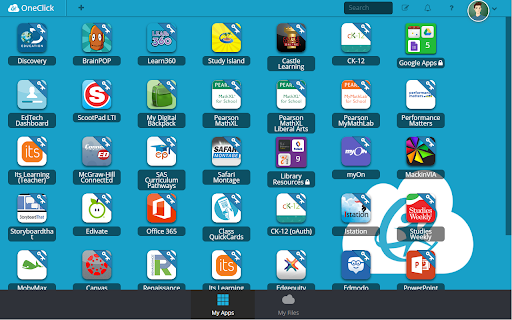
ClassLink OneClick Extension ClassLink empowers students and teachers with instant access to their learning resources. ClassLink® LaunchPad® includes a library of over 6,000 single sign-on apps and instant links to file folders at school and on Google, Office 365, and Dropbox cloud drives. ClassLink Roster Server easily and securely delivers class rosters to any publisher using open technology standards. ClassLink Analytics gives decision makers the usage data they need. Accessible from any computer, tablet or smartphone, ClassLink is ideal for 1to1 and Bring Your Own Device (BYOD) initiatives. PLEASE NOTE… Your school or organization must have ClassLink for this extension to work. Please contact your technology department or email info@classlink.com.

Promethean® Screen Share
Promethean® Screen Share Put classroom collaboration into the hands of students and teachers. The Promethean Screen Share Chrome extension is designed for teachers and students to interact with a Promethean ActivPanel Elements series from anywhere in the classroom. With the Promethean Screen Share Chrome extension, students and teachers can wirelessly share from their laptop to the ActivPanel Elements series panel. No sign in required. NOTES: The Promethean Screen Share Chrome extension requires Promethean ActivPanel Elements (Nickel, Cobalt, Titanium) series panels with panel firmware version 3.2 or newer. Promethean Screen Share must be enabled on ActivPanel Elements series panels.

Depth & Complexity Icons
The Depth & Complexity Framework's Icons in one easy-to-use Chrome Extension! J Taylor Education and The Center for Depth & Complexity is excited to bring you this versatile tool. THE DEPTH & COMPLEXITY FRAMEWORK'S ICONS Our Icon toolbars have arrived! Quick access for both teachers and students as they implement and input the Icons into Google Documents, Word Processing and more! Different sizes, color, B & W and the Content Imperatives. Drag and drop all our Icons into the files of your choice. Once downloaded, these Icons may be used for educational purposes only. Reselling them or using them in a product that is sold for profit is not allowed per U.S Copyright laws. -- HELP TIP -- After you download the D&C Icons Chrome Extension, you must click on the puzzle piece icon at the top right of your browser screen located next to your profile Image. Upon clicking the the puzzle piece, a menu will open and you must click on the image of a pin next to the D&C Icons Extension in order to 'pin' the newly downloaded Chrome Extension to your toolbar.

Brisk Teaching – AI Assistant for Teachers
More than 1 million teachers have installed Brisk. Here's what they use it for: More than 1 million teachers have installed Brisk. Here's what they use it for: Create Build lesson plans, quizzes, Google Docs, Forms, and Slides in 30+ languages. Everything saves straight to your Google Drive. Give Feedback Write personalized, rubric-aligned feedback on student work for one student or the whole class at once. Inspect Writing See how students built their work. Replay their writing process to understand their thinking beyond the final draft. Boost Student Activities Create interactive, standards-aligned activities with AI guardrails you set. You monitor progress while students work. Brisk reads the page you're on and works with what's there. Nothing to export, copy, or paste. Why teachers stick with Brisk It fits how you already teach. You don't have to learn a new platform or rework your process. Creating a quiz from a slide deck takes minutes. So does turning a YouTube video into a lesson plan, or writing feedback for 30 students. You stay in control. You set the rubric, the standards, the guardrails. 1. Add the Brisk extension to Chrome and pin it to your toolbar. 2. Open any Google Doc, Slide, or webpage. 3. Click the Brisk icon and start building. Ready to save time and boost your teaching game? Visit www.briskteaching.com and join the 1 million+ teachers who’ve made teaching Brisk!

BetterCampus (prev. BetterCanvas)
Feature packed extension for Canvas. 🔥 BetterCampus – Upgrade Your Canvas Experience BetterCampus makes Canvas finally feel like it was built for students. From dark mode and themes to GPA tracking and smarter to-dos — we got you covered. Features students love: 🌙 Fully Customizable Dark Mode – Schedule it, tweak it, or pick from dozens of user-made themes 🎨 Custom Dashboards – Gradient cards, color palettes, fonts, and layout controls ✅ Smarter To-Dos – Better assignment lists + preview assignments right from the dashboard 🧠 GPA Calculator – Works for both college & high school 📌 Dashboard Upgrades – Add notes, show grades, clean up the sidebar, and more Join over 1,500,000 students making Canvas actually work for them. Built by students, for students. Disclaimer: BetterCampus is an independent project and is not affiliated with or endorsed by Instructure or Canvas LMS.
