
jgelibifajkjfimoagceenfcfaokeipj
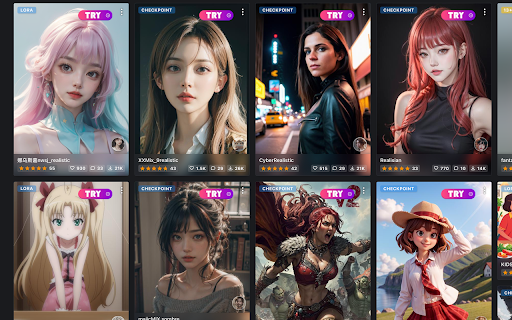
Help you to easily try the newest and most popular StableDiffusion models in CivitAI, and create your own artwork on TryYourAI.com. This extension provides image generation service for CivitAI. To get started, install this extension and open CivitAI. With just a simple click on the “TRY” button, you can use the most popular StableDiffusion models to create your own artworks on TryYourAI.com.

Nim - Describe Any Image
Get an instant AI prompt from any image on the web See an image that sparks an idea? Whether it’s on Pinterest, Google Image Search, Midjourney, or anywhere else, Nim’s “Describe” button turns any image into a detailed description that can be used as a prompt for generating new images and vides - Hover over any image: Pinterest, Midjourney, wherever - Click the "Describe" button — Nim instantly generates a detailed description - Use it as a prompt and create stunning AI-generated images or videos in seconds More powerful features are on the way — stay tuned!

Visited
Make the websites you visited easier to view

Chub.ai to charluv.com importer
The Chrome extension "Chub.ai to Charluv.com Importer" is a powerful tool for users of online character creation services. With this extension, users can easily transfer their character designs from the popular character creation website Chub.ai to the character chat site Charluv.com. Using the extension is incredibly simple. After installing it in your Chrome browser, simply navigate to Chub.ai and create your desired character design. Once you've finished, click on the "Export" button and select "Charluv.com" from the list of available options. The extension will automatically transfer your character data to Charluv.com and add it to your account.

Prompt2Notion
Just click to save the Prompt, Image, Author, etc. from Midjourney to your Notion database 1. Add a "Save2Notion" button on Midjourney's artwork page. 2. Click the button to send the prompt, property, author, image, and web URL to your own Notion Database. 3. Optional translation of the prompt sentence by sentence. With this Chrome extension, you can quickly save important information from Midjourney's artwork page to your Notion Database. The "Save2Notion" button allows you to easily transfer the prompt, property, author, image, and web URL to your database with just one click. You also have the option to translate the prompt sentence by sentence to make it easier to understand. Streamline your workflow and keep all your important information organized with this handy tool. So now you need to upload the image to imgur to get the new url, so that the image can be displayed properly in Notion.
