
jfgofbkegonfgfianjnmbiekmgahmbfl
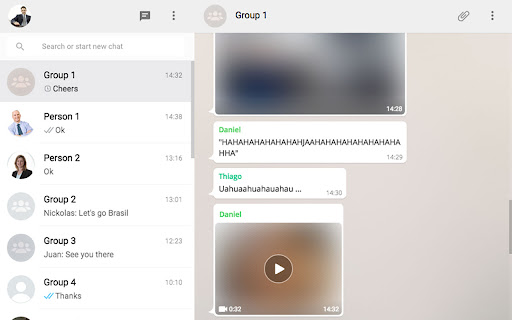
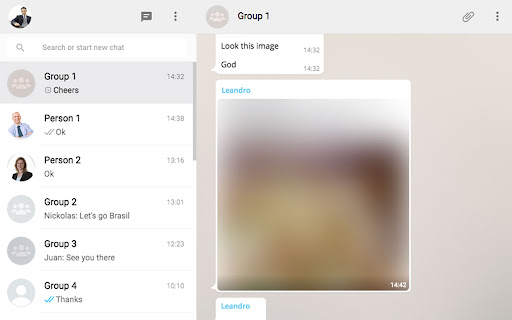
Blurs images and background images in WhatsApp Web, removing blur on hover. The Blur Images extension will blur out any sent or received images and videos until you select and click/hover them. This extension is useful for when you are at work or any other place where you might not want everyone around you to see your images and videos from your private conversations.

Privacy Extension For WhatsApp Web - WABULK
Protect your privacy on WhatsApp Web, lock your screen, and hide messages, images, profile, and more with blur effects. Privacy Extension for WhatsApp Web offers privacy protection features that allow you to lock your screen and selectively hide messages, images, profile, and more. With this extension, you can safeguard your conversations on WA Web and prevent unauthorized access or prying eyes. # Feature ✅ Screen lock: The Lock Screen feature requires a password to access WhatsApp Web, ensuring that your messages and conversations remain private even when you're away from your computer. You can also set a time limit for automatic lock screen activation. ✅ Message hiding: The Hidden Chat Messages feature allows you to blur out certain content, which can only be revealed by hovering over it with your mouse. This feature includes six independent toggles: Users/Group Names, Profile Pictures, Last Message Preview, All Messages in Chat, Media Preview, and Text Input. ✅ Convenience: Use keyboard shortcuts to quickly turn on/off screen lock and message hiding features, making it easy to use. The Lock Screen shortcut key is Alt+X, and the overall toggle for Hidden Chat Messages is Alt+Z. You can customize these shortcuts in chrome://extensions/shortcuts. # Home Page https://privacy-wa-web.wabulk.net/ We're here to help! For any questions or feedback, contact us at info@wabulk.net.

Hide contacts in Whatsapp Web
Adds buttons to hide or blur the WhatsApp Web contacts list. Automatically hides the contacts list upon selecting a chat (optional).

WA Web Plus – WhatsApp Web Tools for Privacy & Deleted Messages
Blur chats & media for privacy, view deleted messages, download status, track online activity on WhatsApp Web. WA Web Plus — Privacy & Productivity for WhatsApp Web Protect your WhatsApp Web privacy in public spaces. Blur chats, hide sensitive content, and customize your workspace — all running locally in your browser. ✓ Updated for the latest WhatsApp Web (May 2026) ✓ Working blur — verified on the current WhatsApp Web release ✓ Active development with fast bug fixes ✓ Lightweight and privacy-focused ✓ Available in 8 languages • Blur messages, media, profile pictures, and contact names — reveal on hover • Instant privacy mode for public or shared spaces • Auto-blur when idle so your screen stays protected when you step away • Customize blur intensity for different content types • Lock screen with custom PIN • Hide text input while typing Open WhatsApp Web and your chats are instantly protected. • Quick Chat — message any number without saving as contact • Status Download — save images and videos from Status updates • Translation — translate messages instantly in 12+ languages • Pin unlimited chats • Mark all chats as read in one click • Export contacts and group members to CSV • Click-to-Chat link & QR code generator • Customize your chat background with wallpapers, gradients, and colors • 16 built-in wallpapers included • Access recalled (deleted) messages locally in your browser • See online presence directly from your chat list • Hide read receipts — read messages without sending blue ticks • Hide typing & recording status • View statuses without sending a "seen" notification • Invisible Mode — control your online visibility • View profile information such as country, local time, and currency from phone numbers • Alt + X — instantly blur the entire page • Cmd + Shift + L / Ctrl + Shift + L — quick lock screen • Your messages stay 100% on your device • No account required, no data uploaded 1. Click "Add to Chrome" 2. Open WhatsApp Web 3. Privacy features activate automatically 4. Customize settings anytime from the extension toolbar icon Not affiliated with WhatsApp Inc. or Meta. WhatsApp is a trademark of Meta Platforms, Inc.

Privacy Extension for WhatsApp Web
Blur WhatsApp messages, media, names and previews. Protect your chats: auto-blur when idle, reveal on hover. Boss walking by? Coworker eyeing your screen? Someone behind you at the café? Blur your WhatsApp Web chats and keep messages, photos, names and previews safe from prying eyes nearby. 🧠 AUTO-BLURS WHEN YOU STEP AWAY Stopped scrolling? Everything blurs on its own. You pick the timer: 15s, 30s, 45s, 1 min or 5 min. Move your mouse to reveal. 🎛️ YOU CHOOSE WHAT TO HIDE ✅ Messages and previews ✅ Photos, videos and stickers ✅ Profile pictures and contact names ✅ The typing field 💼 BUILT FOR SHARED SPACES • Home office and remote work • Open offices and coworking • Cafés and public places • Shared or family computers ⌨️ FAST AND IN YOUR CONTROL • Hover to reveal instantly • Shortcut: Alt+X (Windows) / Ctrl+X (Mac) • Lightweight — won't slow WhatsApp Web down ☁️ YOUR SETTINGS FOLLOW YOU Signed into Chrome, your preferences sync across devices. 🔐 REAL PRIVACY Zero data collected. Everything runs in your browser — nothing leaves your computer. WhatsApp is a trademark of Meta Platforms, Inc. This extension is not affiliated with, endorsed by, or sponsored by Meta.
