
jeodebnjeecpbmbgimbpinccfkihhjid
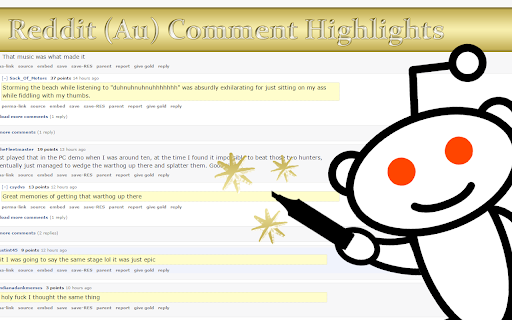
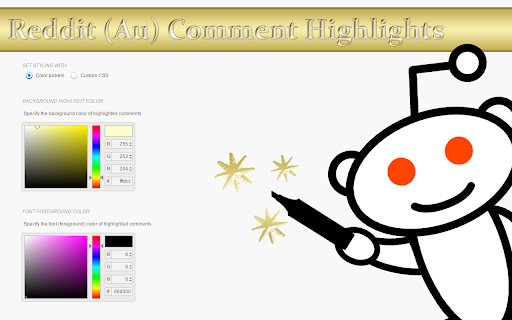
Highlight unread comments since your last visit to a Reddit comment section. Lightweight and customizable alternative to a feature normally reserved to Reddit gold users. It requires minimal permissions and syncs between browser sessions! It supports RES (Reddit Enhancement Suite) night mode and custom CSS! Note that highlights won't show until the second time you visit a comment thread after you install the extension. Please report any problems you encounter to github issues page. Update Log: ========== Version 3.0.0: • Feature: Support for Manifest v3 (Chrome 88 and above) Version 2.0.0: • Feature: Support for `reddit.com` ("redesign"). • Feature: Choice between local or synced storage. • Feature: Optional storage compression. • Feature: Automatic refresh on configuration change. • Feature: Opt-in error reporting. Version 1.2.0: • Feature: Firefox support. • Fix: Issue where comments would not get highlighted. • Notice: Having the options page in a separate tab is deprecated, so it's now shown in a modal window. Version 1.1.1: • Fix: Issue where comments not shown on page load (like comments shown after clicking "load more comments") would not get highlighted (thanks @madLyfe for the bug report). • Fix: Issue on options page where RES usage setting would not be saved unless all settings explicitly saved. • Fix: Issue where viewing a perma-linked comment would mark the whole thread read. Version 1.1.0: • Feature: Proper RES (Reddit Enhancement Suite) night mode support! • Feature: Advanced settings (link & quote color). • Feature: Native color picker. (thanks @Two-Tone for the suggestions) Version 1.0.0: • Feature: Option to clear highlight on click. • Feature: Option to redirect mobile to desktop site. • Fix: More lightweight (reason for color picker change). • Fix: More responsive options page, minor color/layout fixes & no silent errors. • Note: This update will ask for your permission to access all reddit pages (previously the extension only had access to subreddit pages). Version 0.10.0: • Fix: No longer highlight logged in users' comments (thanks @Two-Tone for the suggestion). Version 0.9.0: • Feature: Use custom CSS for styling (thanks @jtraub for the suggestion). • Feature: Customizable font color. Version 0.7.0: • Fix: Issue where last comment wouldn't get highlighted (thanks @SilentException for the bug report). Version 0.5.0: • Feature: Options page. • Feature: Customizable highlight color and border.

reveddit linker
Switch between viewing content on reddit and reveddit. There are a few ways to use this extension: (1) On old reddit, click the "reveddit" button under a removed comment or any post. (2) Click the extension icon when viewing a reddit or reveddit page. (3) Right-click on a link or page and select "View on re(ve)ddit" in the context menu. Shift+click opens the page in a new window. 2021-08-17 - 0.0.0.9 - keep the sort setting from reddit 2021-07-29 - 0.0.0.8 - adds a button to removed comments and all posts on old reddit 2021-03-02 - 0.0.0.7 - updated to work with chrome extension manifest version 3 2020-08-31 - 0.0.0.6 - updated to work with new reveddit subreddit and user paths 2019-11-27 - 0.0.0.5 - changes for revddit.com -> www.reveddit.com

reveddit real-time
reveddit notifies you when any of your content on reddit has been removed. ★ Automatic notification of mod-removed, reapproved, locked or unlocked reddit content ★ Monitor usernames or selected comments and posts ★ Works with both new and old reddit layouts ★ Show removal status of posts on their reddit.com comments pages, including for private subreddits, on both new and old reddit ★ Show locked status of posts on reddit.com subreddit pages ★ View the history of observed changes Reveddit real-time tracks the content you post and notifies you when something is removed, locked, reapproved or unlocked. Upon installing the extension, it will automatically subscribe to your username. To subscribe to additional usernames, create a separate browser profile, log into reddit as another username, and install the extension there. To monitor additional comments or posts, click the subscribe button beneath the item, or right-click on a link and choose `reveddit subscribe`. Note that subscribing to a post does not subscribe to its comments, only the post itself. Reveddit real-time is developed independently and is not officially endorsed by or affiliated with reddit. Enhancements will be added as they are developed. You can support this work through a non-tax-deductible donation: Note, the extension is not able to track content from private subreddits. 2026/06/02 - 0.0.5.11 - fix subscribe-rev button duplicating on comments; add scan and filter buttons on new reddit threads 2026/06/01 - 0.0.5.9 - fix per-comment restore; batch search with progress; cross-check all removed comments; reduce wasted requests 2026/06/01 - 0.0.5.8 - restore removed comments within threads; flag your removed/locked content on your own profile; hide scan button on own profile 2026/05/30 - 0.0.5.7 - show removed content on reddit profiles; fix rate-limit lockouts and stuck scanning 2026/05/13 - 0.0.5.4 - fix duplicate notifications regression for removed posts 2026/05/10 - 0.0.5.3 - improve delayed post removal notifications with batching, age context, and progress UI 2026/4/12 - 0.0.5.1 - open history page on install instead of reveddit.com user page 2026/01/25 - 0.0.3.9 - filter out alerts for content older than the most recent 100 items 2026/01/19 - 0.0.3.8 - fix status check for posts 2026/01/16 - 0.0.3.7 - enhance request handling and error recovery 2023/07/15 - 0.0.3.0 - stop using shared ID for oauth in accordance with recent Reddit API changes 2023/03/03 - 0.0.2.9 - auto-subscribe to current user if not subscribed and never unsubscribed 2023/03/01 - 0.0.2.8 - add Reveddit links for removed comments on new Reddit redesign 2023/02/14 - 0.0.2.5 - fix notifications for browsers set to use a non-english language 2023/02/14 - 0.0.2.4 - fix missing removal notice for 4+ year old posts on new Reddit redesign 2023-01-21 - 0.0.2.2 - fix an incorrectly named function that may have introduced errors for long-time users with logs of over 500 removed items 2022-05-22 - 0.0.1.9 - make it more clear that post removal notices are created by this extension, not the website 2021-07-09 - 0.0.1.8 - remove comment ID from link to new reddit in extension's removal notices on old reddit. New reddit does not show post removal notices when viewing a link to a comment 2021-01-09 - 0.0.1.5 - only add quarantine cookie for reveddit.com requests 2021-01-03 - 0.0.1.4 - update to work with new reveddit website paths 2020-11-01 - 0.0.1.3 - prepare for manifest v3 2020-04-19 - 0.0.1.2 - fixes the old.reddit.com removal notice on posts for deleted/removed crossposts 2020-04-19 - 0.0.1.1 - updates the notice that appears on deleted posts on old.reddit.com to handle html/css changes

New Reddit Enhancements & Chemo (nREC)
Improvements for new Reddit: subreddit filters, ad-block, user-tags, video downloading, and more. Hide trending and sidebars. Add options to hide the trending strip, right sidebar, and/or subreddit sidebar. Blur NSFW. Quick option to blur NSFW thumbnails. Not a replacement for the similar option in the Reddit settings but provides a shortcut to quick turn on/off should the need arise without having to navigate through the settings. Fix image previews. Clicking on image previews take you directly to the image itself, instead of the lightbox element. Direct image links. Bypass Reddit forcing direct image links onto a preview page/template. Add video download links. When viewing a video, download links are provided, using both a direct link and a link through rapidsave.com. On installation, most features are enabled by default. However, features like Reddit Chemo and user tags need to be populated to see their full effects. Features can be enabled, disabled, and modified through the extension's UI (accessed by clicking the extension logo on the browser Toolbar). Most features, such as dark mode, hide trending and sidebars, blur nsfw, fix image previews, direct image links, and add video download links can simply be toggled in the UI using the various controls. Add video download links attempts to add a link to the video (with buttons in the upper-left corner). In the feed, it will attempt to find and apply a direct video link. However, this is only possible with short videos. Otherwise, if the buttons do not appear, try opening the post/comments. Then two links will be provided: one for the direct video (usually without sound as Reddit separates the video/audio feed) and another using RapidSave (which can rectify the video download with audio). To add subreddits to Reddit Chemo's ban list, simply click the "ban" button next to posts in the r/all or r/popular feed from subreddits you do not wish to see. By default, a small strip will be shown in place of the blocked post with an option to remove the subreddit from the ban. To hide this strip, toggle "Show/hide blocked posts" in the extension's UI. To remove subreddits from the ban go to "Edit banned list" in the extension's UI to view the full ban list and remove subreddits from it. The effects of removing subreddits from the ban list may not take effect until a page change or refresh. User Tags. Next to every username (including your own) you will see an empty 'tag' icon (or an active tag, if one was set). To set or edit this value, simply click once and type to edit the text. When in edit mode inside of a tag, click the tag again to cycle different tag colors. Click outside the tag or press 'enter' to save changes or press 'esc' to cancel changes. If the new tag value is set as empty or whitespace, the tag will be removed. All existing user tags may also be viewed and edited from the extension's UI. Click "Edit user tags" to get a list of all existing user tags and edit individual tags as necessary. If you liked this extension, consider donating @ https://ko-fi.com/F1F25YGLA

Moderator toolbox for reddit
Toolbox is an extension that adds a myriad of much needed features and functionality to reddit for moderators. Containing: - Queuetools - Mod Button - Mod Mail Pro - Mod Domain Tagger - Toolbox Notifier - User history analyzer - Comment Nuke tool - User notes - Personal notes - Syntax highlighter for subreddit css - Much more
