
jdicoamhgagboinalcijpjaiamgonegj
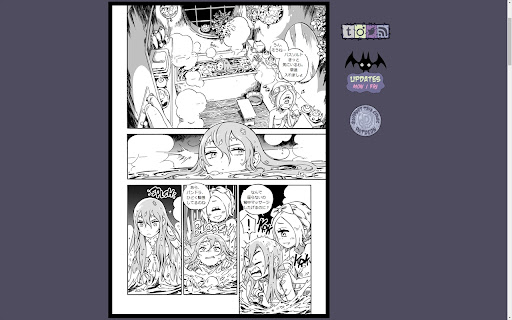


Webコミックに人力日本語訳を表示、日本語での読解を助けます。 更新停止。(Devil's Candyの公式日本語化連載が発表されたため。) 動作方法は、対象サイト上で、ブラウザ右上の拡張機能アイコンから「再読み込み」。(注:自動起動は、右クリック→サイトデータの読み取りと変更→サイトのURLを選択) 対応作品はリンク先参照。 https://sites.google.com/view/honyakuteikoku/extension/titles

ScanLingua
Scan, recognize and translate parts of your screen. ScanLingua provides Japanese, Chinese and Korean text recognition of selected screen areas with translation, character annotation and audio. - Check on subtitles, manga panels or any CJK text; - Edit recognized text and alter annotations; - Create and export cards to Anki via Anki-connect; - Free and open source, secure by design; - Packed with local OCR engine and dictionaries.

Manga Translator🍓
Manga translator for Japanese, Korean, and Chinese ✔️ Works on every manga site with the Unlocker or Panel Tool ✔️ Best-in-class manga translation and OCR quality ✔️ Supports PDF, ZIP, and image uploads ✔️ Uses full-context on PDFs and ZIPs for max accuracy Subscription service with a free trial—no registration required.

AI Manga Translator - Manga Translator
AI Manga Translator:Translate Raw Comics & Manga With One Click Overview AI Manga Translator:Translate Raw Comics & Manga With One Click AI Manga Translator :Chrome Extension Introduction and Usage Guide Introduction The AI Manga Translator Chrome extension provides users with a seamless way to translate manga and comics from various languages using advanced AI technology. It supports multiple languages and ensures the preservation of the original artwork while translating the text accurately. Features 1. Preserves Original Layout: Maintains speech bubbles and artistic integrity while replacing text. 2. Multiple Languages: Supports various languages for translation. 3. High Accuracy: Utilizes top AI translation engines like DeepL for precise translations. 4. Free Plan: Offers a free plan with a limited number of translations per week. Platform Compatibility: Works with most major online comic platforms,such as MangaDex, Antbyw, etc. Usage Instructions 1. Install the Extension: One-click installation from the Chrome store, no complex setup required 2. Open Comics: Visit your favorite comic website or open a local comic file 3. Click Translate: Click the extension icon, select the target language, and start translation with one click 4. Enjoy Reading: Immediately enjoy comic content in your familiar language Support For troubleshooting or further assistance, contact the support team via email at support@aimangatranslator.com. For more details, visit the AI Manga Translator website.

MajiYabai Manga Translator
This extension provides an interactive UI for displaying translated text on manga websites. This extension is brought to you by MajiYabai.com - "Unveil the Manga Magic! Dive into the latest web manga episodes with our English and Chinese interactive translations, powered by our magical Chrome extension. Experience the thrill of Japan’s hottest manga without language barriers." Our unique Chrome extension provides an interactive way to display translated texts on top of the official manga websites. Readers can use our extension to load a “translation text file” from our site or their local computers. Our extension will then redirect them to the official webpage of the corresponding manga episode, and display the translated text through an overlying UI system. Our website and Chrome extension do not store or distribute manga image content, and therefore strictly comply with copyright laws and regulations.
