
jddkkkaecbmmcgfhoenodccbmocpdanb

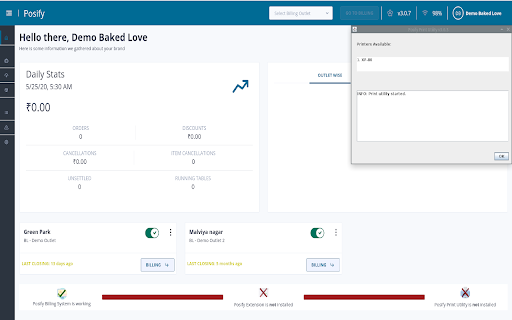
The extension allows the subscribers of posify.in to print in background using thermal printers and it also connects with the posify print utility installed in the subscribers system and pass relevant data from posify.in to the subscribers local database.

Eagle Silent Print
Silent thermal receipt printing for Eagle POS system with native messaging (pure client-side) Eagle Silent Print is a specialized Chrome extension designed for the Eagle POS system that enables seamless silent thermal receipt printing. It automatically detects available thermal printers and communicates with them through a native messaging host, eliminating print dialogs and streamlining point-of-sale operations. FEATURES: • Automatic thermal printer detection • Silent printing without dialogs • Native messaging for reliable communication • Printer selection management • Real-time printer status monitoring • Cross-platform support (Windows, Linux, macOS) • No data collection or tracking • Local-only operation TECHNICAL DETAILS: This extension is designed specifically for Eagle POS systems. It provides seamless integration with thermal printers commonly used in retail and restaurant environments. The extension works in conjunction with a native messaging host to detect available printers and send print jobs directly to the selected thermal printer. KEY CAPABILITIES: 1. Automatic Printer Detection: Scans system for available thermal printers 2. Silent Printing: Sends print jobs without showing print dialogs 3. Native Integration: Uses native messaging for reliable printer communication 4. Easy Configuration: Simple printer selection interface 5. Status Monitoring: Real-time printer availability checking PERMISSIONS EXPLAINED: • nativeMessaging: Required to communicate with local thermal printer driver • storage: Used only to store user's printer selection locally PRIVACY & SECURITY: • No personal data collection • No user activity tracking • No data sent to external servers • All communication is local to your machine • No third-party analytics or tracking services INSTALLATION: 1. Install extension from Chrome Web Store 2. Install native messaging host on your system 3. Select your thermal printer in Eagle POS settings 4. Start printing silently SUPPORT: For support and documentation, visit: https://infocomsystem.net/ SYSTEM REQUIREMENTS: • Chrome browser (latest version) • Windows • Thermal printer with ESC/POS support • Native messaging host installed

Silent Print Extension
Print documents silently to a USB printer ユーザーへのポップアップ画面なしにPDFや画像を印刷します。名札なども印刷可能です。

POS & Label Printer Manager
Chrome Extension for POS and label printers. This is a POS&Label printer driver for Chromebook. NOT for Chrome browser on Windows. v0.2.5, optimized the printing quality for landscape printing. This is a POS&Label printer driver for Chromebook. NOT for Chrome browser on Windows.

Print Button
Easily print any page with just one click! With Print Button addon, you can easily print any desired page with just one click from your browser's toolbar. Important features: a. Print any webpage with a click of a button (toolbar button). b. No settings or options to adjust. c. Supports light and dark themes. To report bugs, please fill the bug report form on the add-on's homepage (https://mybrowseraddon.com/print.html)
